
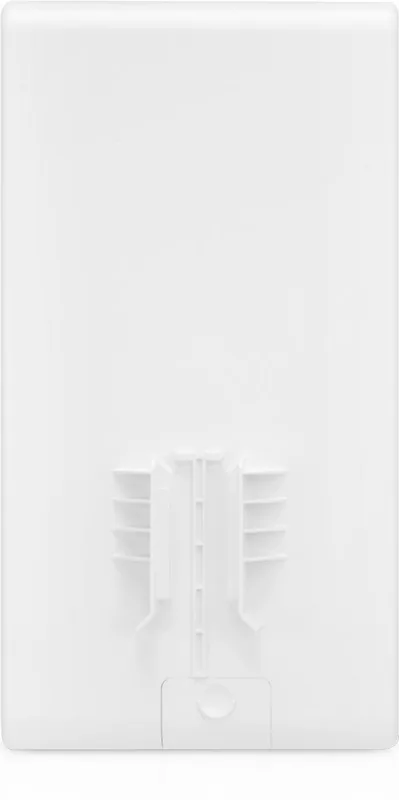
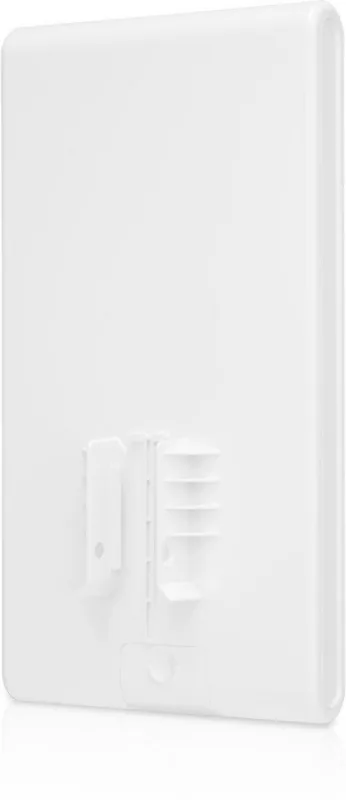
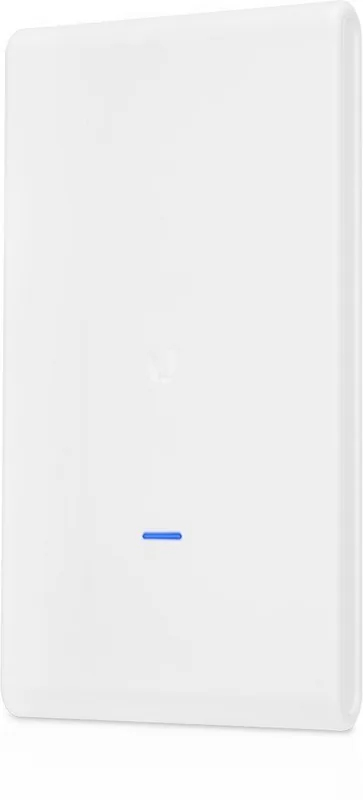
Ubiquiti UniFi AC Mesh Pro UAP-AC-M-PRO Manual
PDF manual · 28 Pages
English



Quick check
Incorrect answer, please try again.
Chat with your Ubiquiti UniFi AC Mesh Pro UAP-AC-M-PRO manual using AI
Get instant AI answers from your Ubiquiti UniFi AC Mesh Pro UAP-AC-M-PRO manual
Ask anything about the Ubiquiti UniFi AC Mesh Pro UAP-AC-M-PRO. Answers come from this manual, with the pages they are based on.
Ask a Question
Do you recommend UniFi AC Mesh Pro UAP-AC-M-PRO?
Yes NoFrequently Asked Questions
The UniFi AC Mesh Pro requires UniFi Controller software version 5.1.1 or newer for full functionality, adoption, and management. Download the latest controller from the official site and update firmware as recommended.
Is this answer helpful?
Power via the included 48V, 0.5A Gigabit PoE adapter or any 802.3af-compliant PoE switch. The main Ethernet port accepts PoE; the secondary port is for bridging and downstream connections.
Is this answer helpful?
The Mesh Pro ships with mounting hardware for pole and wall installation. Pole clamps support diameters roughly 38–76 mm; wall mounting requires secure attachment to a stud or structurally stable surface using appropriate fasteners.
Is this answer helpful?
Use shielded Cat5e or higher outdoor-rated cable (TOUGHCable recommended) and ensure proper AC ground grounding for outdoor runs. These practices help protect against ESD, environmental damage, and are conditions for warranty coverage.
Is this answer helpful?
Yes. Wireless adoption requires an existing managed UniFi AP running firmware 3.7.7+ with at least one SSID enabled on the 5 GHz band. The Mesh Pro must be within wireless range of that UniFi AP to be discovered and adopted.
Is this answer helpful?
Under optimal conditions the Mesh Pro supports up to 1300 Mbps on 5 GHz and 450 Mbps on 2.4 GHz, with an approximate range up to 183 meters (600 ft). Actual performance varies with environment and interference.
Is this answer helpful?
Ubiquiti provides a one-year limited warranty against defects. Warranty is void if the device is modified, painted, damaged by improper cabling, exposed to misuse, or run with unauthorized third-party firmware. Returns require an RMA within the warranty period.
Is this answer helpful?
Advantages and Disadvantages
Advantages

- Strong outdoor performance with 3x3 MIMO and dual-band radios (1300 Mbps on 5 GHz).
- Flexible mounting: pole and wall kits included; ruggedized for outdoor temperatures.
- Simple PoE power options: included 48V Gigabit PoE adapter or 802.3af switch compatibility.
- Seamless UniFi integration: centralized management, adoption, and monitoring via Controller/app.
- Secondary Gigabit port allows bridging or downstream device connectivity.
Disadvantages

- Requires UniFi Controller v5.1.1+ and specific firmware for wireless adoption.
- Optimal speeds depend on environment; real-world throughput may be lower than specs.
- Outdoor installations require shielded cabling and proper grounding to meet warranty.
- Class A device may cause interference in residential areas and needs careful placement.
- Warranty void if modified, painted, or used with unsupported third-party firmware.
Product Specification
LAN
2x 1000Base-T (1x PoE PD)
Wireless
WLAN 802.11a/b/g/n/ac (Wi-Fi 5), simultaneous
Data Transfer Rate
450Mbps (2.4GHz), 1300Mbps (5GHz)
Security
WEP, WPA, WPA2, WPA3
Antennas
internal
Ports
N/A
Power Consumption
9W (consumption, operation), N/A (max. power adapter output)
Dimensions
13.50x7.13x2.36in
Special Features
VLAN, Outdoor, Mesh (shared band)
Band Capability
Dual Band (simultaneous), Mesh (shared band)
Note
Configuration only via configuration software or via control unit. WPA3 after firmware update (5.43+ FW).
Product Description
Ubiquiti UniFi AC Mesh Pro: High-Performance Outdoor Mesh AP
The Ubiquiti UniFi AC Mesh Pro is a rugged, high-performance outdoor access point designed for demanding wireless deployments. With 802.11ac 3x3 MIMO technology, dual-band support and an integrated 8 dBi dual-band antenna array, the Mesh Pro delivers strong coverage and reliable throughput for outdoor and semi-outdoor environments. It supports up to 1300 Mbps on 5 GHz and 450 Mbps on 2.4 GHz under optimal conditions, making it suitable for backhaul links, guest networks, and dense client environments.
Built for flexible installation, the Mesh Pro mounts to poles or walls with included hardware and supports PoE powering via the supplied 48V Gigabit PoE adapter or any 802.3af switch. A secondary Gigabit Ethernet port enables bridging and downstream connectivity. The device’s LED indicators simplify status checks during deployment and firmware operations. Designed to integrate seamlessly with UniFi Controller software (v5.1.1 or newer), the Mesh Pro can be adopted wirelessly by an existing UniFi AP when within range, allowing centralized provisioning, monitoring and firmware management.
Operational reliability and safety are emphasized: the unit supports shielded outdoor cabling, grounding, and TOUGHCable recommendations for harsh or ESD-prone installations. It withstands wide temperature ranges (-40 to 70° C) and offers noncondensing humidity tolerance, making it well suited for commercial, campus, and service-provider outdoor coverage.
Management and provisioning are available through the UniFi Controller (desktop or cloud) and the UniFi mobile app for quick setups or remote provisioning. The controller provides device adoption, network configuration, SSID management, and device locate features. Firmware and software updates, along with integration into larger UniFi ecosystems, expand its capabilities for scalable networks.
Highlights include a compact form factor (343.2 x 181.2 x 60.2 mm), 3x3 MIMO radios, robust mounting options, and compliance with major regulatory standards (FCC, CE, IC). Power consumption is modest (approx. 9W), and the included PoE adapter simplifies installations where PoE switches aren’t available.
Notes:
- Requires UniFi Controller v5.1.1 or newer for full functionality.
- For wireless adoption, at least one managed UniFi AP must be on 5 GHz and running firmware 3.7.7+.
- Use shielded Cat5e/above cable for outdoor runs and ensure proper grounding to comply with warranty.
Search for 67,706 Manuals online


Type-in Brand or Model
LarsK
10 months ago
Is it necessary to have several Ubiquiti devices, and does it really not offer direct login to the device?
Manual.ly
9 months ago
For this system, management is primarily handled through the Ubiquiti software/controller rather than by logging directly into each device. That approach is most useful if you run multiple Ubiquiti devices, especially if they are spread out, because you can manage and monitor them from one place. If you only have a single device, setup and configuration may feel less direct than devices with standalone web login, but mounting and basic use still work as expected.