
Ubiquiti Rocket 5ac Lite R5AC-Lite Manual
PDF manual · 24 Pages
English



Quick check
Incorrect answer, please try again.
Chat with your Ubiquiti Rocket 5ac Lite R5AC-Lite manual using AI
Get instant AI answers from your Ubiquiti Rocket 5ac Lite R5AC-Lite manual
Ask anything about the Ubiquiti Rocket 5ac Lite R5AC-Lite. Answers come from this manual, with the pages they are based on.
Ask a Question
Do you recommend Rocket 5ac Lite R5AC-Lite?
Yes NoFrequently Asked Questions
Use shielded Category 5e or better Ethernet cable for all wired connections. For outdoor runs, use shielded outdoor-rated cable (Ubiquiti TOUGHCable recommended) and ensure the cable shield is grounded through AC earth as required.
Is this answer helpful?
Power via the included 24V, 0.5A Gigabit PoE adapter. Connect the Rocket’s LAN port to the PoE adapter POE port, then connect the adapter’s LAN to your network and plug the adapter into mains. The device uses passive PoE (pairs 4,5+; 7,8 return).
Is this answer helpful?
Set a host computer to a static IP on the 192.168.1.x subnet, then browse to https://192.168.1.20 and log in with the default username/password (ubnt/ubnt). Change country, language, and credentials during initial setup and agree to the Terms of Use.
Is this answer helpful?
Approved antenna types include 13 dBi omni, 20 dBi sector, and 34 dBi dish (50 ohm). Using antennas with gain above the listed maxima is prohibited and may violate regulatory limits; installers must set antenna gain and cable loss in airOS.
Is this answer helpful?
Yes. The device must be installed by a professional, operate within local frequency and power regulations, use shielded cabling and proper grounding, and maintain at least 20 cm separation between antennas and people for RF exposure safety.
Is this answer helpful?
It features a UV-stabilized outdoor plastic enclosure, wide operating temperature (-40 to 80°C), and ESD/EMP protection rated ±24kV for Ethernet to handle harsh environmental and electrical conditions.
Is this answer helpful?
Ubiquiti provides a one-year limited warranty against defects under normal use. Warranty requires proper installation, original labels intact, approved cabling and grounding, and no unauthorized modifications or third-party firmware.
Is this answer helpful?
Advantages and Disadvantages
Advantages

- Compact, antenna-mountable design for PTP and PTMP deployments.
- airMAX ac with configurable signal thresholds and web management.
- Gigabit Ethernet plus included 24V PoE adapter for simple power delivery.
- Rugged outdoor enclosure and wide temperature range with ESD protection.
- Regulatory certifications (CE/FCC/IC) and antenna/gain configuration fields.
Disadvantages

- Professional installation and shielded outdoor cabling required for warranty.
- Depends on passive PoE adapter; replacement constraints can complicate service.
- Operates only in 5 GHz with region-specific channel and power limits.
- Requires compatible antenna types (max gains specified) to avoid noncompliance.
- Default IP/credentials must be changed to secure deployments.
Product Specification
LAN
1x 100Base-TX
Wireless
5GHz (airMAX ac)
Transfer rate
500Mbps (5GHz)
Antennas
external (optional)
Power consumption
not specified (consumption, operation), 8.5W (consumption, max.)
Features
Outdoor, OpenWRT
Band capability
Single Band
Note
Open-/DD-WRT may only be available for certain revisions, please refer to further links!
Note #2
In some cases, the manufacturer's maximum consumption specification only corresponds to the maximum output power of the power supply unit and is therefore not a meaningful statement for daily power consumption.
Product Description
Ubiquiti Rocket AC Lite R5AC Lite, 5GHz Manual
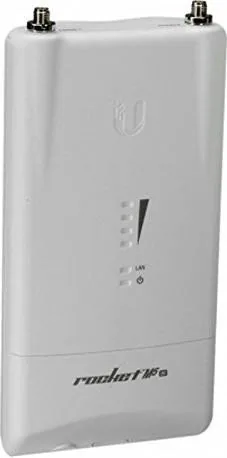
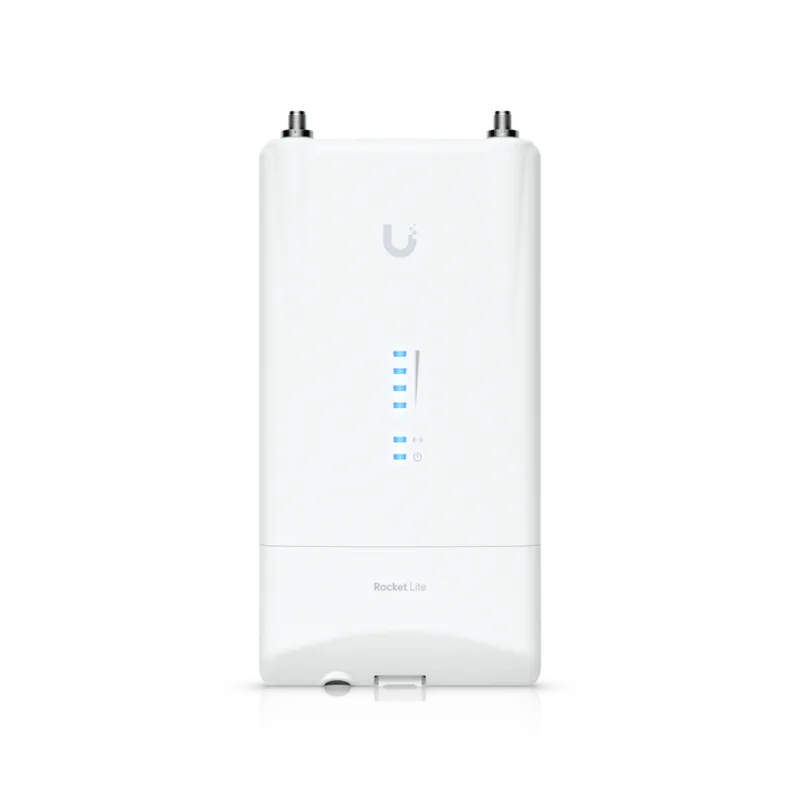
The Ubiquiti Rocket AC Lite R5AC Lite is a compact, carrier-class 5 GHz airMAX ac BaseStation built for reliable point-to-point and point-to-multipoint wireless links. Designed to mount directly to RocketDish or airMAX Sector antennas, the Rocket5ac Lite combines weather-resistant construction, RP‑SMA antenna connectors, and a Gigabit Ethernet port with passive PoE for a streamlined outdoor deployment.
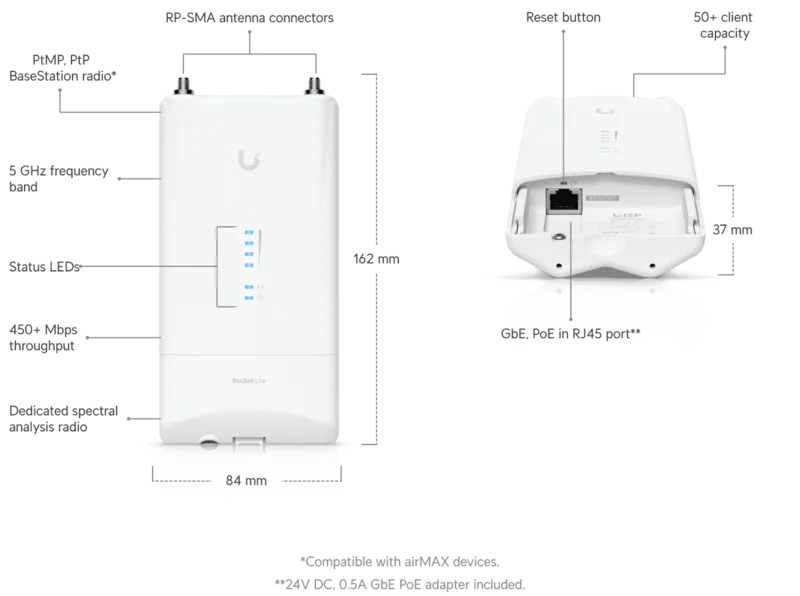
Installation is straightforward: connect shielded Cat5e (or better) cable to the Gigabit LAN port, power via the included 24V, 0.5A Gigabit PoE adapter, attach RF cables to the RP‑SMA connectors, and mount the unit onto the antenna using the integrated slots and protective shroud. LED indicators provide signal strength, LAN activity, and power status; thresholds are configurable in airOS. The unit supports a wide operating temperature range and includes robust ESD/EMP protection for harsh outdoor environments.
On the software side, airOS offers a web-based configuration interface (default https://192.168.1.20) with ubnt/ubnt credentials for initial setup and country/regulatory selection. For larger deployments, devices can be managed with Ubiquiti’s UNMS (now UISP) using additional installer tools. The device supports antenna gain, cable loss, and output power adjustments to help installers meet regional regulations.
Key specifications include a compact 162 x 84 x 37 mm enclosure, 250 g weight, one Gigabit Ethernet port, two waterproof RP‑SMA connectors, four signal-strength LEDs, and a maximum power consumption of 8.5W. The Rocket5ac Lite operates across 5150–5875 MHz (region-dependent) and is certified to CE, FCC, and IC standards. Safety guidance emphasizes professional installation, proper grounding, shielded cabling for outdoor runs, and adherence to local frequency and power regulations.
Notes:
- Use shielded outdoor-rated Ethernet (TOUGHCable recommended) and ensure proper earth grounding to maintain warranty validity.
- Comply with local DFS and transmit power rules; the Country setting on airOS may limit selectable regions for regulatory compliance.
- Maintain at least 20 cm separation between antennas and people to meet RF exposure guidance.
Pros and Cons
Pros:
- Lightweight, compact design ideal for antenna-mounted installations.
- airMAX ac performance with configurable signal thresholds and management via airOS.
- Gigabit Ethernet with included PoE adapter simplifies power and connectivity.
- Wide operating temperature range and strong ESD/EMP protection for outdoor use.
- Certified to CE/FCC/IC and supports antenna/gain settings for regulatory compliance.
Cons:
- Requires professional installation and shielded cabling to keep warranty valid.
- Passive PoE and specific power adapter required; replacing adapters can be restrictive.
- Limited to 5 GHz band; regional restrictions may limit usable channels.
- Basic physical antennas (RP‑SMA) require proper matching to approved antenna types.
- Default credentials and IP require immediate change for security in production.
Search for 67,706 Manuals online


Type-in Brand or Model