
Ubiquiti PowerBeam AC Gen2 PBE-5AC-Gen2 Manual
PDF manual · 32 Pages
English



Quick check
Incorrect answer, please try again.
Chat with your Ubiquiti PowerBeam AC Gen2 PBE-5AC-Gen2 manual using AI
Get instant AI answers from your Ubiquiti PowerBeam AC Gen2 PBE-5AC-Gen2 manual
Ask anything about the Ubiquiti PowerBeam AC Gen2 PBE-5AC-Gen2. Answers come from this manual, with the pages they are based on.
Ask a Question
Do you recommend PowerBeam AC Gen2 PBE-5AC-Gen2?
Yes NoFrequently Asked Questions
It is designed for outdoor wireless bridging and directional network links over 5 GHz. It works well for connecting buildings, extending network reach, or creating focused point-to-point connections.
Is this answer helpful?
Yes. The package includes a 24V Gigabit PoE adapter, which powers the unit and carries data over Ethernet. A compatible PoE switch can also be used if it meets the required power specifications.
Is this answer helpful?
Yes. It is built for outdoor installation and includes a dish reflector, pole-mount hardware, and weather-resistant materials. Proper grounding and shielded Ethernet cabling are required for reliable operation.
Is this answer helpful?
You can connect to the temporary Wi‑Fi network after power-up and use either the U Mobile app or a web browser at setup.ubnt.com. This access window is available for a short time after startup.
Is this answer helpful?
The device uses a 25 dBi dish antenna. That gain helps concentrate the wireless beam and improve directional performance, especially in point-to-point or other long-range outdoor setups.
Is this answer helpful?
The antenna feed and reflector are assembled using a bracket system, and the elevation angle can be adjusted during installation. This allows the installer to fine-tune alignment for the best signal quality.
Is this answer helpful?
Advantages and Disadvantages
Advantages

- 25 dBi directional dish helps focus signal for stronger long-distance links.
- Gigabit Ethernet and passive PoE simplify outdoor network deployment.
- Flexible design can be used with or without the reflector depending on range needs.
- Rugged outdoor build supports harsh weather, wide temperatures, and high wind conditions.
Disadvantages

- Requires professional installation, grounding, and shielded cabling for proper use.
- Setup and alignment can be more complex than consumer wireless equipment.
- Best performance depends on correct mounting and precise antenna aiming.
- Regulatory settings and country restrictions add configuration steps for some users.
Product Specification
LAN
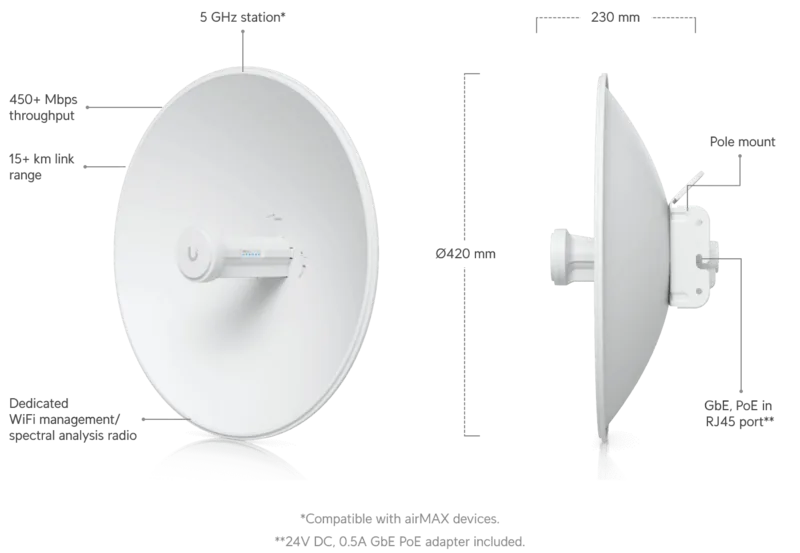
1x 1000Base-T (PoE PD, 24V passive)
Wireless
5GHz (airMAX ac)
Transmission Rate
450Mbps (5GHz)
Antennas
1x external
Ports
WLAN Management Access
Power Consumption
8.5 W (consumption, operation), no specification (max. power supply output)
Dimensions
16.54x16.54x9.06in
Features
Outdoor, including mount
Band Capability
Single Band
Manufacturer's Warranty
one year
Product Description
Ubiquiti PowerBeam ac Gen2, 5 GHz
The Ubiquiti PowerBeam ac Gen2 is a high-performance outdoor bridge built for stable long-range wireless links in the 5 GHz band. Designed around a directional dish antenna and airMAX ac technology, it is aimed at users who need focused signal delivery, reliable throughput, and professional-grade deployment options. In a blog-style look at the Ubiquiti PowerBeam ac Gen2, 5 GHz Manual, the product stands out as a practical choice for point-to-point networking, remote access links, and outdoor wireless coverage where precision matters.
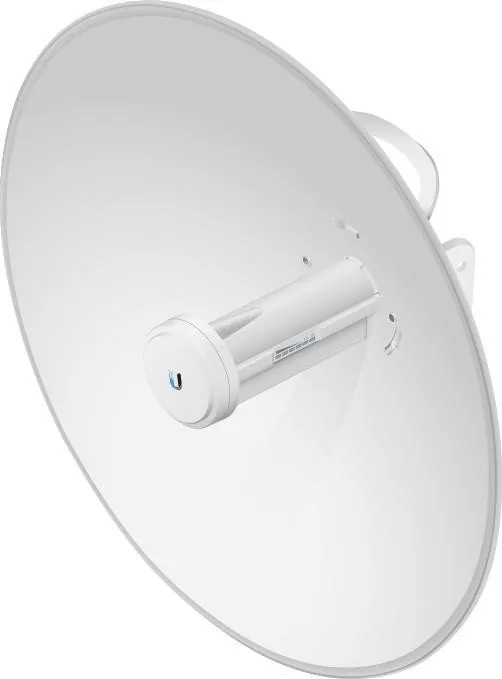
At the center of the system is a 25 dBi dish reflector that helps concentrate the radio beam for stronger directional performance. The antenna feed can also be used without the reflector for shorter outdoor-to-indoor coverage, giving the device more flexibility than a fixed-purpose radio. This makes the PowerBeam useful in different scenarios, from connecting buildings across distance to extending network reach in more targeted environments.
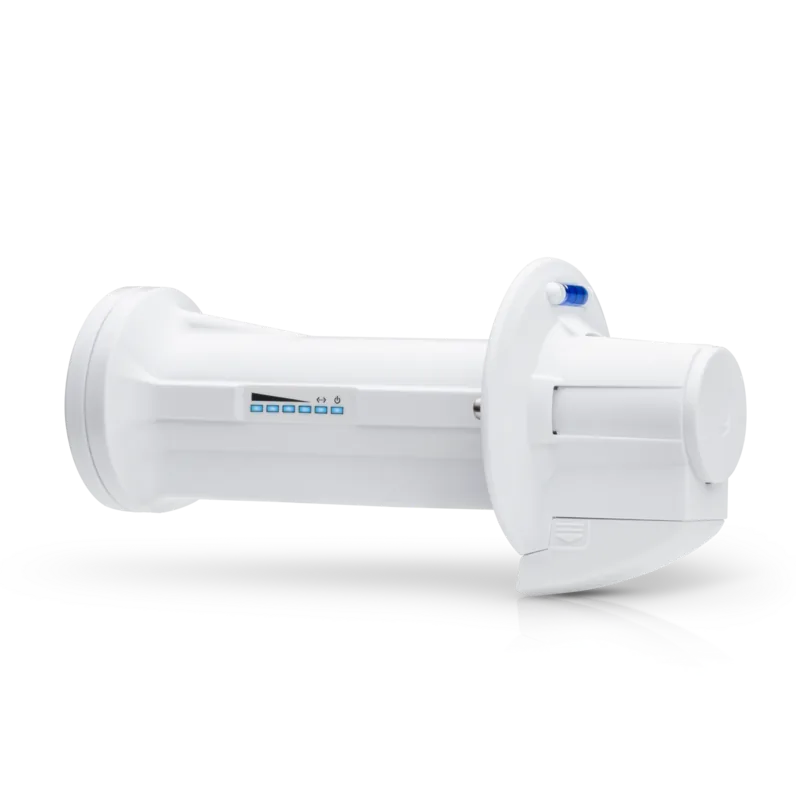
Installation is clearly designed for professional use. The package includes the dish reflector, mounting hardware, PoE adapter, and a quick setup guide, while the hardware layout supports safe assembly and alignment. Features like the release button, adjustment bracket, elevation indicator, and pole-mount kit help installers position the antenna accurately. The device also supports setup through airOS, which can be accessed via the U Mobile app or a web portal shortly after power-up.
Performance and durability are major strengths. The unit supports Gigabit Ethernet, passive PoE, and a wide operating temperature range, making it suitable for demanding outdoor installations. It is also built to handle high wind conditions and outdoor exposure when installed correctly with shielded cabling and proper grounding. These details reflect a device meant for real-world reliability rather than casual home use.
The manual also emphasizes compliance, safety, and correct installation practices. That includes grounding requirements, country-specific wireless settings, and regulatory responsibility for professional installers. These points matter because a product like this depends not just on hardware quality, but on correct deployment to achieve the best results.
Notes
- Best suited for directional 5 GHz wireless bridge deployments.
- Professional installation and shielded Ethernet cabling are strongly recommended.
- airOS setup offers quick initial configuration and flexible tuning.
- Proper alignment is important for achieving stable link quality.
Search for 67,706 Manuals online


Type-in Brand or Model