

Ubiquiti ETH-SP Gen 2 Manual
PDF manual · 28 Pages
English



Quick check
Incorrect answer, please try again.
Chat with your Ubiquiti ETH-SP Gen 2 manual using AI
Get instant AI answers from your Ubiquiti ETH-SP Gen 2 manual
Ask anything about the Ubiquiti ETH-SP Gen 2. Answers come from this manual, with the pages they are based on.
Ask a Question
Do you recommend ETH-SP Gen 2?
Yes NoFrequently Asked Questions
You can use the included self-tapping screw to ground the ETH-SP directly to a grounded metal pole. Alternatively, attach a drain wire using an M5 machine screw and nut. Place the included Serrated Washer between the screw and drain wire if used.
Is this answer helpful?
Yes, the device supports IEEE 802.3af PoE standards. This allows it to handle both power and data transmission simultaneously without compromising network performance or protection capabilities.
Is this answer helpful?
The maximum discharge current is 5000A. The normal discharge current is 500A. This ensures high-energy events are handled safely without damaging connected network equipment.
Is this answer helpful?
Yes, it supports wall mounting. You need to secure two screws spaced 38 mm apart on the wall. Leave a gap of 3 mm from the screw head to the wall when securing the ETH-SP by inserting screw heads into keyhole slots.
Is this answer helpful?
The operating temperature range is from negative 30 to 65 degrees Celsius. The operating humidity is between 10 to 90 percent noncondensing. Ensure the environment stays within these limits for proper function.
Is this answer helpful?
The warranty may not apply if the product has been damaged due to lightning strikes or abnormal electrical stress. Read warranty conditions carefully to understand exclusions regarding misuse or abuse.
Is this answer helpful?
You must obtain a Return Materials Authorization number from UBIQUITI NETWORKS. Products returned without an RMA number will not be processed. Products must be received at the facility freight prepaid in accordance with the RMA process.
Is this answer helpful?
Advantages and Disadvantages
Advantages

- Supports IEEE 802.3af PoE standards for simultaneous power and data transmission
- Handles surge voltage up to 700V at 1kV/us impulse spark-over
- Compact dimensions of 91 by 61 by 32.5 mm for flexible installation
- Includes two RJ45 female connectors for Ethernet IN and OUT connections
- Complies with ETSI standards and CE marking directives for safety
Disadvantages

- Mounting accessories like straps and screws are not included
- Drain wire for grounding is not included in the package
- No internal operator serviceable parts available for user access
- Warranty voids if product is modified or physically altered
- Requires careful installation to avoid water submersion or electrical storm use
Product Description
Securing Your Network Against Electrical Storms
Maintaining a robust network requires protecting critical devices from unpredictable power fluctuations. The Ubiquiti Surge Protector Gen 2 offers essential safeguards for RJ45 Ethernet ports. By absorbing transient current, this hardware prevents damage to downstream equipment. It is specifically engineered to handle surge voltage from 100V per second to 1kV per us.
Comprehensive Protection Features
This device supports IEEE 802.3af PoE standards, allowing power and data transmission simultaneously without compromise. The DC Spark-Over Voltage is rated at 90V at 100V per second. The maximum impulse spark-over voltage reaches 700V at 1kV per us. Discharge capacity handles 5000A in maximum scenarios. These specifications ensure your gear survives high-energy events.
Installation and Mounting Options
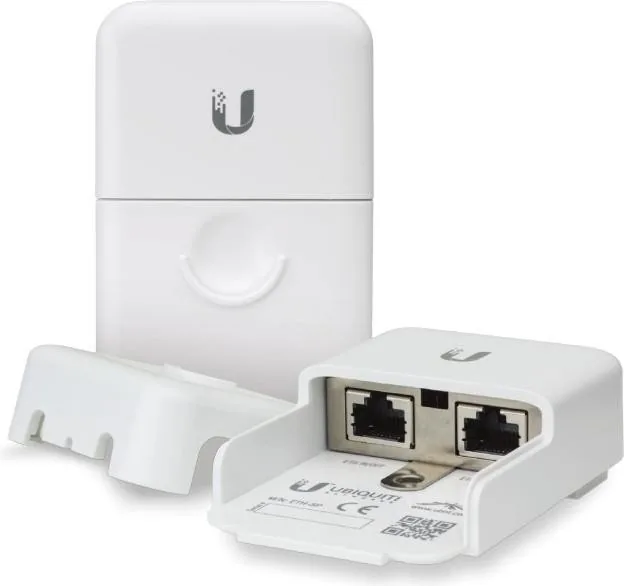
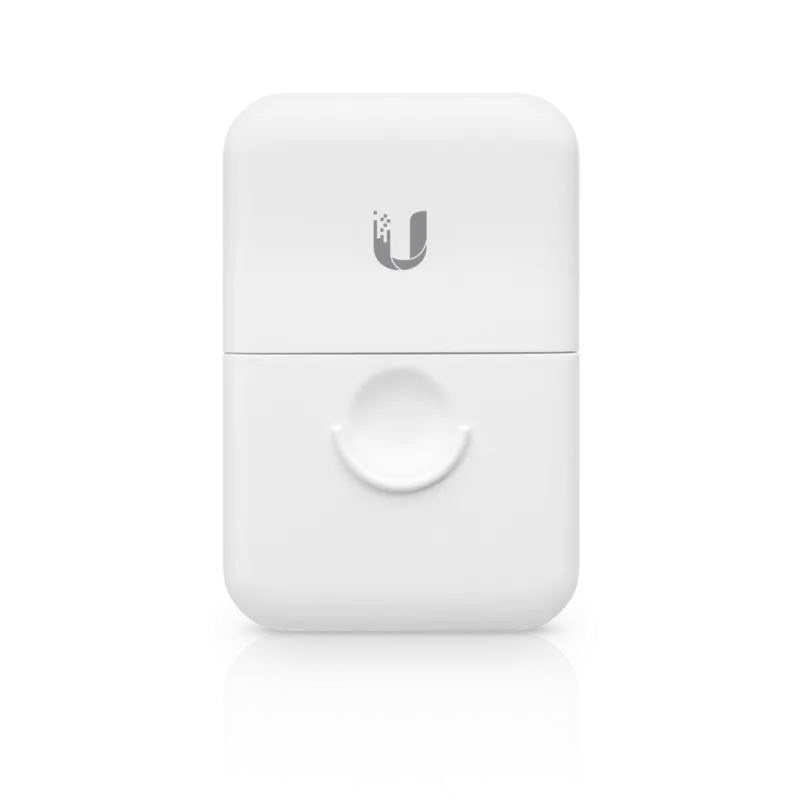
The unit includes two RJ45 female connectors for Ethernet IN and OUT connections. It is small, measuring 91 by 61 by 32.5 mm. Installation flexibility allows for pole or wall mounting. Pole mounting involves threading a metal strap through the back slot. Drill a 4.5 mm pilot hole into the pole through the grounding point. Secure it with the included self-tapping screw. Wall mounting requires two screws spaced 38 mm apart. Leave a gap of 3 mm from the screw head.
Grounding Requirements
The ETH-SP must be grounded by specific methods for safety. You can use the included self-tapping screw to ground the ETH-SP directly to a grounded metal pole. Alternatively, use an M5 machine screw and nut to attach a drain wire. Note: Place the included Serrated Washer between the screw and drain wire. If a drain wire is used, proceed to the last section for safety steps.
Compliance and Safety
The product complies with ETSI standards and CE marking directives. It adheres to RoHS and WEEE compliance statements for recycling. Read and follow all instructions carefully. Do not use attachments not specified by the manufacturer. Avoid using the product during an electrical storm if there is a risk of electric shock from lightning. The warranty covers defects for one year.
Documentation Reference
Always consult the Ubiquiti Surge Protector Gen 2 Manual for detailed safety notices. Service should be provided only by a qualified service technician internally. There are no operator serviceable parts inside this equipment. Contact a qualified electrician if there are questions about installation prior to connecting the equipment. Ensure protective bonding is installed in accordance with local wiring rules. Returns require a Return Materials Authorization number from UBIQUITI NETWORKS during the warranty period. Products returned without an RMA number will not be processed. The warranty does not apply if the product has been modified or physically altered. Ensure all Ethernet cabling runs use CAT5 or above for outdoor installations. Shielded Ethernet cabling is used for outdoor setups. Indoor installations follow indoor cabling requirements. This guide ensures longevity and safety for your network equipment. Proper maintenance extends the life of your hardware components effectively. Operational temperature ranges from negative 30 to 65 degrees Celsius. Operating humidity remains between 10 to 90 percent noncondensing. Information on the RMA process can be found at the official website.
Search for 67,706 Manuals online


Type-in Brand or Model