
Ubiquiti AmpliFi Router Manual
PDF manual · 52 Pages
English



Quick check
Incorrect answer, please try again.
Chat with your Ubiquiti AmpliFi Router manual using AI
Get instant AI answers from your Ubiquiti AmpliFi Router manual
Ask anything about the Ubiquiti AmpliFi Router. Answers come from this manual, with the pages they are based on.
Ask a Question
Do you recommend AmpliFi Router?
Yes NoVideo Manual
Hard Reset Ubiquiti AmpliFI HD Mesh Router
Frequently Asked Questions
Download the AmpliFi app from the App Store or Google Play, launch it, tap Set Up AmpliFi Mesh System, select your AmpliFi Router, name the wireless network and password, then follow the prompts to complete configuration and join the new network.
Is this answer helpful?
Yes. Tap the Router touchscreen to reveal the SSID, connect a computer to that Wi‑Fi, open a browser to access the AmpliFi portal, enter a network name and password, then log into Settings to complete Internet and admin configuration.
Is this answer helpful?
MeshPoints use LED patterns: flashing middle LEDs indicate ready to add, a looping upward motion signals booting, middle‑out lighting indicates searching, and steady LEDs represent connection and relative signal strength.
Is this answer helpful?
Open the AmpliFi app, tap Guest, choose the maximum guest count (up to 10) and a time limit or select Indefinitely, set a guest SSID and optional password under Wireless > Guest, then tap Start to enable the guest network.
Is this answer helpful?
Check power connections and Ethernet between modem and Router, power‑cycle the modem then the Router with a one‑minute interval, verify ISP status, and if issues persist contact your ISP or use AmpliFi live chat for support.
Is this answer helpful?
Use the AmpliFi app: Router image > General > Factory Reset. Alternatively, press and hold the physical Reset button on the Router for about 10 seconds until the LED turns off; then reset each MeshPoint individually.
Is this answer helpful?
Yes. Bridge mode can be enabled in the app under Internet > Bridge Mode to integrate AmpliFi with other routers or fiber services like Google Fiber; the Router will restart to apply changes.
Is this answer helpful?
Advantages and Disadvantages
Advantages

- Intuitive mobile app plus a full‑color touchscreen for easy setup and local control.
- Flexible mesh deployments: single router, MeshPoints, multi‑hop and multi‑router networks.
- Advanced networking: DHCP, Static IP, PPPoE, VLAN support, bridge mode and port forwarding.
- Real‑time monitoring and built‑in speed tests for throughput and ISP diagnostics.
- Robust support: 24/7 live chat, knowledge base, email and phone assistance.
Disadvantages

- Firmware updates temporarily take Wi‑Fi offline during installation.
- MeshPoints placed too far from the Router may lose connectivity or require relocation.
- Advanced networking options can be intimidating for nontechnical users.
- Guest network defaults to open unless a password is manually enabled.
- Forgotten custom admin/Wi‑Fi passwords require a factory reset to recover.
Product Specification
Modem
N/A
WAN
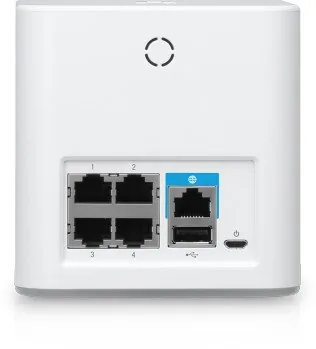
1x 1000Base-T
LAN
4x 1000Base-T
Wireless
WLAN 802.11a/b/g/n/ac (Wi-Fi 5), simultaneous
Transfer Rate
450Mbps (2.4GHz), 1300Mbps (5GHz)
Security
64/128bit WEP, WPA, WPA2
Antennas
2x external, internal
Ports
1x USB 2.0, 1x USB 2.0 Micro-B
Power Consumption
11W (consumption, operation) (without extender), no information (max. power supply output)
Dimensions
3.94x3.94x3.86in
Special Features
Touchscreen, Mesh (shared band), Bluetooth LE
Band Capability
Dual Band (simultaneous), Mesh (shared band)
Manufacturer Warranty
one year
Note
Revisions with USB Micro-B power connector and revisions with USB-C power connector available. Configuration only via app.
Product Description
Ubiquiti Amplifi Router: Powerful Home Mesh Wi‑Fi ## Overview
The Ubiquiti AmpliFi router is a consumer‑focused mesh Wi‑Fi solution designed to deliver reliable, high‑performance wireless coverage in homes and small offices. With an intuitive full‑color touchscreen, simple mobile app setup, and optional plug‑in MeshPoints, AmpliFi balances ease of use with advanced networking features like DHCP, static IP, PPPoE support, port forwarding, VLANs and bridge mode.
Key Features and Use Cases
AmpliFi supports multiple deployment styles: a single stand‑alone router for apartments, a central router with MeshPoints for whole‑home coverage, multi‑hop MeshPoint chains for very large spaces, and multi‑router mesh networks for complex topologies. MeshPoints auto‑pair and display signal strength via LEDs, and their antennas are adjustable to fine‑tune coverage. The router includes four Gigabit Ethernet ports for wired devices and connects directly to your ISP modem.
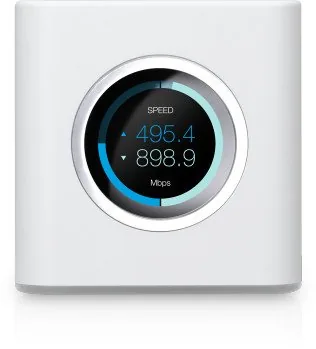
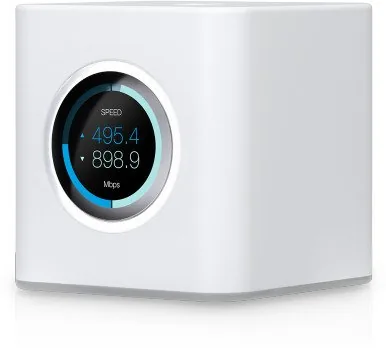
The touchscreen gives at‑a‑glance information: time/date, per‑client throughput, WAN and LAN IPs, upload/download speeds, and port status. The AmpliFi mobile app guides setup step‑by‑step (or you can configure via the local web portal), enables firmware updates, remote access via social login, performance monitoring and speed tests, and provides diagnostic tools to check WAN, gateway, DNS and MeshPoint status.
Management and Advanced Options
Network administrators — including home users — can manage wireless SSIDs and security (WPA2 recommended), create a guest network with time limits and guest counts, assign static DHCP leases, and set up port forwarding for services like gaming or cameras. Advanced settings include band steering, router steering, VLAN ID support, IPv6 options, MAC cloning, hardware NAT and bridge mode for integrating with fiber services or additional routers.
Performance and Monitoring
Real‑time throughput graphs, historical usage totals, and built‑in speed tests help you evaluate ISP performance and how devices interact with the mesh. MeshPoints report signal quality and band selection (5 GHz default for best performance; 2.4 GHz available for extended range).
Security and Support
AmpliFi uses standard Wi‑Fi security protocols and lets you change admin and Wi‑Fi passwords. If needed, factory resets restore defaults. Ubiquiti provides 24/7 live chat support, online resources, email and phone support for more detailed assistance.
Notes
- The touchscreen and LED brightness and a Night Mode scheduler are configurable in the app.
- Firmware updates temporarily interrupt Wi‑Fi; schedule updates during low activity.
- MeshPoints work best within range of the Router to maintain 5 GHz backhaul.
Pros and Cons
Pros
- Easy mobile app setup with touchscreen fallback for manual configuration.
- Flexible mesh options: stand‑alone router, MeshPoints, multi‑router networks.
- Advanced networking features: DHCP, static IP, PPPoE, VLAN, bridge mode.
- Comprehensive monitoring: throughput graphs, speed tests, per‑client stats.
- Strong support resources: 24/7 chat, knowledge base, email and phone help.
Cons
- Firmware updates temporarily disrupt Wi‑Fi during installation.
- MeshPoints may require relocation if signal is weak or multi‑hop degrades speed.
- Some advanced settings (VLANs, MAC clone) may confuse novice users.
- Guest network default security is open unless a password is enabled.
- No password retrieval — forgotten custom passwords require factory reset.
Search for 67,706 Manuals online


Type-in Brand or Model
aut_nisi
10 months ago
Is this Amplifi unit suitable as a full home router, or is it mainly an access point/bridge? Does it include VPN, QoS, or NAS features?
Manual.ly
9 months ago
Based on user experience, it is primarily designed for simple Wi-Fi use. The setup is usually straightforward via the app or web interface, and many owners run it in bridge mode as an access point. Feature-wise, it is focused on the essentials: users report that advanced functions like VPN, QoS, and NAS are not included, so you may be disappointed if you expect those router features. For stable WLAN and straightforward AP use, it works very well, but for a full-featured router, it may not be the right fit.