

Ubiquiti AmpliFi MeshPoint AFi-P-HD Manual
PDF manual · 26 Pages
English



Quick check
Incorrect answer, please try again.
Chat with your Ubiquiti AmpliFi MeshPoint AFi-P-HD manual using AI
Get instant AI answers from your Ubiquiti AmpliFi MeshPoint AFi-P-HD manual
Ask anything about the Ubiquiti AmpliFi MeshPoint AFi-P-HD. Answers come from this manual, with the pages they are based on.
Ask a Question
Do you recommend AmpliFi MeshPoint AFi-P-HD?
Yes NoFrequently Asked Questions
It is used to extend Wi-Fi coverage in areas where the main router signal is weak. It works as a mesh extender that helps fill dead zones and improve wireless reach throughout a home or office.
Is this answer helpful?
Plug it into a power outlet, wait for the ready-to-add LED pattern, then use the AmpliFi app to add it to your network. Bluetooth should be enabled on your smartphone during setup.
Is this answer helpful?
Yes. The Mesh Point can connect to a non-AmpliFi router through the app by selecting the correct Wi-Fi network and entering the wireless password. The LEDs and app then confirm successful connection.
Is this answer helpful?
The LEDs show device status. Flashing middle LEDs mean it is ready to add, a bottom-to-top motion means it is booting, a center-out pattern means it is searching, and steady signal-style LEDs show connection strength.
Is this answer helpful?
Place it between the router and the area that needs better coverage. Avoid unnecessary multi-hop setups, since each extra hop can reduce performance. Adjust the antenna if needed for better signal direction.
Is this answer helpful?
Use a pin or similar object to press the reset button for about 10 seconds until the LED turns off and you hear an audible tone. If the main router is reset, the Mesh Points should also be reset.
Is this answer helpful?
Advantages and Disadvantages
Advantages

- Easy app-based setup with clear LED feedback and Bluetooth-assisted pairing.
- Works with both AmpliFi routers and many third-party Wi-Fi routers.
- Adjustable antenna helps improve signal direction and room-by-room coverage.
- Compact mesh design is useful for extending Wi-Fi without replacing the main router.
Disadvantages

- Mesh performance can drop when multiple hops are added between devices.
- Resetting the router may require resetting all connected Mesh Points.
- Best results depend heavily on correct placement and direction.
- Warranty coverage is limited to one year under standard conditions.
Product Specification
LAN
N/A
Wireless
WLAN 802.11a/b/g/n/ac (Wi-Fi 5)
Transfer Rate
450Mbps (2.4GHz), 1300Mbps (5GHz)
Security
64/128/152bit WEP, WPA, WPA2, WPS
Antennas
1x external
Ports
N/A
Power Consumption
not specified, not specified (max. power supply output)
Dimensions
10.08x1.81x1.06 in
Special Features
Mesh (shared band)
Band Capability
Dual Band, Mesh (shared band)
Manufacturer Warranty
one year
Note
Configuration only via app.
Product Description
Ubiquiti AmpliFi Mesh Point: Simple Expansion for Better Coverage
The Ubiquiti AmpliFi Mesh Point is a compact way to strengthen a home Wi-Fi setup without turning the network into a complicated project. Built to work with the AmpliFi ecosystem and also compatible with third-party routers, it adds wireless reach where a router alone may struggle. The Ubiquiti AmpliFi Mesh Point Manual focuses on a straightforward setup flow, making it a practical choice for users who want more coverage with less frustration.
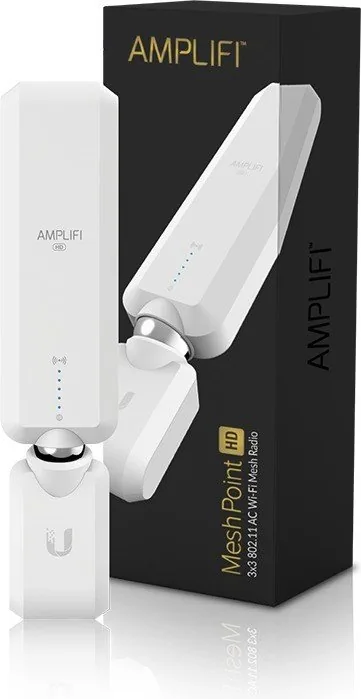
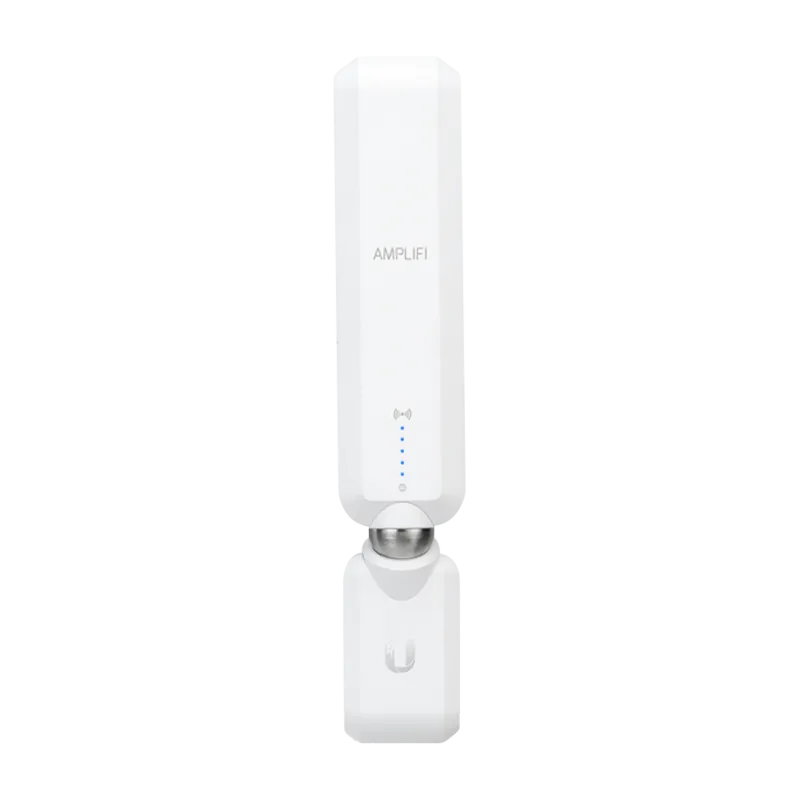
One of the most appealing parts of this device is how visual the experience is. The signal LEDs do more than look modern; they guide setup and show status in real time. A ready-to-add state, boot sequence, searching mode, and connected signal strength are all communicated through the light pattern. That means users can quickly tell whether the unit is waiting for configuration or already linked to the network.
Placement matters with mesh networking, and this product is designed with that in mind. For the best results, it should be placed between the router and the areas that need stronger coverage, ideally in a direction that helps carry the signal outward. The antenna can also be adjusted to fine-tune coverage, which is useful when a room layout or wall position affects performance. The manual also notes that multi-hop mesh should be used only when necessary, since each extra hop can reduce overall performance.
Setup is handled through the AmpliFi app, with Bluetooth enabled on the phone during configuration. If the Mesh Point is paired to an AmpliFi router, the app can detect it and add it to the network quickly. With a third-party router, the process involves selecting the Wi-Fi network, entering the password, and waiting for the LEDs to confirm the connection. This makes the device flexible enough for mixed environments while still staying beginner-friendly.
Beyond convenience, the hardware brings useful networking credentials: 802.11ac support, dual-band wireless design, and strong transmit power. It is built for indoor use, supports WPA2 security, and includes reset functionality for recovery or reuse. The result is a mesh extender that balances ease of use, practical signal expansion, and enough technical depth to satisfy most home setups.
Notes
- Best performance comes from thoughtful placement, not just plugging it in anywhere.
- If the main router is reset, the Mesh Points should be reset too.
- Each additional mesh hop can lower performance, so keep the path as short as possible.
- The LED system is a helpful guide for setup and troubleshooting.
Search for 67,706 Manuals online


Type-in Brand or Model