
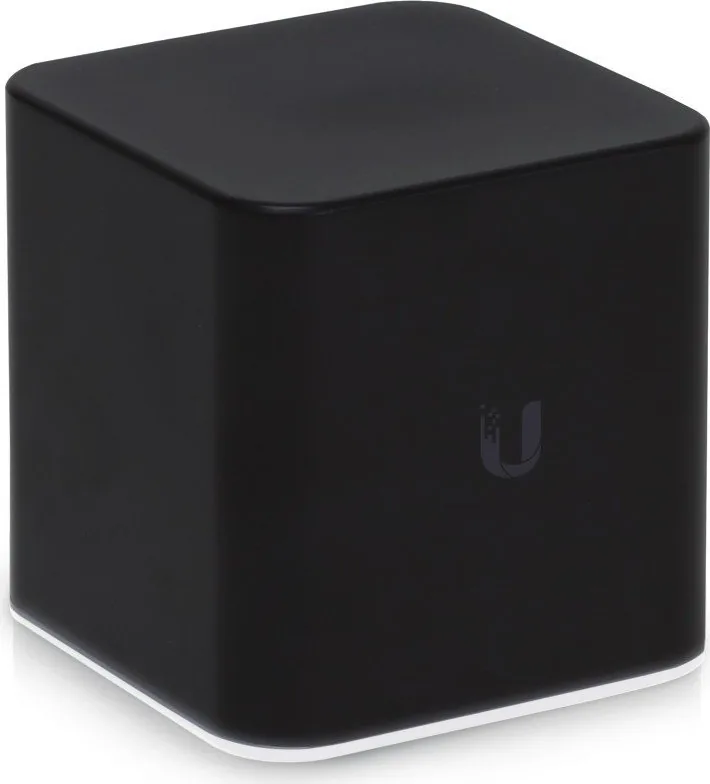

Ubiquiti airCube ISP ACB-ISP Manual
PDF manual · 30 Pages
English



Quick check
Incorrect answer, please try again.
Chat with your Ubiquiti airCube ISP ACB-ISP manual using AI
Get instant AI answers from your Ubiquiti airCube ISP ACB-ISP manual
Ask anything about the Ubiquiti airCube ISP ACB-ISP. Answers come from this manual, with the pages they are based on.
Ask a Question
Do you recommend airCube ISP ACB-ISP?
Yes NoFrequently Asked Questions
It can be powered via 24V PoE input on LAN Port 1 or using a 5V Micro-USB adapter. The LED light turns on immediately when power is connected.
Is this answer helpful?
The device can be installed in controlled environments but must not be submerged by water. Outdoor runs require shielded Ethernet cabling to ensure signal protection and safety compliance.
Is this answer helpful?
The device is compatible with the UNMS app for mobile phones and tablets. Users can download the app from the App Store or Google Play to configure settings easily.
Is this answer helpful?
The warranty covers free from defects for one year from the date of shipment by the manufacturer. It includes repair or replacement at their discretion during the warranty period.
Is this answer helpful?
The maximum speed is listed as 300 Mbps on the Fast Ethernet interface. It cannot exceed this bandwidth limit for wired connections regardless of the internet plan speed.
Is this answer helpful?
It holds FCC, ISED Canada, and CE Marking certifications. These indicate compliance with radio frequency regulations in the United States, Canada, and European Union respectively.
Is this answer helpful?
It has a dedicated WAN port to connect to one airMAX CPE radio. Other ports allow connections to 10/100 Mbps devices on the local network.
Is this answer helpful?
Advantages and Disadvantages
Advantages

- 24V PoE input on LAN Port 1 allows flexible power options without separate wall adapters.
- UNMS app integration enables easy setup via QR code scan on iOS and Android devices.
- Three ethernet ports support simultaneous connections to CPE radios and client devices.
- Compact form factor fits easily in residential spaces with minimal visual impact.
- Supports 300 Mbps Max speed suitable for standard home internet requirements.
Disadvantages

- Micro-USB power adapter is not included in the standard package for backup power.
- 300 Mbps maximum speed may be insufficient for gigabit internet plan upgrades.
- Requires 20 cm separation distance from humans to meet RF exposure safety standards.
- Indoor use restrictions apply in specific 5150 to 5350 MHz frequency bands.
- Warranty excludes damage from third party firmware or improper cabling installation errors.
Product Specification
LAN Ports
4x 100Base-TX (PoE PD, 24V passive)
Wireless
WLAN 802.11b/g/n (Wi-Fi 4)
Data Rate
300 Mbps (2.4 GHz)
Security
WEP, WPA, WPA2
Antennas
Internal
Ports
N/A
Power Consumption
5W (Consumption, Operation), N/A (max. Power Supply)
Dimensions
3.54 x 3.50 x 3.46 inches
Features
USB Powered, OpenWRT
Frequency Band
Single Band
Manufacturer Warranty
1 year
Note
Open-DD-WRT may only be available for certain revisions, please refer to related links!
Product Description
Ubiquiti airMAX airCube ISP Overview
The airMAX airCube ISP access point represents a robust solution for home internet service providers looking to expand their network coverage efficiently. Designed with ease of installation in mind, this device integrates powerful networking capabilities into a compact form factor suitable for residential deployment. It supports high-speed wireless connections while maintaining reliable performance for residential clients. This unit allows service providers to deliver consistent internet access without requiring complex infrastructure upgrades.
Hardware Capabilities
This access point features three ethernet ports designed for versatile connectivity in a home environment. The first port supports 24V Power over Ethernet input to power the unit directly from the network cable, reducing the need for nearby wall outlets. Additionally, a WAN port allows connection to an airMAX CPE radio to bridge signals effectively between networks. A dedicated power port provides an alternative power source using a Micro-USB adapter, though this is sold separately for flexibility. The device supports speeds up to 300 Mbps under ideal conditions depending on signal strength and interference factors. It operates at 4 dBi antenna gain for balanced coverage.
Installation and Management
Setting up the hardware involves connecting cables to the back panel according to specific port functions. The LED indicator confirms power status immediately upon connection to save troubleshooting time. Configuration is streamlined through the UNMS app available for iOS and Android devices on mobile platforms. Users can scan a QR code on the bottom of the unit to activate settings quickly without manual entry. This process allows for remote customization of wireless networks without complex hardware adjustments or additional software on laptops.
Safety and Compliance
Regulatory compliance ensures safe operation across various regions globally. The device meets FCC and CE standards for radio frequencies allowing international compatibility. Installation requires a separation distance of 20 cm from persons to comply with RF exposure warnings effectively. Indoor use is mandatory in specific 5 GHz frequency bands to prevent interference with other systems. Warranty coverage includes repair or replacement for defects within one year of shipment from the manufacturer.
- Note: Ensure shielded cabling is used for outdoor runs to protect signals.
- Note: Micro-USB power adapter is required if PoE is unavailable at site.
- Note: Do not submerge the unit in water during operation or storms.
Search for 67,706 Manuals online


Type-in Brand or Model
Max Weber
6 months ago
Does this router suffer from the connectivity issues and difficult reset button described in customer feedback?
Manual.ly
6 months ago
We apologize for the feedback regarding the reset button. We recommend using a fine-tip pin designed for SIM cards to access the small reset hole without damaging it. Regarding connection drops, ensure your firmware is updated and check for interference. If issues persist despite troubleshooting, please contact our support team for further investigation or warranty claims.