
Tulpar T6 V1.1 Manual
PDF manual · 184 Pages
English



Quick check
Incorrect answer, please try again.
Chat with your Tulpar T6 V1.1 manual using AI
Get instant AI answers from your Tulpar T6 V1.1 manual
Ask anything about the Tulpar T6 V1.1. Answers come from this manual, with the pages they are based on.
Ask a Question
Do you recommend T6 V1.1?
Yes NoFrequently Asked Questions
To access the BIOS Setup, turn on the notebook and press the [Del] key during the POST procedure. Alternatively, you may press [F2]. If the message disappears, restart the system using [Ctrl]+[Alt]+[Del] keys.
Is this answer helpful?
The unit can be operated at an ambient temperature of maximum 35°C (95°F). It should not be subjected to temperatures below 5°C (41°F) or above 40°C (104 °F).
Is this answer helpful?
Yes, the compartment view indicates RAM slots are accessible. You can inspect the total memory in the BIOS Main Menu to see current usage before planning upgrades.
Is this answer helpful?
Yes, the device meets class B ITE regulations and complies with ICNIRP Guidelines regarding Electromagnetic Fields. The Specific Absorption Rate limit is 0.18 W/kg for the body.
Is this answer helpful?
Security settings in the BIOS allow you to install passwords for supervisor and user roles. Change Administrator Password requires entering a new passcode to replace previous CMOS memory settings securely.
Is this answer helpful?
Yes, the Advanced Menu supports UEFI OS configuration. You can select operating system support options compatible with UEFI mode for modern boot sequences.
Is this answer helpful?
Once disabled via the BIOS Security Menu, the system will boot normally allowing entry into setup without entering a password, though you must confirm disabling in the menu box.
Is this answer helpful?
Advantages and Disadvantages
Advantages

- High-performance CPU and GPU combo delivers strong processing power for gaming and productivity.
- Expansive I/O port selection includes USB Type C and HDMI 2.1 for versatile connectivity.
- Bright and high-resolution QHD display panel provides excellent clarity for visual tasks.
- Integrated Wi-Fi 6E ensures fast and stable wireless network connection speeds.
- Customizable RGB backlighting on keyboard enhances aesthetic appeal and usability in low light.
Disadvantages

- Weight may be heavier for ultrabook travelers preferring ultra-light equipment for daily carry.
- Battery capacity might drain quickly under full load due to high-performance components.
- Operating temperature range is strict requiring controlled environments for optimal longevity.
- Noise from fans may become noticeable under heavy cooling demand during intense tasks.
- Proprietary AC adapter required to maintain warranty protection against hardware damage.
Product Specification
Type
Notebook
Display
16", 2560x1600 (WQXGA), 16:10, 189ppi, 165Hz, anti-glare (matte), IPS, 300cd/m², 1000:1, 100% sRGB
CPU
Intel Core i7-13700H, 6C+8c/20T, 2.40-5.00GHz, 24MB+20MB Cache, 45-115W TDP (PBP/MTP), Codename "Raptor Lake-H" (Raptor Cove + Gracemont, Intel 7)
HDD
N/A
Flash
N/A
Graphics
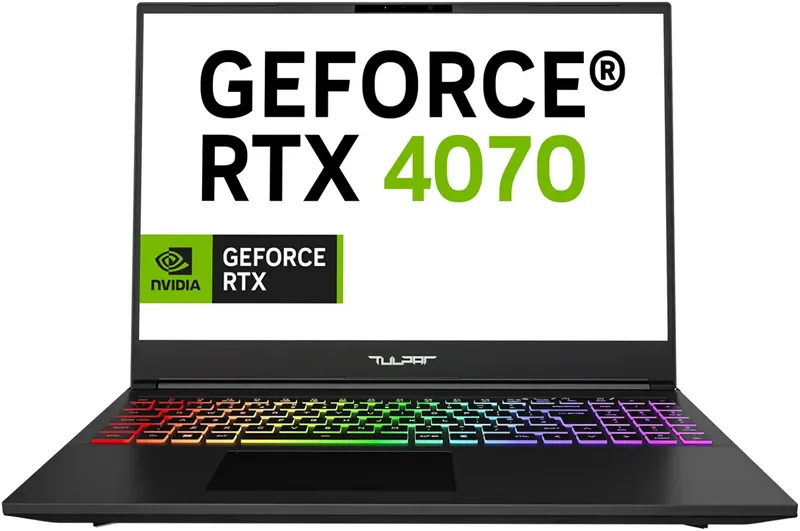
NVIDIA GeForce RTX 4070 - 8GB GDDR6 - Mobile, 36SM/4608SP, Codename "AD106" (Ada Lovelace, TSMC 5nm "NVIDIA 4N"), 115W Total Graphics Power (TGP), 25W Dynamic Boost, 140W Max GPU Power
Input
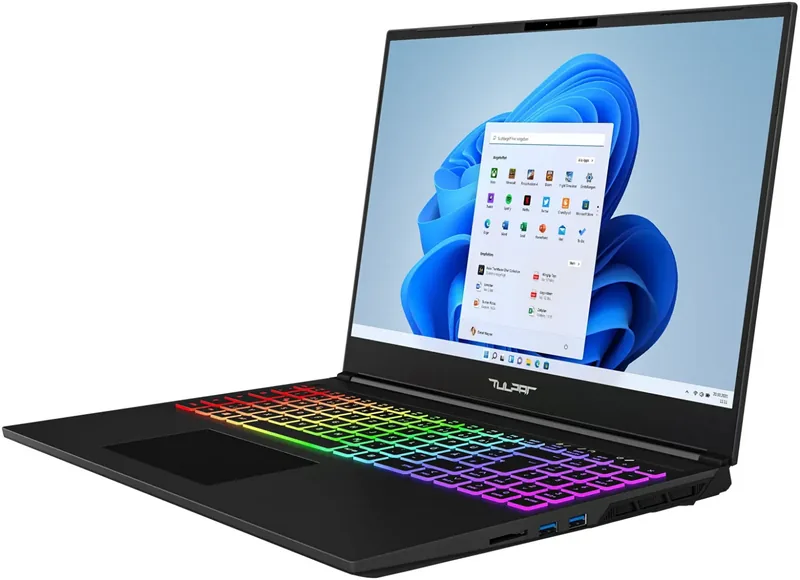
Keyboard with DE layout (4-zone RGB backlight, Numeric keypad, Rubber-dome), Touchpad
Ports
1x USB-C 3.1 (10Gb/s), 2x USB-A 3.0 (5Gb/s), 1x USB-A 2.0 (480Mb/s), 1x Mini DisplayPort 1.4, 1x HDMI 2.1, 2x 3.5mm Jack, 1x RJ-45 1Gb LAN, 1x SD Card, 1x DC-In Barrel connector (Power input)
Wireless
Wi-Fi 6E (WLAN 802.11a/b/g/n/ac/ax, 2x2, Intel AX211), Bluetooth 5.3
Authentication
N/A
Camera
0.9 MP
Optical Drive
N/A
Battery
Fixed battery, 4 cells, 62.32Wh
Power Supply
1x Barrel connector (230W / 19.5V / 11.8A)
Features
Security lock (Kensington Security Slot)
Weight
5.07 lbs
Dimensions
14.09 x 10.47 x 0.87 in (WxDxH)
Color
Black
Storage Slots
2x M.2 PCIe
Warranty
2 years
USB Label
Link
Product Description
Exploring the Tulpar T6 V1 Performance Notebook
When searching for a reliable machine capable of handling demanding tasks, the Tulpar T6 V1 stands out as a powerful contender. This laptop integrates advanced hardware designed for efficiency and speed. Inside the chassis, users find an Intel Core i7-13700H processor working alongside an 8 GB RTX 4070 graphics card. This pairing delivers strong performance for gaming, content creation, and professional applications. The system is built to maintain stability even during extended usage periods.
Visual Experience and Design
The visual experience is enhanced by a large 16 inch display featuring QHD resolution. The pixel count reaches 2560x1600 providing a sharp image quality suitable for detailed work. The aspect ratio of 16:10 offers vertical space beneficial for coding or reading documents. The overall design weighs around 2.3 kilograms balancing portability with durability. Safety guidelines ensure the device operates within safe thermal limits protecting internal components from overheating during rigorous activity sessions.
Input and Interaction Features
Typing comfort is prioritized with a membrane keyboard featuring four zone RGB backlight support. This lighting feature allows users to customize their typing environment according to preference or room conditions. Navigation is handled by a sensitive touchpad that mimics mouse functionality efficiently. Clickpads are located strategically below the keyboard for seamless interaction. Multimedia controls are accessible via dedicated hotkeys on the function row allowing quick adjustments without leaving your current workspace application.
Connection and Power Management
Connectivity options are plentiful ensuring compatibility with various peripherals. Three USB Type A ports are available on different sides for flexible device attachment. One USB Type C port supports Gen2 speeds for rapid data exchange. HDMI 2.1 connectivity facilitates links to televisions or projectors seamlessly. Wireless capabilities include Intel Wi-Fi 6E technology for faster internet connections. Power management relies on a lithium polymer battery pack needing specific charging protocols to maintain longevity. Refer to the Tulpar T6 V1 Manual for proper AC adapter usage. The adapter supplies necessary voltage for initial boot cycles and charging phases to keep the unit operational throughout the day.
Adhering to safety regulations regarding electromagnetic fields ensures user health remains uncompromised. Proper placement away from moisture and extreme heat preserves the integrity of the motherboard. Users should avoid blocking air vents to prevent internal temperature spikes. Regular maintenance helps sustain peak performance levels over time.
System Configuration and Security
Configuring system preferences is handled through an accessible BIOS utility. Security settings allow users to establish supervisor and user passwords protecting sensitive data from unauthorized access. Boot priority can be adjusted to change startup devices easily. Operating modes such as Office, Balance, and Turbo offer different performance profiles based on current needs. Following the provided guidance ensures the hardware functions as intended without voiding warranties or compromising data safety measures.
Search for 67,732 Manuals online


Type-in Brand or Model