

Tulpar T5 V23.2 Manual
PDF manual · 203 Pages
English



Quick check
Incorrect answer, please try again.
Chat with your Tulpar T5 V23.2 manual using AI
Get instant AI answers from your Tulpar T5 V23.2 manual
Ask anything about the Tulpar T5 V23.2. Answers come from this manual, with the pages they are based on.
Ask a Question
Do you recommend T5 V23.2?
Yes NoFrequently Asked Questions
You can configure up to three active displays using the Display settings in Windows. Connect monitors to the HDMI-Out or Mini DisplayPort. Press Fn plus F7 to access the Project menu to choose between Duplicate, Extend, or PC Screen Only modes. Adjust resolution via Settings System Display or the NVIDIA Control Panel.
Is this answer helpful?
Copy the f6vmdflpy-x64 folder to a USB drive first. Enter BIOS by pressing F2 and enable VMD Mode in the Advanced menu. Save and restart. Go back to BIOS, select Intel Rapid Storage Technology, and Create RAID Volume. Choose RAID Level 0 or 1, select identical SSDs, and set Strip Size to 128KB before creating the volume.
Is this answer helpful?
Most units come with Microsoft Windows eleven pre-installed. If you plan to reinstall, you will need the Drivers and Utilities disc provided with the computer. The disc does not contain an operating system itself but holds necessary drivers for proper hardware operation alongside the expanded User's Manual.
Is this answer helpful?
Yes, the device supports up to sixty-four gigabytes of dual channel DDR4 memory. It features two 260 Pin SO-DIMM sockets compatible with 8GB, 16GB, or 32GB modules. Ensure modules operate at frequencies supported by the processor FSB for optimal stability and performance during demanding tasks.
Is this answer helpful?
The device uses a twenty volt nine amp full range AC/DC adapter accepting 100 to 240 volts. The embedded polymer battery pack holds 54 watt hours capacity. Always use the approved adapter to prevent circuit damage and recharge quickly within one minute after shutdowns caused by low power.
Is this answer helpful?
Use the Fn plus one key combination to adjust fan speed directly. It is recommended to set Maximum fan speed when playing games to maintain thermal stability. Access Fan Speed Control through the Control Center or utilize Visual Indicators available when the Control Center driver is installed.
Is this answer helpful?
Advantages and Disadvantages
Advantages

- Hybrid graphics seamlessly switch between integrated and NVIDIA discrete GPUs for balanced power and performance.
- Multi-color LED keyboard offers customization via function key combinations and Control Center utility software.
- Robust connectivity includes USB 3.2 Gen 2 Type-C, HDMI, Mini DisplayPort, and combined audio jacks.
- Trusted Platform Module technology provides enhanced security features for data protection compliant with standards.
- Adjustable fan speeds controlled via hotkeys allow optimized cooling specifically for gaming or idle states.
Disadvantages

- RAID configuration must be completed in BIOS before installing the operating system to function correctly.
- Screen opening angle is limited to one hundred thirty degrees which restricts maximum viewing positions.
- Opening the chassis for upgrades may void warranty terms and requires authorized personnel assistance.
- Battery safety precautions require monitoring swelling as part of normal safety mechanisms for Polymer units.
- Driver installation can drain significant power if not performed while connected to an AC power source.
Product Specification
Type
Laptop
Display
15.6", 1920x1080 (FHD), 16:9, 141ppi, 144Hz, non-glare (matte), IPS, 300cd/m^2, 1,200:1, 95% sRGB
Processor
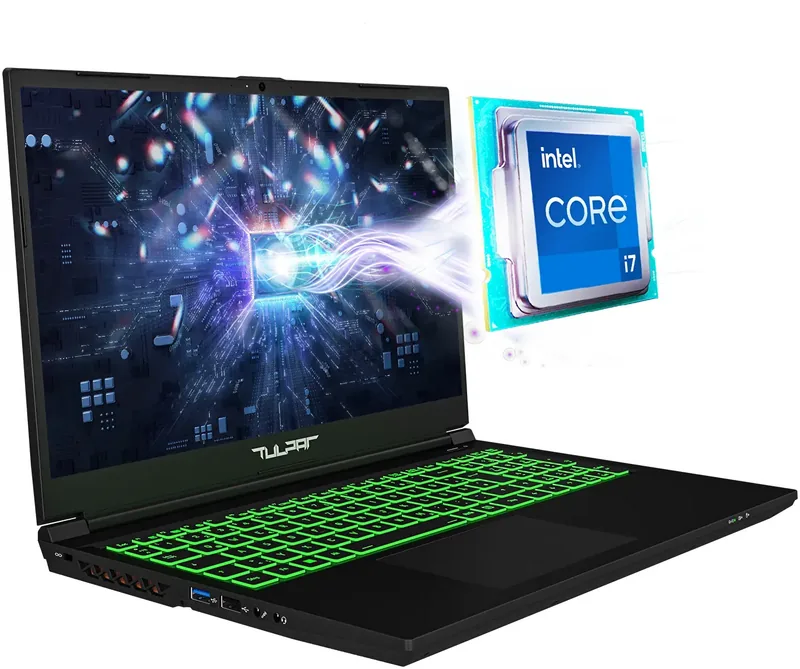
Intel Core i7-12650H, 6C+4c/16T, 1.70-4.70GHz, 24MB+9.5MB Cache, 45-115W TDP (PBP/MTP), Codename "Alder Lake-H" (Golden Cove + Gracemont, Intel 7)
Hard Drive
N/A
Flash Storage
N/A
Graphics
NVIDIA GeForce RTX 4060 - 8GB GDDR6 - Mobile, 24SM/3072SP, Codename "AD107" (Ada Lovelace, TSMC 5nm "NVIDIA 4N"), 75W Total Graphics Power (TGP), 25W Dynamic Boost, 100W Max GPU Power
Input
Keyboard with German Layout (1 zone RGB illuminated, Numpad, Rubber-Dome), Touchpad
Ports
2x USB-C 3.1 (10Gb/s), 1x USB-A 3.0 (5Gb/s), 1x USB-A 2.0 (480Mb/s), 1x Mini DisplayPort 1.4, 1x HDMI 1.4b, 2x 3.5mm Jack, 1x RJ-45 1Gb LAN, 1x microSD, 1x DC-In Jack (Power Connector)
Wireless Connectivity
Wi-Fi 6E (WLAN 802.11a/b/g/n/ac/ax, 2x2, Intel AX211), Bluetooth 5.3
Authentication
N/A
Webcam
0.9 Megapixel
Optical Drive
N/A
Battery
Fixed, 4 cells, 54Wh, 7h runtime
Power Adapter
1x DC Jack (180W/20V/9A)
Features
Security Lock (Kensington Security Slot)
Weight
4.52 lbs
Dimensions
14.15x9.37x0.94 inches (WxDxH)
Color
Black
Storage Slots
2x M.2 PCIe
Warranty
2 years
USB Naming
Link
Product Description
Unlocking Performance with Tulpar T5 V23.2.x Manual Guidance
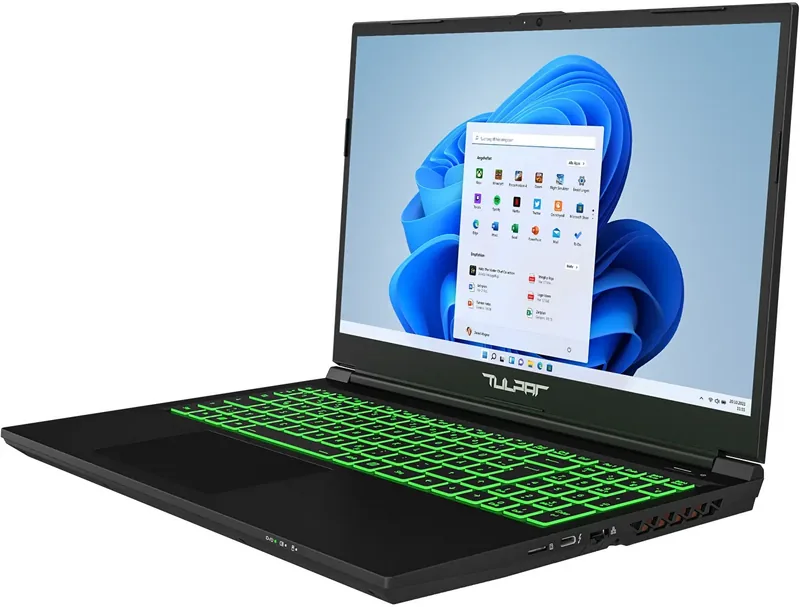
When exploring advanced computing solutions, understanding the full potential of the Tulpar T5 V23.2.x Manual offers significant insights into system optimization and daily workflow integration. This robust portable unit blends high performance with practical portability, featuring a stunning fifteen-point-six-inch display suitable for multimedia consumption and intensive productivity workloads. Users seeking exceptional efficiency will find the hybrid graphics solution truly impressive, utilizing both integrated Intel processing and discrete NVIDIA power for seamless transitions during demanding applications requiring dedicated visual resources.
The input experience stands out with its multi-color LED functionality, allowing deep personalization through specific key combinations found within the dedicated control center interface. Gamers benefit significantly from adjustable fan speeds and distinct performance modes that prioritize maximum output when necessary during peak loads. Security remains absolutely paramount with the inclusion of Trusted Platform Module technology, ensuring sensitive data protection aligns closely with modern enterprise compliance standards globally. Connectivity options really abound, including various USB types, combined audio jacks, and multiple display outputs for expanded workstation setups requiring external monitors.
Setting up the storage array requires serious attention to detail prior to initializing the operating system installation process on the main drive. Enabling VMD mode within the firmware allows for complex RAID configurations that enhance either raw speed or system redundancy depending on specific user preferences and needs. Backing up all critical data becomes absolutely crucial before attempting any alterations to drive settings to prevent unfortunate information loss during reconfiguration phases. Proper handling guidelines strongly suggest keeping liquids completely away and avoiding extreme ambient temperatures to maintain overall device longevity over many years.
Operating under Windows eleven provides access to essential management tools for controlling power consumption and system settings extremely efficiently throughout the day. The notification area simplifies constant monitoring of battery levels and wireless network status without unnecessarily cluttering the primary desktop environment for users. Audio enhancement packages powered by specialized studio software deliver crystal clear sound reproduction for immersive entertainment experiences during free time. Regular software updates ensure all underlying drivers remain fully compatible with the latest application ecosystems and security patches released recently. Handling the power adapter safely prevents dangerous electrical hazards during initial installation and charging phases specifically.
Memory expansion supports up to sixty-four gigabytes of dual channel DDR4 modules installed on two separate sockets within the device. Touchpad gestures allow intuitive navigation without relying solely on external pointing devices for precision tasks. Power management systems balance battery life against operational intensity automatically. External connections support simultaneous video signals for multitasking environments. Maintaining optimal thermal conditions involves frequently checking ventilation slots for obstructions to avoid potential overheating issues causing performance throttling. Careful cleaning with soft microfiber cloths preserves the aluminum alloy chassis finish while effectively removing stubborn dust buildup from critical airflow areas inside. Technical service interventions should always rely on authorized personnel to preserve valuable warranty terms regarding any internal component modifications made later. Following these established best practices guarantees reliable operation across diverse usage scenarios involving heavy computation tasks and extended daily sessions without interruption. Lid angles are limited to one hundred thirty degrees maximum to protect mechanical hinges permanently. Do not lift by the cover alone to avoid structural failure risks during transport or setup procedures.
Notes: Always shut down properly using the standard menu command to save recent changes. Charge exclusively using approved adapters only to prevent internal circuit damage to components. Dispose of used batteries according to strict local environmental regulations. Contact service centers immediately for raised logo wear concerns to avoid accidental injury from sharp metal edges.
Search for 67,732 Manuals online


Type-in Brand or Model