
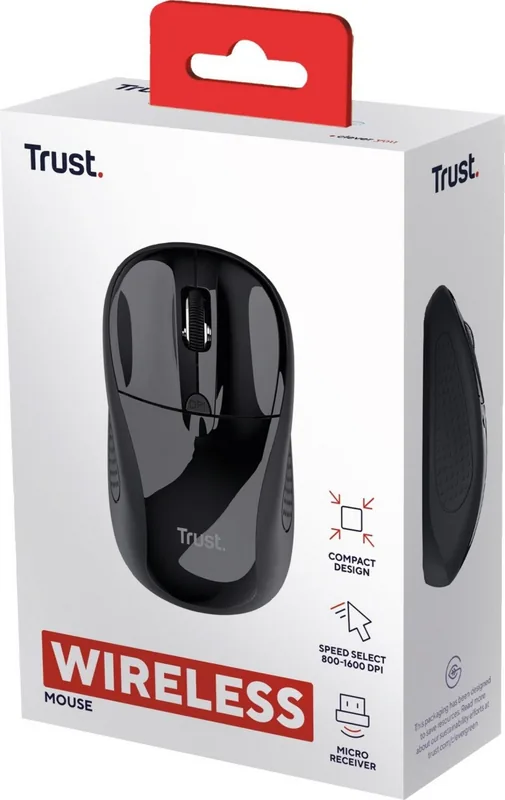
Trust Wireless Mouse 24658 Manual
PDF manual · 2 Pages
English



Quick check
Incorrect answer, please try again.
Chat with your Trust Wireless Mouse 24658 manual using AI
Get instant AI answers from your Trust Wireless Mouse 24658 manual
Ask anything about the Trust Wireless Mouse 24658. Answers come from this manual, with the pages they are based on.
Ask a Question
Do you recommend Wireless Mouse 24658?
Yes NoFrequently Asked Questions
Simply insert the USB receiver into an available port. The system will detect it automatically without needing additional drivers.
Is this answer helpful?
Yes, it works with most operating systems including Windows and macOS due to the standard USB protocol support.
Is this answer helpful?
It typically uses standard AA batteries though users should check packaging for specific details regarding capacity.
Is this answer helpful?
Optical sensors generally perform best on solid surfaces. Some glass requires a mouse pad for tracking accuracy.
Is this answer helpful?
No, it functions immediately upon insertion of the receiver without requiring any driver downloads.
Is this answer helpful?
Standard wireless mice offer good range up to ten meters depending on environmental interference factors.
Is this answer helpful?
Typically manufacturers provide a standard warranty period so check local retailer terms for specifics.
Is this answer helpful?
Advantages and Disadvantages
Advantages

- Wireless design removes desktop clutter completely
- USB receiver allows instant plug and play setup
- Ergonomic shape supports natural hand positioning
- Power switch preserves battery life effectively
Disadvantages

- Battery replacement required periodically for operation
- Basic sensor limits high performance gaming needs
- Limited customization for specific software settings
- Signal may interfere with dense USB networks
Product Specification
Hand Usage
both hands (left hand, right hand)
Buttons
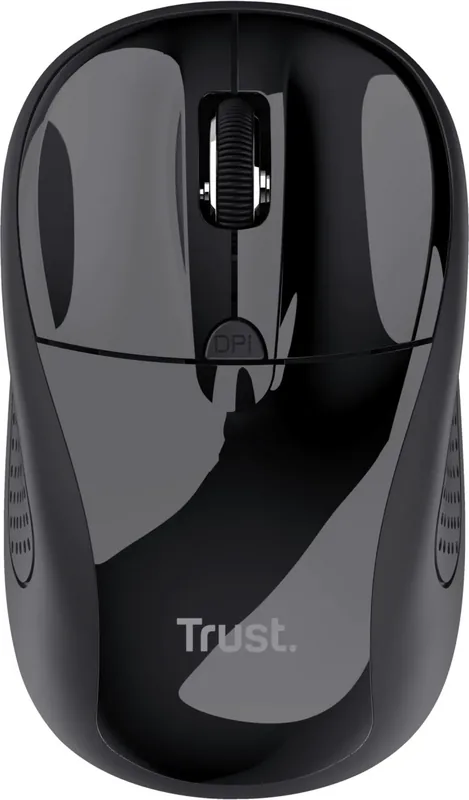
4 (total), 2 (main), 1 (thumb), 1 (scroll wheel click)
Scroll Wheel
1x 2-way
Sensor
LED-red/IR
Resolution
1600dpi, reducible to 800dpi
Lighting
N/A
Connection
wireless (USB-A receiver)
Power Supply
2x AAA
Dimensions (WxHxD)
2.17x1.57x3.74in
Approximate Volume
3.36in3 (approximated shape)
Weight
0.17lbs
Color
monochrome, black, logo
Features
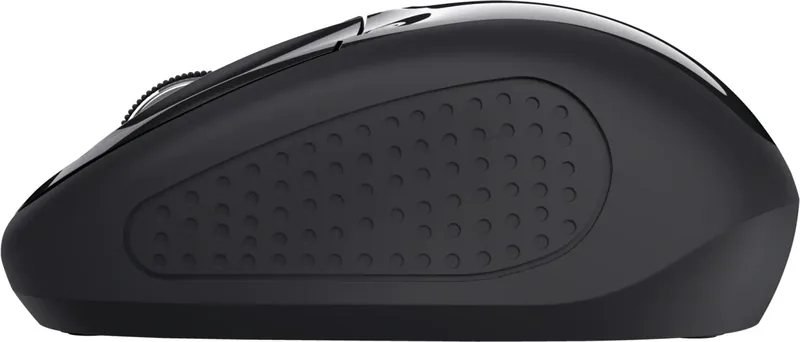
thumb rest, non-slip surface (rubberized sides), stowable receiver
Product Description
Unlock Freedom with the Trust Wireless Mouse Black
In an ever evolving digital landscape, having peripherals that support rather than hinder your workflow is paramount. Modern offices require flexible tools. The Trust Wireless Mouse stands out as a reliable tool for individuals who value organization and ease of use. Its minimalist aesthetic complements modern monitors and laptops, ensuring your setup looks professional and tidy.
Simplified Connectivity Solutions
Managing cables can be frustrating and time-consuming. This mouse eliminates that burden entirely through advanced wireless technology. Simply plug the included USB receiver into an available port and start working immediately. This plug-and-play functionality makes it accessible for all skill levels. You can move freely across your room without worrying about being tethered to a computer by restrictive cords.
Comfortable Long-Term Use
Hand comfort plays a significant role in daily computing habits. The design encourages a natural grip position that reduces wrist fatigue. Even after hours of use, you should feel less strain compared to rigid alternatives. The surface texture provides enough friction for secure handling without feeling slippery. This attention to detail reflects the commitment to user well-being found in high-quality computer accessories.
Battery Management Features
Power conservation is integrated directly into the hardware design. An easy-access switch allows you to turn off the unit when packing away your laptop. This simple action extends the lifespan of the batteries significantly. You spend less time searching for replacements and more time completing your tasks. Reliable connectivity ensures that you never lose focus due to unexpected disconnections during important presentations.
Versatile Compatibility Options
This device works seamlessly with various operating systems found on most personal computers. Whether you prefer Windows, Mac, or other platforms, the universal USB standard ensures broad support. It serves as an excellent choice for remote workers who travel frequently. The lightweight construction adds minimal bulk to your bag, making transport effortless. Trust International has built a reputation for creating durable tech solutions that stand the test of time. Upgrade your workstation today with a mouse that prioritizes both function and form.
Performance and Accuracy
Precision is key for navigating modern interfaces. The optical sensor tracks movement smoothly on various surfaces including desks and mouse pads. This consistency helps in achieving better results whether drafting documents or editing images. The click mechanism feels responsive and tactile providing clear feedback for every action.
Search for 67,732 Manuals online


Type-in Brand or Model