
Trust TW-200 Manual
PDF manual · 2 Pages
English



Quick check
Incorrect answer, please try again.
Chat with your Trust TW-200 manual using AI
Get instant AI answers from your Trust TW-200 manual
Ask anything about the Trust TW-200. Answers come from this manual, with the pages they are based on.
Ask a Question
Do you recommend TW-200?
Yes NoFrequently Asked Questions
The Trust TW-200 supports Full HD 1080p resolution, delivering clear and detailed video suitable for video calls, streaming, and recordings on compatible platforms.
Is this answer helpful?
Connect the webcam to a computer via USB. Most systems will recognize it automatically as a plug-and-play device. Then select the Trust TW-200 as the camera input in your video conferencing or streaming application. If necessary, check system permissions or install drivers from the manufacturer.
Is this answer helpful?
Yes. The TW-200 is compatible with common video conferencing and streaming applications such as Zoom, Microsoft Teams, Skype, and popular streaming software, provided the app allows selection of an external webcam as the video source.
Is this answer helpful?
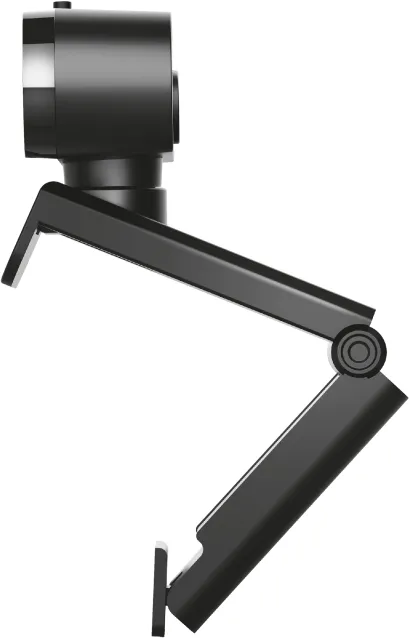
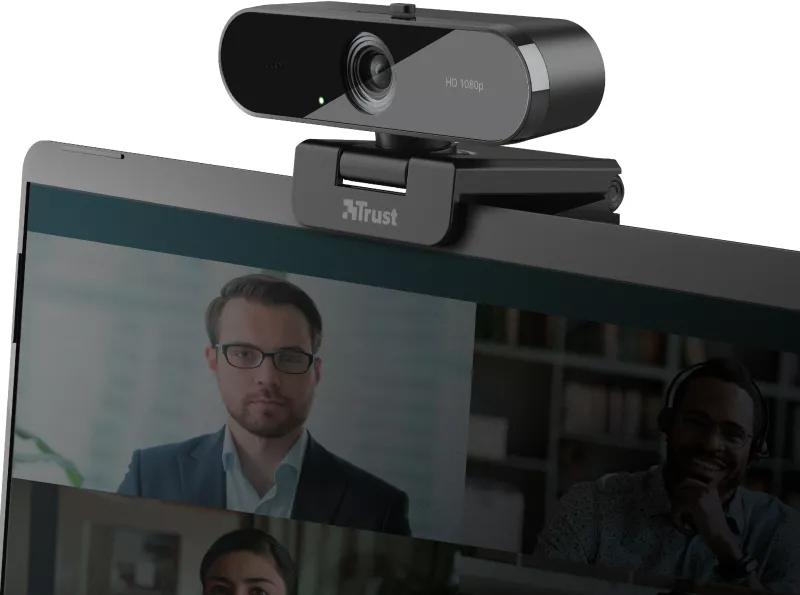
Yes. The TW-200 features an adjustable clip that fits laptop lids and monitor edges and usually supports standard tripod mounts or adapters, offering flexible placement options for stable shots.
Is this answer helpful?
To enhance audio, position the webcam closer to your mouth, reduce background noise, or use an external USB or headset microphone for clearer sound. Adjust in-app audio settings and consider enabling noise suppression features if available.
Is this answer helpful?
First, try a different USB port or cable and restart the computer. Check system privacy settings to ensure camera access is allowed. If needed, download drivers or firmware updates from the manufacturer’s support site and follow troubleshooting guidance.
Is this answer helpful?
The TW-200 is aimed at everyday video calls and casual streaming. It provides good image quality for non-professional use but lacks advanced features and manual controls found in higher-end webcams or dedicated cameras used by professional streamers.
Is this answer helpful?
Advantages and Disadvantages
Advantages

- Full HD 1080p resolution provides clear, sharp video for calls and recordings.
- Wide-angle lens captures more of the scene, useful for group calls or wider backgrounds.
- Plug-and-play USB connection makes setup fast and simple on most systems.
- Adjustable clip fits laptops, monitors, and tripods for flexible mounting.
- Compact, minimalist design integrates easily into home and office setups.
Disadvantages

- Built-in microphone may not match external mics in clarity for professional audio needs.
- Not intended for high-end video production or advanced streaming features.
- Limited manual controls compared with higher-end webcams or cameras.
- Image quality can depend heavily on ambient lighting conditions.
- May require driver or permission adjustments on some systems before use.
Product Specification
Type
Webcam
Image Sensor
1x CMOS 2.0 MP
Resolution
1920x1080 Pixels (30fps)
Viewing Angle
70° (horizontal), 84° (diagonal)
Zoom Function
digital
Connections
1x USB-A 2.0 (480Mbps)
Wireless
N/A
Focus
Autofocus
Camera Cover
present
Microphone
integrated (mono, omnidirectional)
Speaker
N/A
Lighting
N/A
Cable Length
59.06in
Power Supply
via USB
Mount
Mounting clip, with 1/4" thread
Dimensions
3.58x2.48x2.13in
Weight
0.26lb
Package Contents
Camera
Special Features
Status LED
Manufacturer's Warranty
2 years
Product Description
Trust TW-200 Full HD Webcam Manual
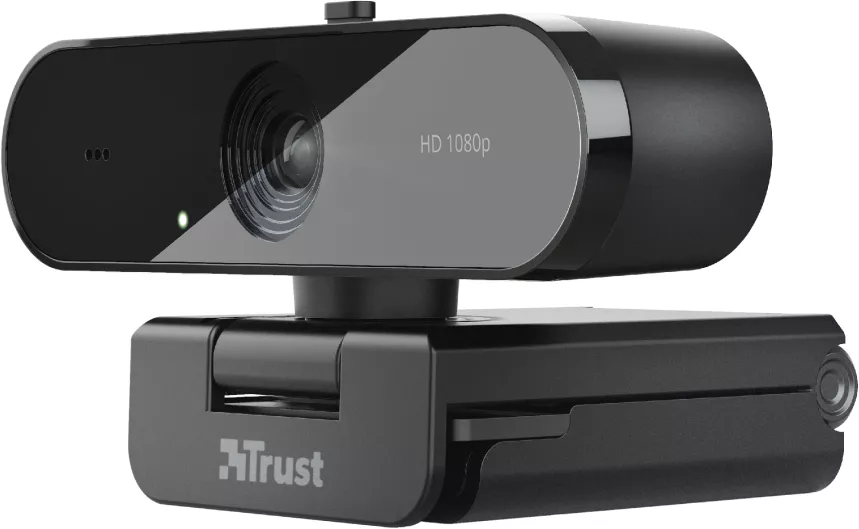
The Trust TW-200 Full HD Webcam is a compact, user-friendly camera designed for everyday video calls, streaming, and remote work. With Full HD 1080p resolution, a wide-angle lens, and easy plug-and-play USB connectivity, it delivers clear video and reliable performance for home offices, student setups, and small content creators. The camera’s simple design focuses on functionality — adjustable clip, built-in microphone, and broad OS compatibility make it a practical choice for users who want dependable video without complicated setup.
Key features and practical use
Equipped with 1080p Full HD capture, the TW-200 balances sharpness and smooth frame rates for natural-looking video. The wide field of view frames multiple participants or a larger background, while the built-in microphone captures voice clearly for one-on-one calls and small-group meetings. Installation is straightforward: connect via USB, allow the host computer to recognize the device, and select the webcam in conferencing or streaming software.
The TW-200’s adjustable clip fits laptops, monitors, or tripods, enabling flexible placement and stable shots. Its compact footprint and minimalist aesthetic integrate well into any workspace. The webcam is suitable for remote workers, online tutors, and streamers who need an affordable upgrade from typical built-in laptop cameras.
Performance and compatibility
This model supports common operating systems and major video platforms, ensuring broad compatibility with applications like Zoom, Teams, Skype, and popular streaming tools. While not aimed at professional film production, the TW-200 offers a solid upgrade for everyday visual communication, improving perceived professionalism during calls and recordings.
Final thoughts
The Trust TW-200 Full HD Webcam is an economical, reliable option for users seeking better video quality and easier setup than built-in laptop cameras. With its Full HD capture, practical mounting options, and straightforward connectivity, it meets the needs of most home and small-office users who require consistent, clear video performance.
Notes
- For the best image quality, position the webcam at eye level and ensure good front lighting.
- If audio issues arise, try using an external microphone for improved clarity.
- Check for driver updates or system permissions if the device is not immediately recognized.
Search for 67,706 Manuals online


Type-in Brand or Model