
Trust GXT 923 YBAR Manual
PDF manual · 2 Pages
English



Quick check
Incorrect answer, please try again.
Chat with your Trust GXT 923 YBAR manual using AI
Get instant AI answers from your Trust GXT 923 YBAR manual
Ask anything about the Trust GXT 923 YBAR. Answers come from this manual, with the pages they are based on.
Ask a Question
Do you recommend GXT 923 YBAR?
Yes NoFrequently Asked Questions
Connect via standard USB-A port. Wireless functionality allows for untethered use immediately upon pairing.
Is this answer helpful?
Visit the official Trust website to access configuration resources. Multilingual guides are available for download.
Is this answer helpful?
Specifications indicate 3.3 hours under specific conditions. Regular charging is recommended.
Is this answer helpful?
Yes, Trust International BV supports users worldwide with documentation in many languages.
Is this answer helpful?
Yes, drivers are available for download to ensure optimal sensor performance.
Is this answer helpful?
The device utilizes USB-A connections for data and power transmission during use.
Is this answer helpful?
Trust International BV is located in Dordrecht, The Netherlands.
Is this answer helpful?
Advantages and Disadvantages
Advantages

- Wireless connectivity offers freedom of movement and reduces desk clutter.
- Broad language support ensures global accessibility for users in many regions.
- USB-A compatibility works with most standard computer systems readily.
- Brand reliability from Trust International ensures quality construction standards.
- Easy access to software updates maintains device performance over time.
Disadvantages

- Battery life claims suggest short runtime during intensive wireless usage.
- Limited technical specifications are detailed within the provided text snippet.
- Charging requirements may interrupt gameplay if not planned carefully.
- Specific sensor data like DPI is not clearly defined in available info.
- Wireless models can sometimes experience occasional latency compared to wired.
Product Specification
Handedness
Right Hand
Buttons
6 (total), 2 (main), 1 (top), 2 (side), 1 (Scrollwheel Click)
Scrollwheel
1x 2-way
Sensor
LED-red / IR
Resolution
7200dpi, adjustable down to 200dpi
Lighting
RGB
Connectivity
Wired, USB-A 2.0 or Wireless (2.4GHz), USB-A (USB-A Receiver), Detachable Cable (USB-C Socket)
Power
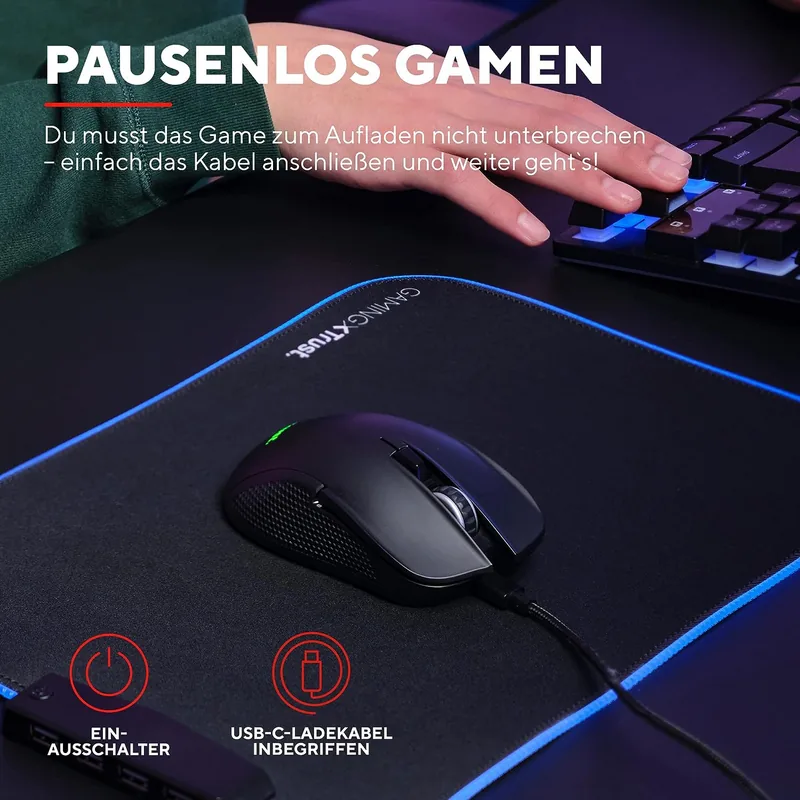
Battery (built-in), Charging Cable (USB-C)
Dimensions (WxHxD)
2.68x1.57x5.59 in
Approximate Volume
6.16 in^3 (approximate shape)
Weight
3.39 oz
Features
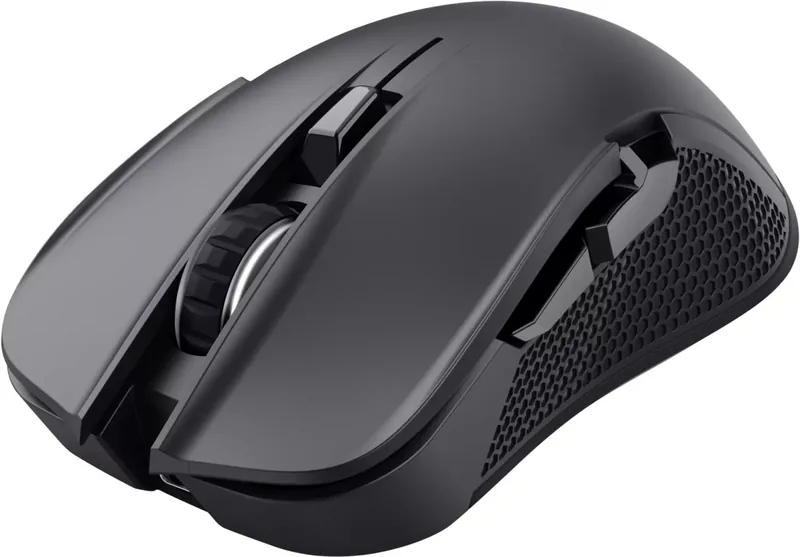
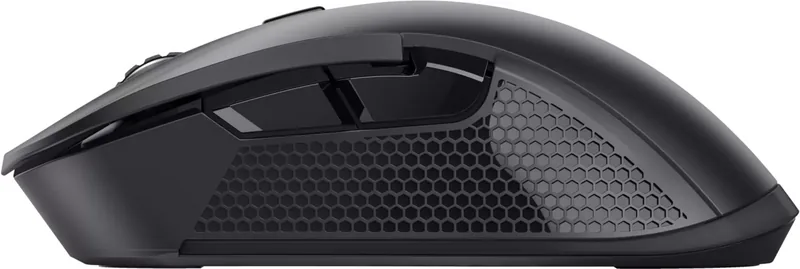
Thumb rest, non-slip surface (textured sides), Fabric Cable, Stowable Receiver
Product Description
Elevate Your Gaming Setup
The Trust Gaming GXT 923 YBAR Wireless Mouse redefines how players interact with their desktop environment. Designed for those who prioritize performance, this device offers a seamless connection between hardware and software. Gamers often seek tools that enhance accuracy while reducing noise and clutter. This wireless solution excels in providing freedom of movement. Users can navigate with ease without being tethered to a computer. The setup process is designed for simplicity, ensuring quick access to gameplay.
For optimal performance, understanding the features is crucial. The Trust Gaming GXT 923 YBAR Wireless Manual provides necessary insights into configuration. It details how to adjust settings for maximum efficiency. Connectivity relies on standard USB-A ports, ensuring compatibility across most systems. Battery life is a significant consideration for wireless peripherals. Specifications indicate a usage time of 3.3 hours under certain conditions, suggesting regular charging is needed for extended sessions. While shorter, this highlights the power of the wireless module.
Trust International BV supports this product with extensive resources. Their commitment to global users is evident in the multilingual support. Guides are available in numerous dialects including English, German, French, and Spanish. This ensures that users anywhere can understand the product capabilities. Whether in the Netherlands or abroad, help is accessible. The brand focuses on quality and reliability for all customers. Their facility in Dordrecht serves as a hub for international orders.
Gaming requires a strong connection. Wireless technology allows for fluid motion without signal interference. The mouse adapts to various hand positions comfortably. Long sessions become less tiring due to ergonomic design principles. Software downloads are hosted on the official website. This central resource keeps drivers up to date for optimal sensor performance. Security and stability are maintained through these updates. Users can manage their device effectively with the correct tools.
Troubleshooting is often easier with proper information. The included guides explain common issues clearly. Users can resolve pairing problems quickly. The FAQ section on the website answers many repetitive questions. This resource saves time that would otherwise be spent searching. Trust prioritizes customer satisfaction through these means. Your gaming experience remains uninterrupted. Enjoy the freedom of true wireless gaming with this reliable peripheral. The integration of technology makes every click count.
Connecting and Managing Your Device. The download portal provides access to necessary drivers. Users can obtain software updates directly from the official source. This ensures that the mouse firmware remains current for best performance. Compatibility with USB-A is standard for most desktop and laptop computers. You can plug the device in to establish a link. Charging is required to maintain the wireless signal strength. The multilingual guide helps in setup. It covers pairing instructions clearly. The brand has established a strong reputation for peripherals. Their facilities handle distribution. This global network helps shipping times. Security is maintained on the site. Data is protected. Gaming should be fun and safe. Keep your driver updated regularly. This prevents compatibility issues.
Search for 67,732 Manuals online


Type-in Brand or Model