
Trust GXT 922 YBAR Manual
PDF manual · 79 Pages
English



Quick check
Incorrect answer, please try again.
Chat with your Trust GXT 922 YBAR manual using AI
Get instant AI answers from your Trust GXT 922 YBAR manual
Ask anything about the Trust GXT 922 YBAR. Answers come from this manual, with the pages they are based on.
Ask a Question
Do you recommend GXT 922 YBAR?
Yes NoFrequently Asked Questions
Open your internet browser and visit www.trust.com/24309/driver. Click the Download EXE button to get the software file. Run the installer and follow the on-screen wizard. Once finished, launch the shortcut to configure your mouse.
Is this answer helpful?
Yes, you can adjust DPI levels using the dedicated button on the mouse. You can also customize these levels in the software, assigning specific LED colors to each setting for easy identification during gameplay.
Is this answer helpful?
The software allows you to create macros containing a maximum of 112 individual actions. You can set delays between actions and define loop repetitions to automate complex sequences.
Is this answer helpful?
Yes, the mouse is compatible with Windows 7, Windows 8, and Windows 10 (64-bit). Ensure you select the correct driver version for your specific operating system before downloading.
Is this answer helpful?
You can save up to four distinct profiles. These allow you to store different configurations for various games or tasks, which can be loaded or exported as needed.
Is this answer helpful?
First, ensure the mouse is properly connected to your computer. Try restarting the software. If issues persist, check the troubleshooting section on the support website or contact help desk services.
Is this answer helpful?
Advantages and Disadvantages
Advantages

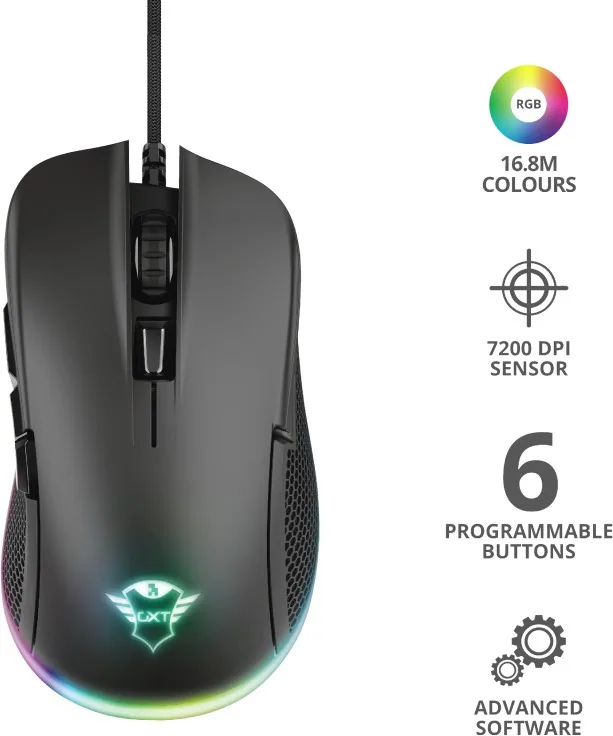
- Six programmable buttons for enhanced functionality
- Customizable RGB lighting with per-DPI color options
- Supports macros with up to 112 recorded actions
- Easy installation via downloadable driver software
- Four distinct profiles for saving different setups
Disadvantages

- Software update process may take up to 20 seconds
- Requires manual driver download from the website
- No wireless connectivity option available
- Limited to wired USB connection only
- Basic acceleration settings compared to premium brands
Product Specification
Suitability
right hand
Keys
6 (total), 2 (main), 1 (top), 2 (left), 1 (scroll wheel click)
Scroll Wheel
1x 2-way
Scanning
LED red/IR
Resolution
7200dpi, reducible to 200dpi
Polling Rate
1000Hz, adjustable to 500/250/125Hz (wired USB)
Lighting
RGB
Connection
wired (8.2ft), USB-A 2.0
Power Supply
USB
Dimensions (WxDxH)
2.72x1.61x4.88in
Approximate Volume
5.61cu in (approximate shape)
Weight
3.35oz
Features
thumb rest, onboard memory, non-slip surface (textured on sides), fabric cable
Product Description
Trust Gaming GXT 922 YBAR: The Ultimate Customizable Mouse
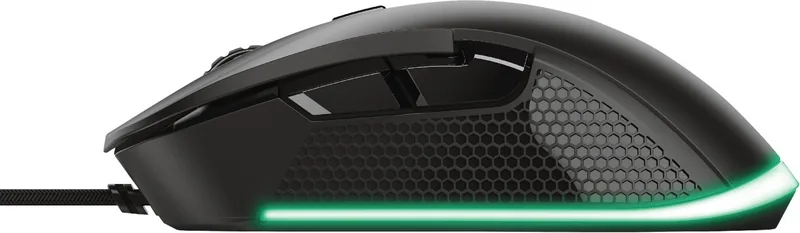
The Trust Gaming GXT 922 YBAR is designed for gamers who demand precision and personalization. This high-performance mouse features a sleek design with customizable RGB lighting that allows you to match your setup perfectly. With six programmable buttons, users can assign specific functions to enhance their gameplay experience, whether navigating menus or executing complex in-game commands.
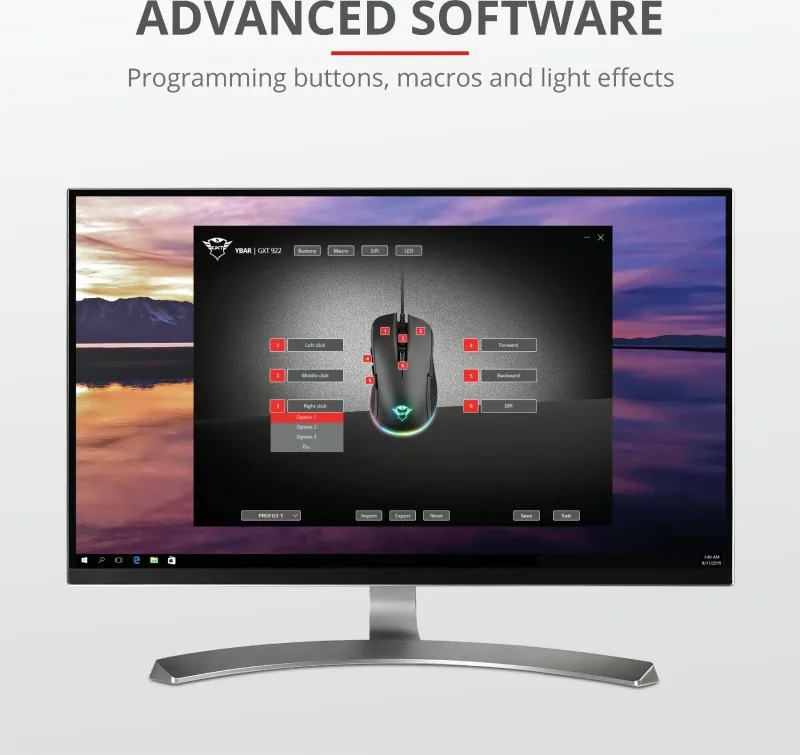
One of the standout features of this device is its advanced software suite. Users can easily download the necessary drivers from the official website to unlock the full potential of the hardware. The software interface provides intuitive controls for adjusting DPI settings, allowing for seamless transitions between different sensitivity levels. Each DPI level can be paired with a unique LED color, adding a visual flair to performance changes.
Beyond simple button mapping, the GXT 922 supports macro creation. Gamers can record sequences of up to 112 actions, automating repetitive tasks to gain a competitive edge. The ability to save multiple profiles ensures that settings can be tailored for different games or applications instantly. Whether you are adjusting polling rates for faster response times or tweaking Windows pointer speed for general use, this mouse offers granular control over every aspect of its operation.
Installation is straightforward, requiring only a standard USB connection and the execution of the provided driver file. Once connected, the mouse updates its internal configuration within seconds, ensuring minimal downtime. The robust build quality combined with versatile software makes the Trust Gaming GXT 922 YBAR an excellent choice for both casual players and serious competitors looking to optimize their gear.
Search for 67,732 Manuals online


Type-in Brand or Model