
Trust GXT 252 Emita Manual
PDF manual · 2 Pages
English



Quick check
Incorrect answer, please try again.
Chat with your Trust GXT 252 Emita manual using AI
Get instant AI answers from your Trust GXT 252 Emita manual
Ask anything about the Trust GXT 252 Emita. Answers come from this manual, with the pages they are based on.
Ask a Question
Do you recommend GXT 252 Emita?
Yes NoFrequently Asked Questions
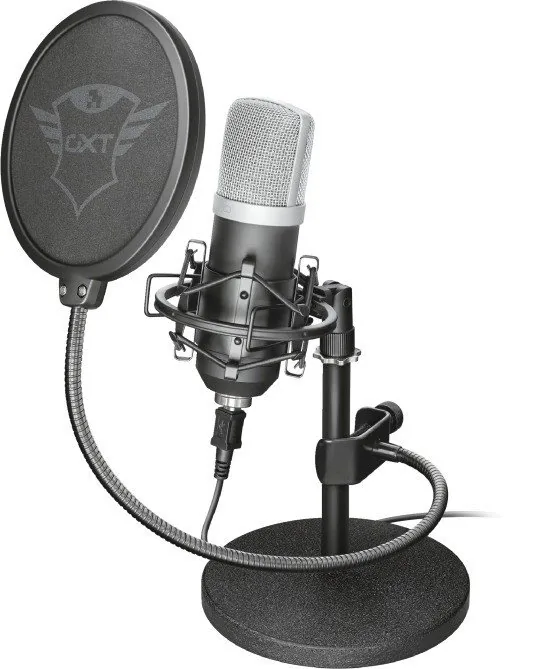
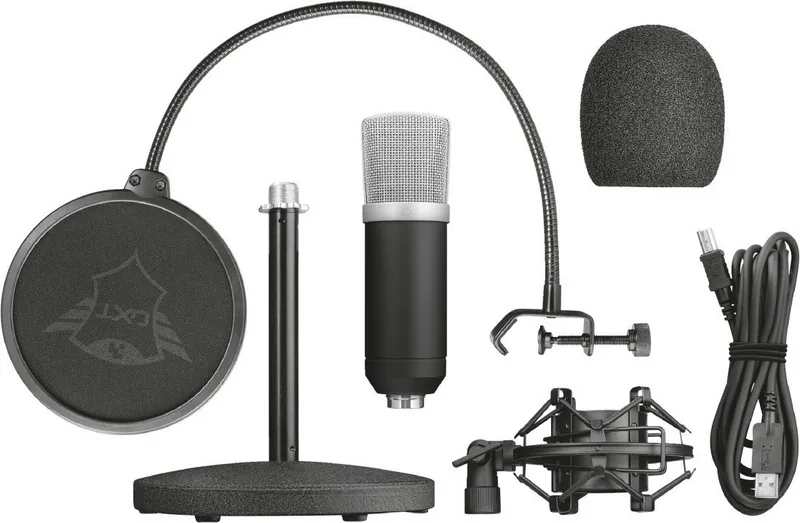
The highlighted accessories include a table stand, shock mount, and pop filter. Together, they help create a cleaner and more stable desktop recording setup.
Is this answer helpful?
The installation guidance points to Windows 10, Windows 8, and Windows 7. That makes it suitable for many common desktop PC setups.
Is this answer helpful?
The shock mount helps isolate the microphone from desk movement and vibrations. This can reduce unwanted noise from typing, tapping, or bumps during recording.
Is this answer helpful?
A pop filter softens strong air bursts from speech sounds like P and B. This helps make voice recordings sound smoother and more natural.
Is this answer helpful?
The microphone direction should be aimed toward your voice source. Small angle changes can improve clarity and reduce room noise, so testing placement is worthwhile.
Is this answer helpful?
Yes, microphone level adjustment is part of the setup approach. Setting the level correctly helps avoid distortion and keeps your voice balanced in recordings.
Is this answer helpful?
Advantages and Disadvantages
Advantages

- Includes a table stand, shock mount, and pop filter for a more complete desktop recording setup.
- Windows 10, 8, and 7 installation guidance makes it easy to get started on a PC.
- Microphone direction and level can be adjusted for better voice clarity.
- Compact design fits well on gaming desks and small creator setups.
Disadvantages

- The setup appears focused mainly on PC use, with no clear support for other devices.
- Best results may require manual placement and level adjustments.
- The included kit is practical, but not as advanced as a full studio package.
- A table stand offers less placement flexibility than a boom arm.
Product Specification
Type
Streaming Microphone, Desktop Microphone
Design
digital
Transducer Type
Condenser
Polar Pattern
Cardioid
Connection
USB
Frequency Range
20Hz-20kHz
SPL max.
94dB
Included
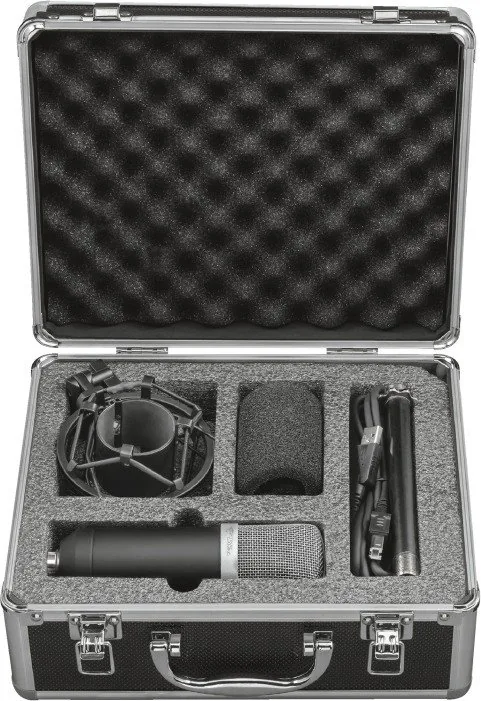
Microphone Shock Mount, Desk Stand, Pop Filter
Product Description
Trust Gaming GXT 252 Manual: A Compact Streaming Microphone Setup
The Trust Gaming GXT 252 stands out as a practical microphone solution for streamers, podcasters, and gamers who want a cleaner voice without a complicated studio build. The bundle focuses on the essentials: a sturdy table stand, a shock mount, and a pop filter, giving users the tools needed to start recording with better stability and clearer audio. For anyone searching for the Trust Gaming GXT 252 Manual, the setup suggests a simple path from unpacking to first use.
Built for simple desktop recording
This microphone kit is designed around convenience. The table stand keeps the mic placed securely on a desk, while the shock mount helps reduce vibrations caused by typing, tapping, or shifting equipment. The pop filter adds another layer of polish by softening harsh plosive sounds, which is especially helpful during live commentary or voiceover work. Together, these parts make the microphone feel ready for everyday use rather than requiring extra accessories right away.
Easy connection and Windows-friendly installation
The setup notes show that the Trust Gaming GXT 252 is made with PC users in mind, including installation steps for Windows 10, 8, and 7. That makes it a solid choice for creators who prefer a plug-and-play style workflow. The mention of microphone direction and microphone level also suggests that users can fine-tune their voice capture to match their speaking style and room layout. Small adjustments here can make a big difference in clarity and background noise control.
A balanced choice for content creators
What makes the GXT 252 appealing is its focus on practical performance. It is not trying to overwhelm users with advanced studio features. Instead, it offers a compact, accessible package that helps deliver a cleaner sound with minimal effort. For gaming chats, streaming sessions, tutorials, and casual podcasting, that can be exactly what is needed. The design supports a more professional voice presence while staying approachable for beginners.
Why it fits everyday workflows
The included accessories also help reduce the learning curve. Instead of searching for separate mounts or filters, users can set up quickly and start testing their sound right away. That is valuable for anyone building a first recording space or upgrading from a basic headset mic. With a few careful adjustments to position and gain, the microphone can become a dependable part of a creator’s daily routine.
Final impression
If you want a straightforward desktop microphone setup that supports clearer voice capture without a complicated learning curve, the GXT 252 is appealing. It combines useful accessories with PC-friendly installation and practical controls, making it a smart pick for creators who value simplicity and consistency.
Notes
- Keep the microphone positioned consistently for the best results.
- Use the shock mount whenever possible to limit desk vibration.
- Adjust the microphone level before recording to avoid distortion.
- The pop filter is especially useful for close-up speaking.
Search for 67,706 Manuals online


Type-in Brand or Model
Sofia Rahman
7 months ago
Does the Trust GXT 252 have a built-in mute button or software controls? If it picks up room noise, how can I reduce background sound when using it as a USB plug-and-play mic?
Manual.ly
7 months ago
The GXT 252 is designed as a plug-and-play USB microphone and does not include built-in hardware controls (like a mute button) or manufacturer software for detailed settings. To manage background noise, you can adjust the microphone level in Windows and use filters in your recording software (for example, OBS Studio: noise suppression/compressor, or a voice tool like VoiceMeeter if you use one). Also, the mic works best when positioned correctly: use the included pop filter, speak into the front of the mic, and keep a consistent distance. Its cardioid design helps reject sound from behind, but it will still capture noise from the front/room if you are too far away or the environment is loud.