

Trust GXT 109 Felox Manual
PDF manual · 2 Pages
English



Quick check
Incorrect answer, please try again.
Chat with your Trust GXT 109 Felox manual using AI
Get instant AI answers from your Trust GXT 109 Felox manual
Ask anything about the Trust GXT 109 Felox. Answers come from this manual, with the pages they are based on.
Ask a Question
Do you recommend GXT 109 Felox?
Yes NoFrequently Asked Questions
You can locate the guide through the official website download section. Look for the model support page to retrieve the resource.
Is this answer helpful?
This mouse uses a standard USB-A wired connection for stable data transmission.
Is this answer helpful?
The product description implies a standard shape which fits the right hand better.
Is this answer helpful?
Trust International BV is located in Dordrecht, The Netherlands according to the text.
Is this answer helpful?
No complex software is needed for basic plug and play functionality on most systems.
Is this answer helpful?
The text references rights reserved in 2023 and standard brand support policies.
Is this answer helpful?
Yes, the text lists many languages including German and French.
Is this answer helpful?
Advantages and Disadvantages
Advantages

- Reliable wired USB-A connection eliminates latency.
- Ergonomic design reduces wrist fatigue during play.
- Multi language support for global users.
- Established brand with registered physical address.
- Straightforward setup without complex drivers.
Disadvantages

- Wired connection may limit movement range.
- Limited information in provided text on specs.
- No wireless technology included in base model.
- Basic sensor capabilities compared to high end.
- Cable length is not adjustable or replaceable.
Product Specification
Handedness
Right Hand
Buttons
6 (total), 2 (main), 1 (top), 2 (left), 1 (scroll wheel click)
Scroll Wheel
1x 2-Way
Sensor
Red LED/IR
Resolution
6400dpi, adjustable down to 200dpi
Lighting
RGB
Connection
Wired (59.06 in), USB-A 2.0
Power
USB
Dimensions (WxHxD)
2.76x1.65x5.16 in
Approximate Volume
6.16 in^3 (approximate shape)
Weight
3.60 oz
Features
Thumb rest, non-slip surface (rubberized sides)
Product Description
Trust Gaming GXT 109 Felox Mouse Analysis
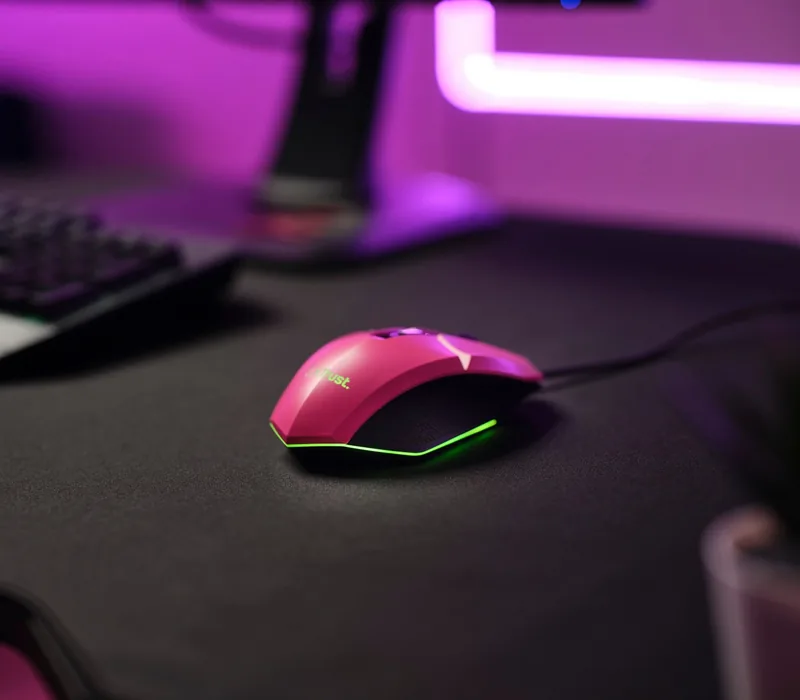
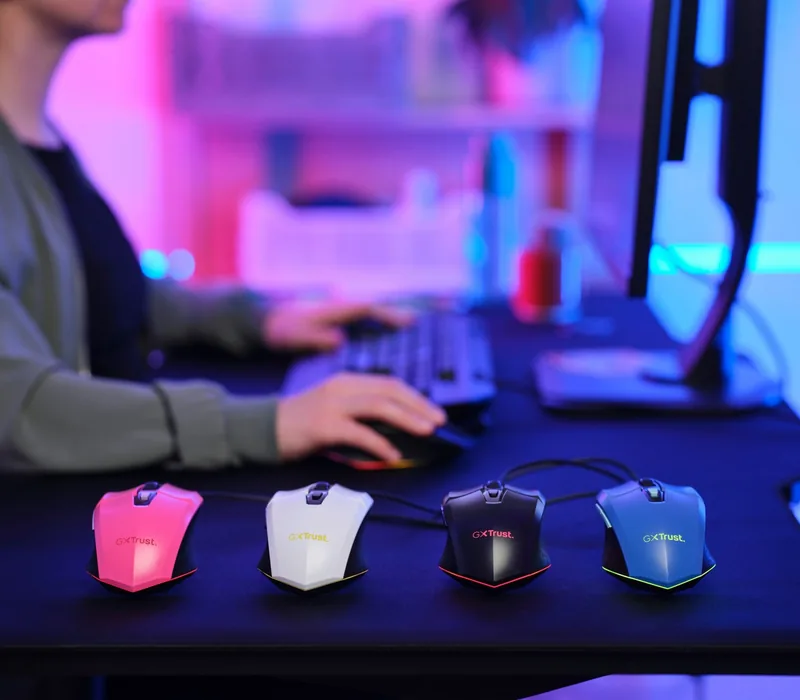
The world of competitive gaming demands precision and consistency from all equipment used by players. Players need tools that respond instantly to their physical movements to gain a distinct advantage over opponents. The Trust Gaming GXT 109 Felox Gaming Mouse serves this purpose effectively for enthusiastic gamers everywhere. It operates via a reliable wired USB-A connection which offers superior stability compared to battery powered wireless alternatives. This setup minimizes latency issues often found in wireless options during intense matches and tournaments. When you first unbox the item, having the correct instructions helps you set up everything quickly. The Trust Gaming GXT 109 Felox Gaming Mouse Manual is essential for configuring your specific needs properly and understanding the features fully.
Product Overview and Physical Design
Comfort is paramount for gamers who spend many hours playing daily sessions in front of screens. This peripheral features a sculpted shape designed for a comfortable average hand size grip. Users can hold it firmly without experiencing excessive wrist fatigue or strain during long periods. The buttons are responsive and provide a distinct click that confirms actions were registered successfully. This tactile feedback ensures registrations were successful every time during competitive gameplay. Trust International BV manages the production standards to ensure high quality results for customers. The website lists various support languages indicating a global reach for support resources. This indicates a commitment to customer service across different world regions and time zones. Whether you speak German, French, Spanish, or English, help is available in your preferred language.
Connectivity and System Setup
The USB-A port provides broad compatibility with most modern computers and laptops globally. No complex driver installations are typically needed for basic input functions to work immediately. It functions as a standard input device out of the box upon connection to the computer. However, accessing the guide allows you to verify specific button mappings or custom configurations for games. Some users may want to adjust sensitivity levels for specific game titles or genres. The manual provides detailed steps for checking sensor performance and tracking accuracy properly. Trust maintains a physical registered address in Dordrecht, The Netherlands. This shows they are an established entity in the electronics industry with accountability for products sold to consumers.
Importance of Using Official Resources
Following official documentation helps prevent accidental damage to the delicate internal hardware components. It explains maintenance tips for long term durability and cleanliness of the exterior surface. Downloading the resource ensures you have the latest updates and instructions available for use at all times. The guide covers all languages supported by the brand organization globally including Russian and Dutch. This inclusivity makes the product accessible to everyone worldwide regardless of their origin or nationality. If problems occur, the troubleshooting section helps resolve them without external support calls required. Keeping a copy ensures you are prepared for any future system updates or configuration changes. Trust values their 2023 copyright notices on the resource to maintain intellectual property rights securely.
Final Thoughts on Performance
Choosing the right mouse impacts your gaming results significantly and positively for everyone. This unit offers reliability for budget conscious gamers who seek quality without paying high costs. It balances low price points with high performance metrics effectively for general use. The availability of the resource supports user independence and confidence in the product. You can manage your hardware without constant external technical support or third party help. Upgrade your setup with confidence using this trusted peripheral for your next gaming session.
Search for 67,732 Manuals online


Type-in Brand or Model