
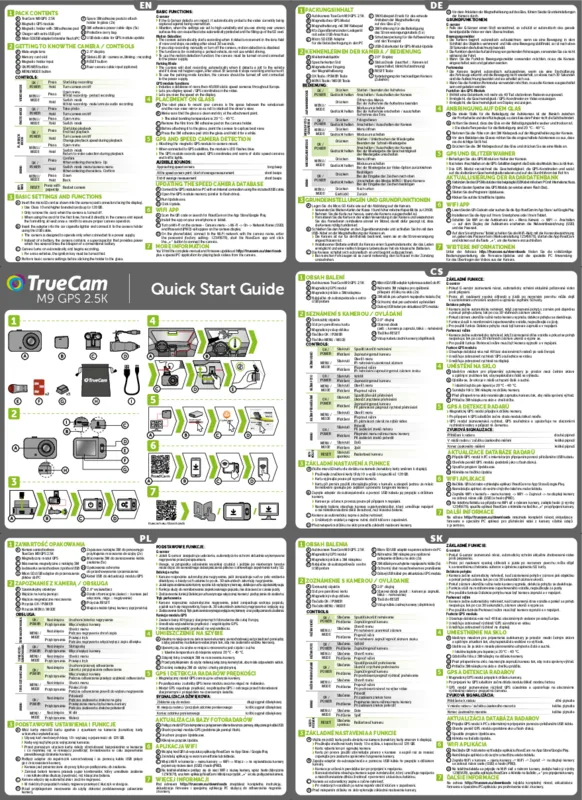
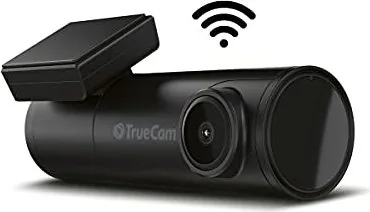
TrueCam H7 Manual
PDF manual · 67 Pages
English



Quick check
Incorrect answer, please try again.
Chat with your TrueCam H7 manual using AI
Get instant AI answers from your TrueCam H7 manual
Ask anything about the TrueCam H7. Answers come from this manual, with the pages they are based on.
H7 Maintenance Schedule
Repeat formatting at least once a month to ensure the camera works properly. Hold the WiFi button for 10s or use the mobile app.
Use a soft, lint-free cloth to wipe the screen and exterior. Never clean when powered on. Do not use paper towels.
Free maintenance reminders
Timed to your purchase date. Always free, unsubscribe anytime.
Ask a Question
Do you recommend H7?
Yes NoFrequently Asked Questions
It supports 2.5K at 2560x1440 pixels and Full HD at 1920x1080. Both record at 30 frames per second for smooth motion capture.
Is this answer helpful?
Download the KaCam app, turn on WiFi by holding the button, and connect to the network named after the device with the default password.
Is this answer helpful?
No, it uses a supercapacitor designed for higher temperature tolerance and longer life compared to traditional lithium batteries.
Is this answer helpful?
No, the camera does not have a physical display screen and relies entirely on the mobile application for viewing and settings.
Is this answer helpful?
The device accepts microSD cards up to 128 GB for storing recorded footage and images securely.
Is this answer helpful?
Press the reset button located next to the slot for five seconds using a small tool like a staple or pin.
Is this answer helpful?
Yes, the GPS module is integrated internally to record coordinates without needing an external sensor unit.
Is this answer helpful?
Advantages and Disadvantages
Advantages

- Records high quality 2.5K video for clear evidence
- Supercapacitor provides better longevity than batteries
- Loop recording saves management effort automatically
- Built-in GPS tracks location and speed accurately
- Dual USB port charger included in the package
Disadvantages

- Requires constant power connection for full functionality
- High G-sensor sensitivity may lock unnecessary files
- Monthly card formatting recommended for stability
- Parking mode needs additional wiring solutions
- Initial setup requires specific button combinations
Product Specification
Sensor
CMOS
Memory Card
microSD/microSDHC/microSDXC
Video
H.264, H.265, MPEG-4, 2560x1440@30p (16:9), 1920x1080@30p (16:9)
Photo Resolution
JPEG
Viewing Angle
140 deg
Display
No
Ports
USB Micro-B
Wireless
Wi-Fi (Wireless LAN)
Features
Motion Sensor, Loop Recording
Dimensions
3.86 x 1.18 x 1.77 in (WxHxD)
Weight
0.28 lbs
Product Description
Discovering the TrueCam H7 Technology
When you consider road safety, having reliable evidence is crucial for your peace of mind. The TrueCam H7 represents a significant leap forward in personal vehicle security and documentation. This device is designed for drivers who demand high clarity and dependability during their daily commutes. Whether navigating busy city streets or open highway journeys, capturing footage with precision matters immensely.
Key Performance Features
One standout aspect of this unit is its resolution capabilities. It records in impressive 2.5K quality alongside standard full HD options. This ensures that license plates and street signs remain legible even when zooming into playback files later. The wide-angle lens covers a substantial field of view to reduce blind spots effectively. You will find loop recording essential for long drives since the camera automatically overwrites old unprotected files when storage fills up completely. This feature eliminates the need for tedious manual management constantly.
Power and Longevity
Unlike older models relying on standard lithium batteries prone to heat damage, this camera uses a robust supercapacitor. This component handles extreme temperature fluctuations much better and offers a significantly longer operational lifespan. Since it requires direct connection to power for continuous operation, parking mode functionality relies on specific settings or external power kits for extended surveillance. Timelapse modes allow you to monitor parked vehicles over time efficiently without draining resources unnecessarily.
Connectivity and Ease of Use
Managing your footage becomes effortless through the companion mobile application interface. Connecting via WiFi allows you to preview live feeds and download clips instantly to your smartphone device. Configuration changes such as resolution adjustments or date stamps can be handled remotely without touching the hardware. The interface supports both Android and iOS platforms seamlessly for broad compatibility. Regarding included accessories, users receive a cigarette lighter adapter with dual USB ports which is convenient for charging other devices simultaneously while the car runs.
Installation Insights
Placement on the windshield behind the rearview mirror is recommended to maintain visibility safely. Clean dry surfaces ensure the adhesive mount holds firmly throughout harsh weather conditions. Remember to format your microSD card directly within the device before first use for optimal performance reliability. Regular maintenance keeps the system running smoothly without technical errors occurring. Security features include a G-sensor that locks footage immediately upon detecting an impact event. Users can manually protect specific videos during active recording sessions as well depending on preference.
In conclusion, investing in robust monitoring technology truly pays off during unexpected incidents. The TrueCam H7 balances advanced features with user-friendly operation perfectly. It stands out as a practical choice for modern vehicle owners prioritizing peace of mind on every single trip. Proper installation and consistent care guarantee years of reliable service under varying weather conditions globally.
Search for 67,732 Manuals online


Type-in Brand or Model