
Trend Networks NaviTEK NT Plus Manual
PDF manual · 10 Pages
English



Quick check
Incorrect answer, please try again.
Chat with your Trend Networks NaviTEK NT Plus manual using AI
Get instant AI answers from your Trend Networks NaviTEK NT Plus manual
Ask anything about the Trend Networks NaviTEK NT Plus. Answers come from this manual, with the pages they are based on.
Ask a Question
Do you recommend NaviTEK NT Plus?
Yes NoFrequently Asked Questions
The internal memory can store up to 5000 test results. This saves time by removing the need for external recording devices during large scale projects or busy deployments.
Is this answer helpful?
The standard model focuses on copper. However, the Pro version includes an optical port for SFP modules to test fiber links effectively.
Is this answer helpful?
Reports can be saved locally to a USB socket or sent to a smartphone using the IDEAL AnyWARE app. This ensures data is accessible via Android or Apple devices.
Is this answer helpful?
Green means the battery is charging or charging is complete. Flashing indicates the device is not currently charging. This status helps manage power needs in the field.
Is this answer helpful?
Yes. Function buttons, cursor controls, Escape, and Enter buttons streamline interactions. The menu is designed for intuitive traversal without complex key combinations.
Is this answer helpful?
It supports 2, 4, 568A, 568B, UTP, and STP configurations for network testing over copper connections.
Is this answer helpful?
Yes. There is a DC in connector for external power to support stationary testing or extended operations without relying solely on the battery.
Is this answer helpful?
Advantages and Disadvantages
Advantages

- Autotest function identifies faults with a single button press
- Internal database stores up to 5000 test results
- Wi-Fi and USB connectivity enable easy report sharing
- Supports copper and fiber testing with optical port options
- Replaceable battery modules extend field use duration
Disadvantages

- Optical testing requires the Pro version hardware
- Manual saving is required when Auto Save is Off
- USB memory needed for report export
- Charging status depends on LED color interpretation
- Fiber compatibility limited to specific Pro model units
Product Specification
Features
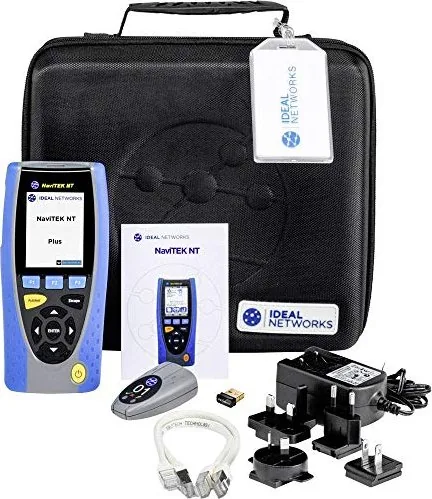
Display, USB WiFi Adapter
Product Description
Network Infrastructure Essentials
In modern IT environments, ensuring connectivity integrity is paramount. Professionals require robust tools to diagnose issues quickly and maintain high uptime standards. The keyword Trend Networks NaviTEK NT Plus Cable Tester Manual often serves as the detailed reference, but the device itself offers advanced capabilities for field technicians. This unit combines copper and fiber testing into a single handheld solution designed for efficiency. Technicians can switch between UTP and STP configurations easily without needing separate hardware.
Testing Capabilities
The device supports Network Testing over Copper and Fiber extensively. The Pro version expands functionality specifically with optical port options for SFP modules. Users can perform autotests with a single button press to identify faults instantly. The menu system allows setup for 2, 4, and 568B-pair cables effectively. Standards like 568A and 568B are selectable directly on the screen. Memory storage holds up to 5000 tests in the internal database. This eliminates the need for constant manual recording during busy deployments or large scale audits.
Connectivity and Reporting
Data management is simplified through USB sockets and integrated Wi-Fi adapters. Reports can be saved locally to the USB memory or sent via a smartphone connection. The IDEAL AnyWARE app supports both Android and Apple systems for cross platform compatibility. This integration ensures seamless workflow across different operating systems used in enterprise IT. Charging indicators show battery status clearly via LED signals. A green light means charging is complete while flashing lights indicate the device is not currently charging.
User Experience
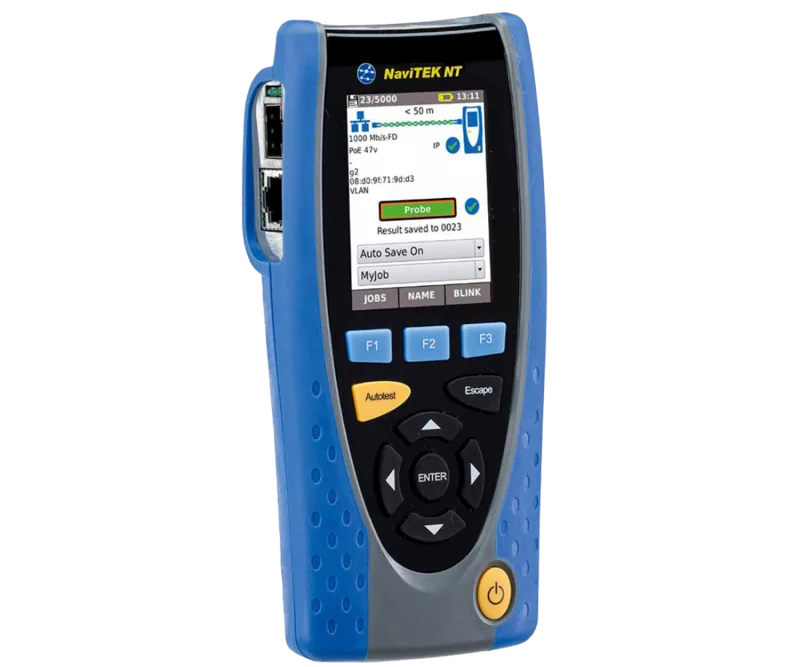
Navigation uses function buttons and cursor controls for easy menu traversal. The Escape and Enter buttons streamline menu interactions without complex key combinations. Display size allows visibility in low-light cabinets or equipment racks. Battery modules are replaceable for extended field use without downtime. The DC in connector supports external power when needed for laboratory setups. Whether diagnosing local switches or backbone fiber links, this tool adapts to various scenarios.
Power Management
Reliable power supply is crucial for continuous operation. Rechargeable battery modules provide autonomy during fieldwork. The charging indicator LED informs users of status clearly. Green indicates Off or Charging Complete. Flashing means Not charging. This clarity helps planners manage time effectively. External power connection via DC in connector supports stationary testing.
Conclusion
Maintaining network health needs accurate diagnostics and fast resolution times. Professionals value tools that are durable and multifunctional for varied tasks. The ability to test optical links adds significant value for modern structured cabling projects. Saving results manually or automatically ensures data integrity for future compliance checks.
Search for 67,706 Manuals online


Type-in Brand or Model