
TP-Link UB500/UB5A Manual
PDF manual · 18 Pages
English


Quick check
Incorrect answer, please try again.
Chat with your TP-Link UB500/UB5A manual using AI
Get instant AI answers from your TP-Link UB500/UB5A manual
Ask anything about the TP-Link UB500/UB5A. Answers come from this manual, with the pages they are based on.
Ask a Question
Do you recommend UB500/UB5A?
Yes NoFrequently Asked Questions
The adapter supports Windows 10, Windows 8.1, and Windows 7 operating environments.
Is this answer helpful?
Disable existing Bluetooth devices, then insert the adapter directly into an available USB port.
Is this answer helpful?
You can find the full list of supported operating systems and drivers at the official download center.
Is this answer helpful?
Ensure Bluetooth is turned on and disable other Bluetooth devices in the Device Manager before inserting.
Is this answer helpful?
Scan for devices in settings, select the device, and follow the on-screen prompts to complete pairing.
Is this answer helpful?
Yes, FCC compliance requires a separation distance of at least 20 cm from other transmitters or persons.
Is this answer helpful?
Advantages and Disadvantages
Advantages

- Ultra-small form factor ensures it does not block adjacent ports when plugged in.
- Bluetooth 5.0 standard offers improved range and better energy efficiency.
- Supports Windows 10, 8.1, and 7 operating environments effectively and easily.
- Backward compatible with older Bluetooth 4.0 devices for wider connectivity.
- Driver installation wizard guides user through process simply and fast.
Disadvantages

- Requires driver installation for Windows 7 and may trigger security messages.
- USB-A 2.0 interface limits speed compared to newer USB standards available.
- RF radiation requires minimum 20 cm separation from other transmitters.
- Non-standard Bluetooth protocols like Logitech mice may have compatibility issues.
- Antenna size limits range and signal strength compared to external adapters.
Product Specification
Type
WPAN Adapter
Form Factor
1x USB Adapter
Connection
1x USB-A 2.0 (Plug)
Connectivity
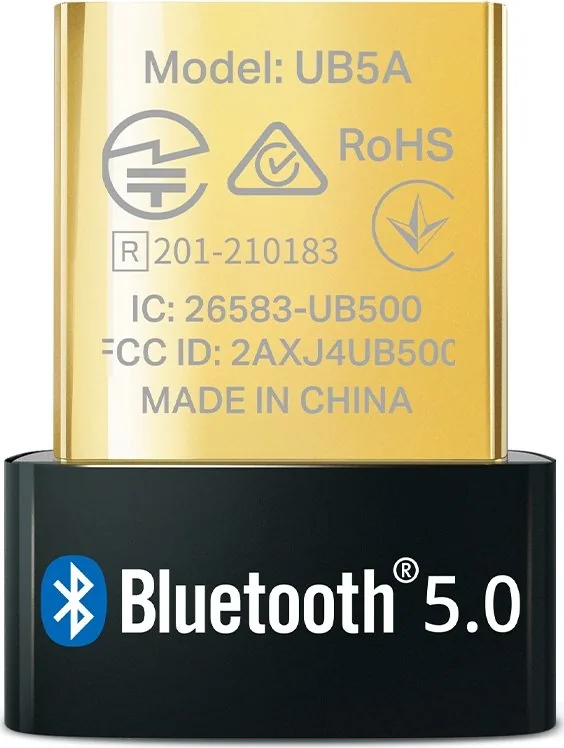
1x Bluetooth 5.0 (LE, Class 2, EDR, Dual Mode), 1x RF Amplifier, 1x Antenna (Integrated)
Transfer Rate
1x Bluetooth 5.0 (3Mb/s)
Power Supply
Power supply only via Connection
Chipset
Realtek
Dimensions
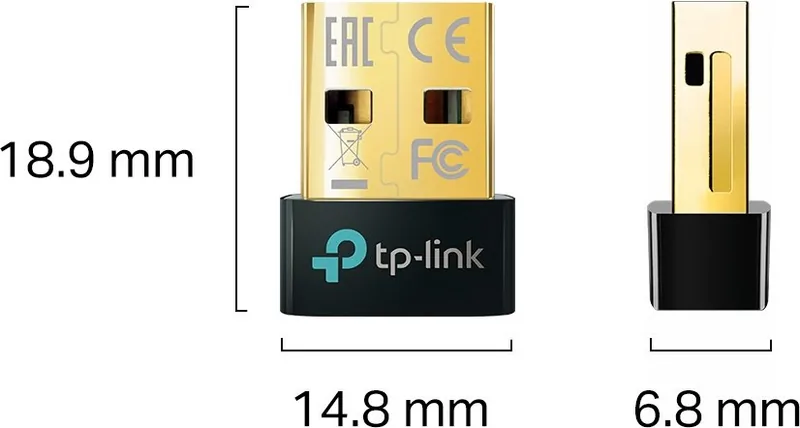
0.58x0.27x0.74 in (WxHxD)
Color
black
Compatibility
Universal
USB Labeling
Left
Product Description
Introduction to the TP-Link Nano USB Adapter
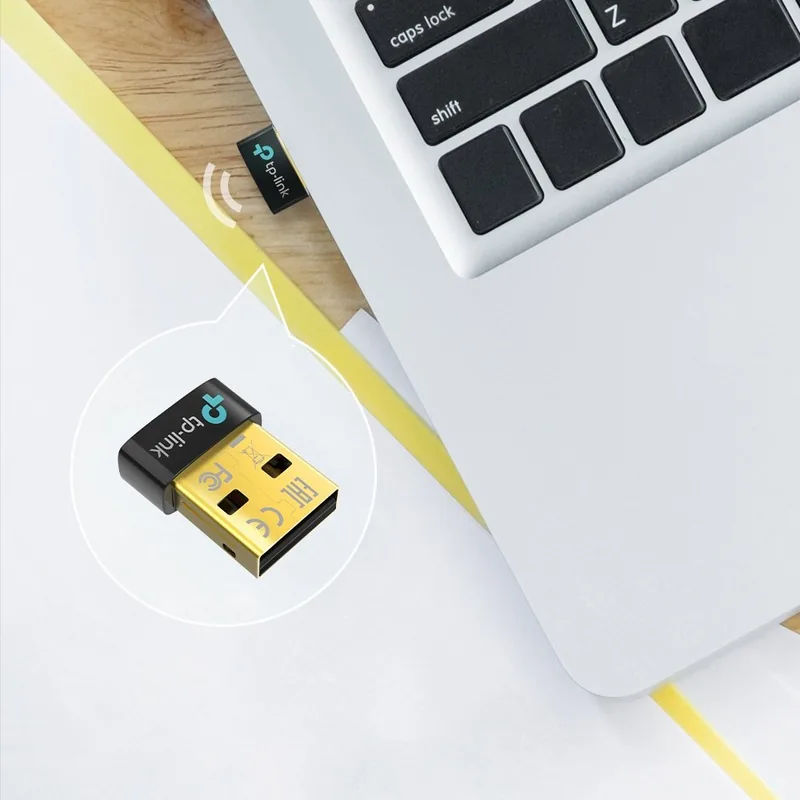
The TP-Link Nano USB Adapter is designed for seamless wireless connectivity for modern computers. It utilizes Bluetooth 5.0 technology to ensure fast and reliable connections for audio and accessories. This device is perfect for users needing to connect peripheral devices like headsets, speakers, or game controllers without bulky internal hardware modules. The compact design fits easily onto any laptop, making it a top choice for professional and personal mobility needs.
Key Features of the Adapter
Equipped with a USB-A 2.0 [Plug] interface, this unit delivers significant stability across various legacy and new operating system systems. It supports Windows 10, 8.1, and 7 operating environments effectively. The Bluetooth 5.0 standard offers improved range and better energy efficiency compared to older generations. Bluetooth Low Energy technology helps save power while maintaining connecting peripherals consistently. Its ultra-small form factor means it will not take up much space or block adjacent ports when plugged in permanently.
Setup and Configuration Guide
Getting started is straightforward for most users without technical expertise required. First, ensure any existing built-in Bluetooth devices are disabled via the Device Manager settings. Next, insert the TP-Link Nano USB Adapter into an available USB port directly on the computer. Windows 10 systems often handle driver installation automatically upon internet connection detection. For older systems or specific needs, downloading the latest driver from the official website ensures full functionality works correctly. The installer suggests extracting the zip file and running the setup wizard to complete the manual process.
Pairing Your Devices
Once installed, pairing Bluetooth devices is simple and efficient. Navigate to the settings on your computer to scan for nearby recognized devices. Select the specific device from the list and complete the on-screen prompts quickly. You may need to enter a pairing code which should match identically on both sides. Regularly check for driver updates to maintain compatibility with new software versions released recently. This ensures the most robust wireless experience possible for your everyday work tasks.
Conclusion on Performance and Safety
This adapter provides a practical solution for enhancing computer wireless capabilities significantly. Whether for work tasks or leisure activities, the connection remains stable under normal conditions. Many users appreciate the discretion it offers when added to a desktop or laptop chassis discreetly. It avoids the need for integrated built-in modules that might fail over time. With proper maintenance and handling, this hardware remains a reliable tool for wireless expansion. Keep the adapter at least 20 cm from other transmitters for safety compliance regarding RF radiation exposure. Regular safety checks ensure continued compliance with federal communication standards for all users.
Search for 67,706 Manuals online


Type-in Brand or Model
Klaus Weber
7 months ago
Does this Bluetooth adapter work automatically on Windows 11, or do I need to install drivers first?
Manual.ly
7 months ago
Yes, this device is designed for plug-and-play functionality on Windows 10 and Windows 11. Once you insert the USB adapter into an available port, the operating system should recognize it immediately without requiring additional driver installation. If the device is not automatically detected, please ensure your USB ports are functioning correctly or try a different port. For older systems, you may need to check BIOS settings if another Bluetooth module is already enabled internally within the computer. We are confident you will find the setup process quick and hassle-free.