
TP-Link TG-3468 Manual
PDF manual · 32 Pages
English


Quick check
Incorrect answer, please try again.
Chat with your TP-Link TG-3468 manual using AI
Get instant AI answers from your TP-Link TG-3468 manual
Ask anything about the TP-Link TG-3468. Answers come from this manual, with the pages they are based on.
Ask a Question
Do you recommend TG-3468?
Yes NoFrequently Asked Questions
The driver software supports Windows XP Vista Windows 7 and Windows 8 in both 32 bit and 64 bit versions to ensure maximum usability.
Is this answer helpful?
Turn off the power open your case insert the card into PCIe slot secure it and reinstall the case cover before powering up.
Is this answer helpful?
No this is a wired network adapter that requires an Ethernet cable connection to function properly.
Is this answer helpful?
It offers full duplex transmission rates of 10 100 and 1000Mbps with Auto-Negotiation technology for speed detection.
Is this answer helpful?
There are three lights representing 10 100 and 1000Mbps Link or Activity status when data is transferring.
Is this answer helpful?
No this is designed for desktop PCs with available PCI Express slots inside the tower case.
Is this answer helpful?
You may need to manually point the installer to the Resource CD if the system does not detect it automatically.
Is this answer helpful?
Advantages and Disadvantages
Advantages

- Gigabit speeds at low cost
- Wide Windows OS support
- Easy hardware insertion
- Energy saving features
- LED status indicators
Disadvantages

- Requires computer case opening
- PCIe x1 slot limitation
- No wireless capability included
- Driver CD required
- Only supports wired setups
Product Specification
Type
LAN Adapter
Form Factor
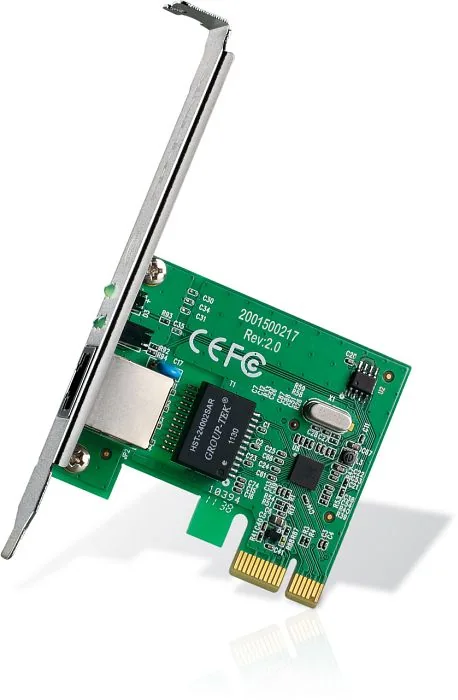
1x PCIe Card (full height bracket)
Interface
1x PCIe x1
Port
1x RJ-45
Transmission
1x RJ-45 (10/100/1000Base-T)
Power
Power only via interface
Compatibility
universal
Features
Wake on LAN, VLAN
Note
Different revisions available.
Product Description
Introduction to Network Upgrades
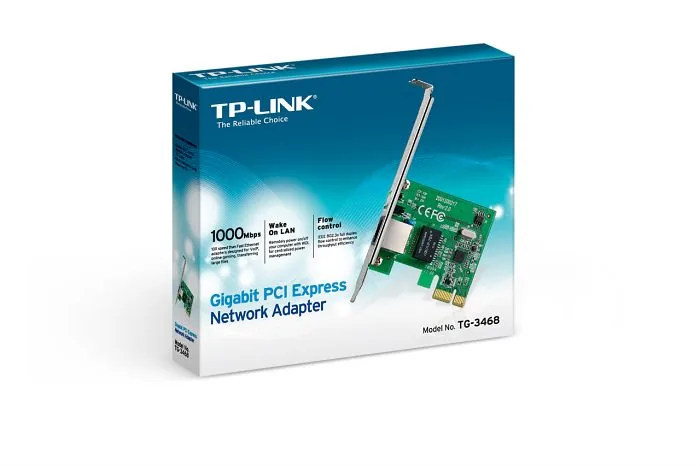
Modern computing demands high-speed internet connections for everything from gaming to large file transfers. Upgrading your internal network card can provide the necessary boost without replacing your entire computer. The TP-Link LAN Adapter RJ-45 PCIe x1 Manual assists users in navigating this upgrade process effectively. This specific Gigabit PCI Express Network Adapter connects directly to your motherboard and delivers reliable wired speed that surpasses many wireless options.
Key Features and Specifications
The device supports transmission rates of 10/100/1000Mbps depending on your network environment. It is fully compliant with IEEE standards ensuring broad compatibility with various systems. Wake-on-LAN capabilities allow for remote power management which is useful for server tasks. LED status indicators provide instant visual feedback on connection speed and data activity. Security features like flow control protect your data integrity during heavy transfer loads. Power down and link down power saving modes help reduce energy consumption without sacrificing performance during active use.
Installation Process
Physical installation requires opening your computer case carefully and inserting the card into an available PCIe slot. Once the hardware is secured properly software installation follows next. The process is handled via the included Resource CD or manual driver download from the manufacturer website. The guide covers Windows XP through Windows 8 environments in detail. Detailed steps help users avoid common hardware detection errors during the setup phase. Proper driver installation ensures the system recognizes the new hardware immediately.
Troubleshooting and Support
If issues arise during setup check the slot connection first to ensure physical security. Ensure the operating system matches your installed drivers to prevent compatibility conflicts. The system includes safety warnings regarding power disconnection and warranty voiding conditions. Proper handling extends the device lifespan significantly for years of reliable use.
Final Thoughts
This upgrade is cost-effective for desktop owners seeking better performance. It eliminates network bottlenecks caused by older hardware configurations. Follow the provided instructions for optimal performance and stability. Networking becomes seamless with this reliable addition to your system.
Compliance and Regulations
This equipment complies with FCC Rules for Class B digital devices. It meets CE Mark regulatory standards for use in European environments. Safety information emphasizes disconnecting power before maintenance to avoid electric shock risks. The product is designed for indoor use within specific temperature and humidity ranges. Adherence ensures safe operation.
Search for 67,706 Manuals online


Type-in Brand or Model
Michael Schmidt
6 months ago
Does this Gigabit Ethernet card support Wake-on-LAN functionality?
Manual.ly
6 months ago
Based on user feedback, this network card does not support Wake-on-LAN. Multiple customers report seamless installation and reliable performance on Windows 10, Linux, and Server 2012 without driver conflicts. It is highly rated for replacing onboard port failures and achieving full Gbit speeds in file servers. However, remote wake-up features are not available, so plan your power management accordingly.