
TP-Link TD-W8961N Manual
PDF manual · 83 Pages
English


Quick check
Incorrect answer, please try again.
Chat with your TP-Link TD-W8961N manual using AI
Get instant AI answers from your TP-Link TD-W8961N manual
Ask anything about the TP-Link TD-W8961N. Answers come from this manual, with the pages they are based on.
Ask a Question
Do you recommend TD-W8961N?
Yes NoVideo Manual
tp link modem td-w8961n configuration full for home and office amharic video
Frequently Asked Questions
The TD-W8961N supports ADSL2+/ADSL DSL connections and WAN connections (for fiber/cable) with multiple encapsulation types including Dynamic IP, Static IP, PPPoE/PPPoA and Bridge mode. It also allows configuring multiple PVCs and ATM/QoS parameters as required by your ISP.
Is this answer helpful?
Secure the network by enabling WPA2-PSK with AES encryption and a strong pre-shared key, disable WEP and consider disabling WPS if security is a priority. Use a hidden SSID or guest network for visitors and enable wireless MAC filtering or client isolation where needed.
Is this answer helpful?
To reset to factory defaults, press and hold the WPS/RESET button for about 8 seconds while powered on. This restores default credentials (admin/admin). You can also use the web interface under Maintenance → SysRestart to restore defaults.
Is this answer helpful?
Back up the current configuration via the ROMFILE SAVE option to avoid losing settings. Make sure the firmware file is correct for the TD-W8961N model, do not power off the device during upgrade, and be prepared to reconfigure if necessary after the reboot.
Is this answer helpful?
For Push Button Configuration (PBC), press the router's WPS button for about 2 seconds or start WPS via the web UI, then activate WPS on the client within two minutes. For PIN mode, either enter the client PIN into the router or enter the router’s PIN into the client setup utility.
Is this answer helpful?
Yes. The Guest Network feature creates an isolated SSID with its own authentication and optional bandwidth limits. You can enable guest isolation to prevent guests from accessing your main LAN while allowing internet access.
Is this answer helpful?
QoS prioritizes critical traffic (voice, video, gaming) by creating rules based on IP, MAC, port ranges, application or DSCP/ToS fields. Activate QoS, define rule indexes with matching criteria and assign queue priorities or remarking actions to ensure preferred traffic receives bandwidth ahead of lower-priority flows.
Is this answer helpful?
Advantages and Disadvantages
Advantages

- Integrated ADSL2+ modem and wireless N router simplifies setup for DSL users and saves space.
- Comprehensive configuration options (VLAN, QoS, NAT, multiple PVCs) suit advanced routing needs.
- Guest network, WPA/WPA2 encryption and MAC/IP filters provide layered access control and security.
- WPS PIN/PBC and Quick Setup wizard enable fast device pairing and quick internet setup.
- Maintenance tools include firmware upgrade, diagnostics, logs and remote management (TR-069/DDNS).
Disadvantages

- 2.4 GHz-only wireless may face congestion and lower throughput compared with dual-band AC routers.
- WPS can be a security risk if left enabled; consider disabling when not in use.
- Some advanced features (multiple IP mapping, ATM QoS) require technical knowledge to configure.
- Firmware updates may reset settings—always back up configuration before upgrading.
- LED and labeling differences across versions may cause confusion during troubleshooting.
Product Specification
Modem
ADSL2+, ISDN
Modem port
1x RJ-11
LAN
4x 100Base-TX
Phone
N/A
Wireless
WLAN 802.11b/g/n (Wi-Fi 4)
Data rate
300Mbps (2.4GHz)
Security
64/128bit WEP, WPA, WPA2, WPS
Antennas
2x external (removable)
Ports
N/A
Power consumption
not specified (consumption, operation), not specified (max. power supply output)
Dimensions
7.68x5.12x1.38in
Special features
WLAN on/off switch, VPN passthrough (IPSec/PPTP/L2TP), VLAN
Band capability
Single Band
Manufacturer warranty
three years
Product Description
TP-Link TD-W8961N — Reliable 300Mbps ADSL2+ Modem Router
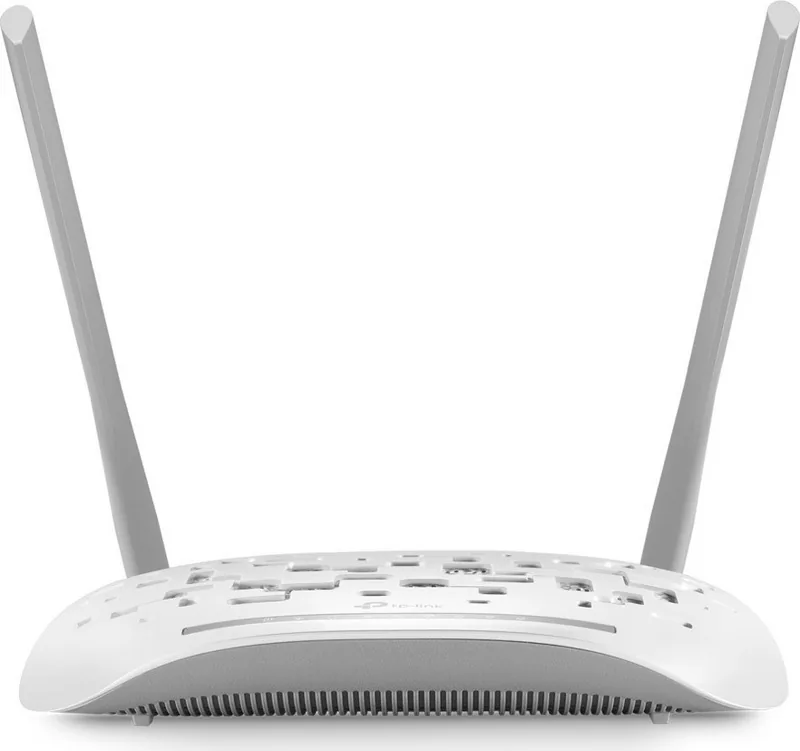
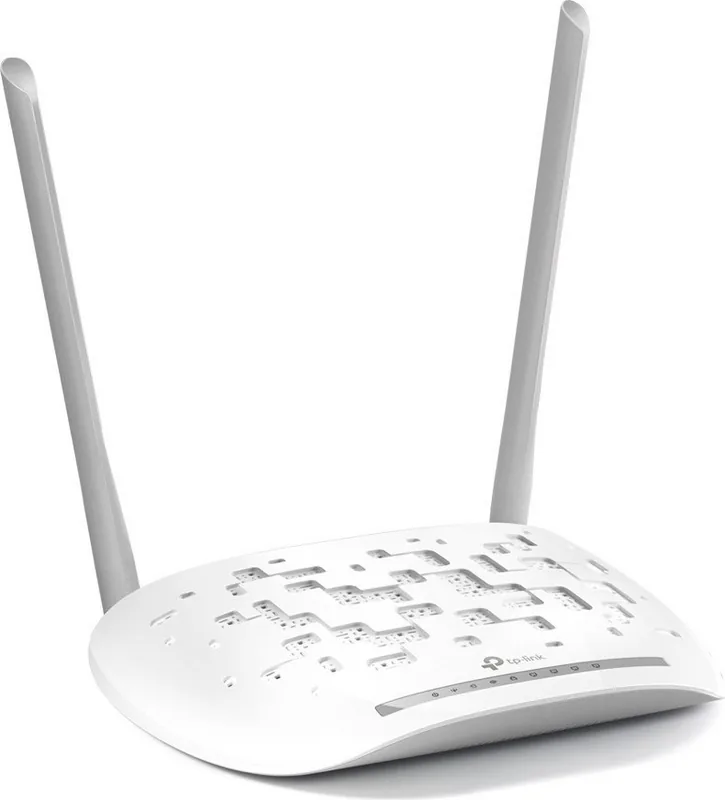
The TP-Link TD-W8961N is a compact, all-in-one ADSL2+ modem router designed for home and small office networks. Combining an integrated DSL modem, wired Ethernet ports and 2.4 GHz wireless N capability, it delivers up to 300Mbps wireless speeds for everyday tasks like web browsing, streaming and light online gaming. With external antennas for wider coverage, multiple LAN ports for wired devices and support for both ADSL and WAN (fiber/cable) connections, the TD-W8961N is flexible for varied ISP setups.
Key features and usage
The device supports multiple internet connection types including PPPoE/PPPoA, Dynamic and Static IP, and Bridge mode, allowing easy integration with most broadband services. The web-based management interface includes a Quick Setup wizard to get online within minutes, plus detailed configuration pages for advanced users: LAN, WAN, wireless, NAT, VLAN, QoS and ADSL options. The router supports multiple PVCs (up to 8), ATM QoS settings and VLAN grouping for service segmentation.
Wireless settings are comprehensive: selectable 802.11b/g/n modes, channel bandwidth (20/40 MHz), transmit power, WPS (PIN and PBC) for quick device pairing, multiple SSID support and WPA/WPA2 encryption with TKIP/AES options. Guest network functionality allows creating an isolated Wi‑Fi for visitors with bandwidth controls and client isolation.
Security and management tools include a built-in firewall with DoS protection and SPI, MAC/IP/URL/application filters, access control lists (ACL), UPnP, DDNS and CWMP (TR-069) for remote provisioning. QoS features let you prioritize traffic by application, port, IP, VLAN or DSCP fields to maintain performance for critical services. Logging, system diagnostics, firmware upgrade, configuration backup/restore and DHCP server/relay options are provided under maintenance menus.
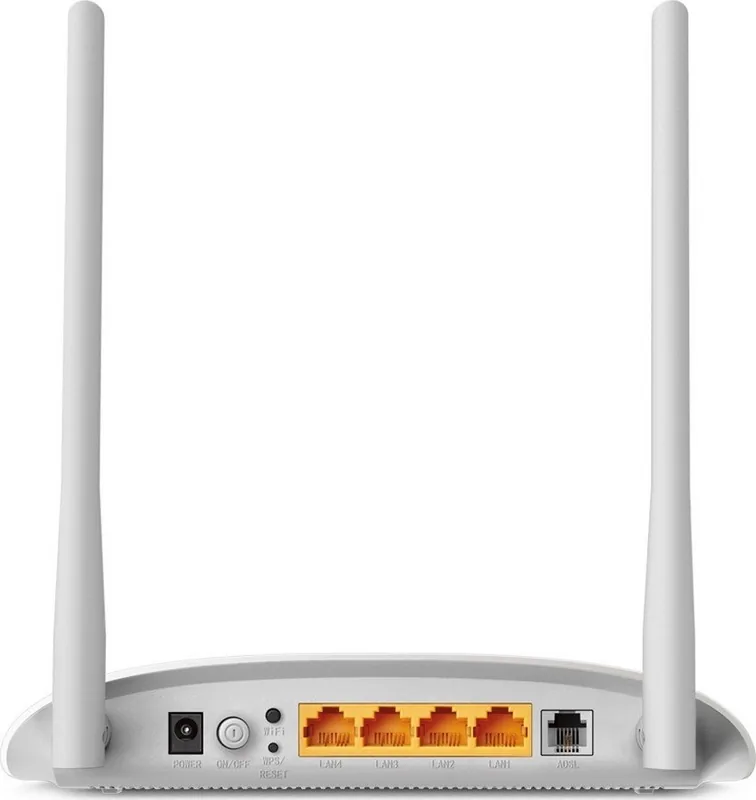
Hardware design is practical: front-panel LEDs show power, ADSL, Internet, wireless, WPS and LAN port status for quick troubleshooting; the rear panel hosts power, on/off, WiFi button, WPS/Reset, ADSL port and four Gigabit-class LAN ports (model-dependent). The guide also notes mounting dimensions and safety/placement tips to improve signal and avoid interference.
Overall, the TD-W8961N is aimed at users who need an affordable, easy-to-deploy modem router with enough advanced settings to tune performance and security without enterprise complexity.
Notes
- Supports ADSL2+/ADSL and WAN connections for flexible ISP compatibility.
- Use WPA2 with AES where possible and disable WPS if you prefer stricter security.
- Back up configuration before firmware upgrades and avoid power loss during upgrade.
Search for 67,706 Manuals online


Type-in Brand or Model