
tolino vision 6 Manual
PDF manual · 170 Pages
English



Quick check
Incorrect answer, please try again.
Chat with your tolino vision 6 manual using AI
Get instant AI answers from your tolino vision 6 manual
Ask anything about the tolino vision 6. Answers come from this manual, with the pages they are based on.
Ask a Question
Do you recommend vision 6?
Yes No
Leonie Hartmann
6 months ago
Does the Tolino Vision 6 have battery drain or freezing issues, and what can I do if it becomes unresponsive?

Manual.ly
6 months ago
Some users report shorter battery life and occasional freezes, especially when switching quickly between books or using the device heavily. Keep the software updated, use sleep mode when not reading, and restart the reader if it stops responding. If a reset does not resolve persistent freezing or the battery drains unusually fast, please contact your retailer or Tolino support for a warranty inspection or replacement.
Nikki Evans
4 months ago
Does the Tolino Vision 6 have issues with freezing or short battery life?
Manual.ly
4 months ago
Some users report freezes, unresponsive screens, and battery life shorter than expected, especially with heavy daily use. Keep the device updated, use sleep mode when not reading, and restart it if it becomes unresponsive. If a reset does not resolve persistent freezing or the battery drains unusually quickly, please contact the retailer or Tolino service for inspection or replacement.
Lena Fischer
4 months ago
Does the Tolino Vision 6 have battery drain or freezing issues, and what should I do if it becomes unresponsive?
Manual.ly
4 months ago
Battery life varies with reading time, Wi-Fi use, brightness, and background activity. Some users report several days of use, while others achieve longer runtimes. Install the latest software update, use sleep mode when not reading, and restart the device if it slows down. If the screen freezes, try a forced restart and then a factory reset if necessary. If the problem continues after updating and resetting, please contact your retailer or Tolino support for an inspection or replacement under warranty.

vero_vel
3 months ago
Why does the Tolino Vision 6 freeze or have much shorter battery life than expected, even after an update?
Manual.ly
3 months ago
Some users report freezing and reduced battery life, especially with frequent reading, book switching, or Wi-Fi use. Please install the latest software, restart the device, and use sleep mode when not reading. If the reader remains unresponsive after a factory reset or the battery drains within a day under normal use, contact your retailer or Tolino support for inspection or replacement under warranty.
froberts79
4 months ago
Does the Tolino Vision 6 have battery drain or freezing issues, and what can I do if it becomes unresponsive?
Manual.ly
4 months ago
Some users report shorter battery life than expected and occasional freezes, especially during frequent switching between books. Battery life varies with reading time, Wi-Fi use, brightness, and background activity. Install the latest software update, use sleep mode when not reading, and restart the device if it stops responding. If freezing continues after a full reset or the battery drains unusually quickly, please contact the retailer or Tolino support for inspection or replacement under the applicable warranty.
Roxanne Williams
3 months ago
How reliable is the Tolino Vision 6, and what should I do if it freezes or the battery drains within a few days?
Manual.ly
3 months ago
Some users report smooth performance and around two weeks of battery life with about 30 minutes of daily reading, especially when Wi-Fi is disabled and standby mode is used. Others report freezing, failed resets, and significantly shorter battery life. Install the latest software update, avoid rapid repeated page or book changes, and restart the device if it becomes unresponsive. If freezing persists, the display remains stuck after a reset, or battery life is unusually short, please contact the retailer or Tolino service for inspection or replacement under warranty.
qui96
4 months ago
Why does my Tolino Vision 6 freeze or have battery issues despite manufacturer claims of week-long battery life?
Manual.ly
4 months ago
Thank you for your feedback. Some users report that the Tolino Vision 6 may experience freezing or reduced battery life due to its newer processor and display technology. While the manufacturer aims for extended battery usage, actual performance can vary based on reading habits and software versions. We recommend ensuring your device is updated to the latest firmware, as a new update is planned to improve stability and battery efficiency. If issues persist after updating, please contact our support team for further assistance or potential replacement options.
Jim Fox
3 months ago
Is it normal for the Tolino Vision 6 to freeze frequently and require a reset, and how long does the battery actually last with daily use?
Melyssa Wiza
2 months ago
Does the Tolino Vision 6 really last for weeks on a single charge, or is the battery life much shorter?
Manual.ly
2 months ago
Battery performance varies by user. While some users report up to two weeks with moderate use (30 minutes daily), others experience depletion within 1-2 days due to factors like screen brightness and processor usage. Frequent freezing issues have also been reported, which may require a reset. A software update aimed at improving battery life is expected soon.
nathen56
4 months ago
Why does my Tolino Vision 6 freeze frequently and have poor battery life compared to the advertised weeks of usage?
Manual.ly
4 months ago
Some users report freezing issues where the system UI becomes unresponsive, often requiring a restart. Regarding battery life, while the manufacturer states it should last up to two weeks with 30 minutes of daily reading, several customers experience depletion within 2 days without Wi-Fi use. This is attributed to the newer processor and display. We recommend ensuring the device is fully charged initially, avoiding rapid page switching which can cause delays, and checking for software updates that may improve performance.
Amely Pfeffer
4 months ago
Is the browser on this eReader usable for searching books, or should I use a PC instead?
Sarah Klein
3 months ago
My device keeps freezing and won't respond even after a reset. Is this a common issue?
Alfie Powell
5 months ago
How long does the battery actually last on the Tolino Vision 6, and why do some users experience it dying in less than two days?
Manual.ly
5 months ago
Battery life varies based on usage. While some users report up to two weeks with light daily reading, others experience shorter durations (2-5 days) due to factors like frequent page turning, background processes, or software issues. The manufacturer notes that newer hardware may impact longevity compared to older models. A software update is planned to improve performance. If you experience rapid drainage, try enabling sleep mode when not in use and ensure your device is fully charged initially.
quas_ut
3 months ago
My Tolino freezes frequently and won't switch between books properly. Is this a known issue?
Frequently Asked Questions
Open the menu, select Network settings, choose your Wi-Fi network from the list, enter the password using the on-screen keyboard, and tap Connect. The device will save this network for future automatic connections.
Is this answer helpful?
Yes, you can link accounts from various tolino partner shops to one device. Additionally, you can transfer EPUB files from your computer via USB cable after purchasing them from external vendors.
Is this answer helpful?
The tolino Cloud is a virtual storage space accessible via mytolino.de. It automatically syncs your purchased books, reading progress, and notes across all your registered devices, ensuring you never lose your data.
Is this answer helpful?
While reading, tap the center of the screen to reveal controls, then select Text Display. Use the slider to change size, choose a font family, and adjust line spacing or margins to your liking before saving.
Is this answer helpful?
Absolutely. Once books are downloaded from the cloud or transferred via USB, you can read them completely offline without needing an internet connection, perfect for travel or remote areas.
Is this answer helpful?
Go to Menu > Settings > More Settings > Reset to Factory Defaults. Confirm the action to erase all local data and restore the device to its original state, which is useful before selling or gifting the unit.
Is this answer helpful?
Advantages and Disadvantages
Advantages

- Intuitive touch interface with customizable gestures for easy navigation
- SmartLight technology adapts brightness and color temperature for eye comfort
- Seamless integration with tolino Cloud for syncing books across devices
- Access to thousands of free Telekom HotSpots for internet connectivity
- Built-in dictionary and translation tools for enhanced reading experience
Disadvantages

- Web browsing capabilities are limited compared to smartphones or tablets
- Battery life may decrease significantly if screen brightness is maxed out
- Cannot install third-party apps beyond the official ecosystem
- Some DRM-protected books require an Adobe ID for activation
- Screen refresh settings might cause slight delays on older models
Product Specification
Technology
E-Ink Carta 1200 "Electronic Paper"
Display Size
7", 16 Grayscale Levels, 300 ppi
Resolution
1264x1680
Internal Storage
16 GB Flash, 1 GB RAM
Supported File Formats
EPUB, PDF, TXT, EPUB (Adobe DRM)
Card Reader
N/A
Wireless
WLAN 802.11a/b/g/n/ac
Connections
1x USB-C 2.0
Power Supply
Li-Polymer Battery, 1500 mAh
Dimensions
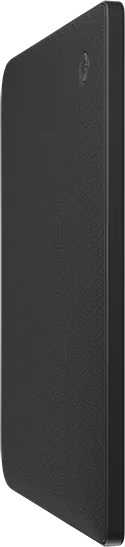
6.36 x 5.70 x 0.23 inches
Color
Black (Device)
Weight
7.58 oz
Features
Multi-Touchscreen (Capacitive), Backlit Display, Waterproof, Compatible with Onleihe, Reducible Blue Light, Android, IPx8
Manufacturer Warranty
Two Years
Product Description
Discover the tolino vision 6: Your Ultimate Reading Companion
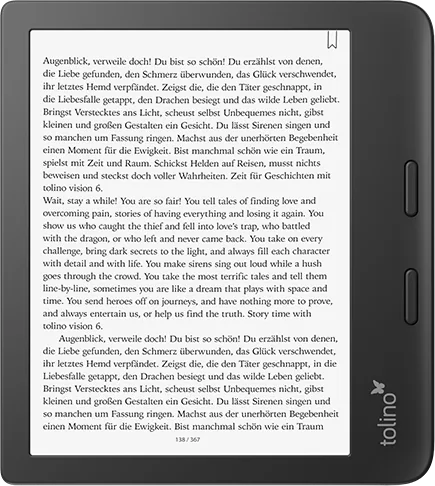
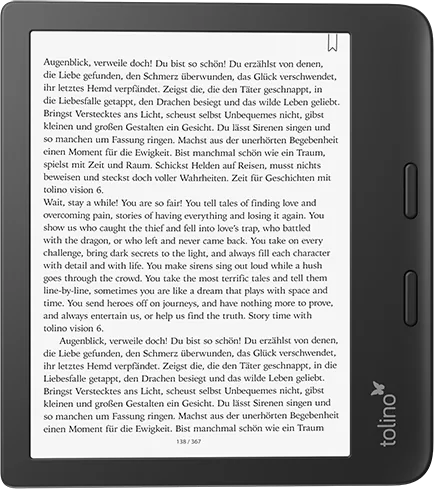
Welcome to the world of digital reading with the tolino vision 6. This sleek e-reader is designed to make your literary journey seamless, portable, and enjoyable wherever you go. Whether you are a fan of classic literature, modern thrillers, or educational texts, this device offers a vast library at your fingertips without the weight of physical books.
The tolino vision 6 stands out for its intuitive interface and user-friendly design. From the moment you power it on, you are greeted by a warm welcome that guides you through simple setup steps. You can easily connect to Wi-Fi networks, allowing you to browse online shops, purchase new titles, and sync your personal cloud library instantly. The device features a high-contrast display that mimics the feel of real paper, ensuring comfortable reading even in bright sunlight or dimly lit rooms.
One of the standout features is the extensive customization options available to readers. You can adjust font sizes, styles, line spacing, and margins to suit your personal preferences. The smartLight technology automatically adjusts the screen's color temperature based on the time of day, reducing eye strain during evening reading sessions. For left-handed users, a dedicated mode ensures the page-turning gestures feel natural and ergonomic.
Beyond just reading, the tolino vision 6 integrates powerful tools for active learning and note-taking. You can highlight favorite passages, add personal notes, and set custom bookmarks that are saved directly to your device or cloud account. The built-in dictionary allows you to look up words instantly while reading, making foreign language books much easier to enjoy. With access to thousands of Telekom HotSpots, staying connected to your book collection while traveling is effortless.
Managing your digital library has never been simpler. The tolino Cloud keeps all your purchases and borrowed ebooks synchronized across devices, so you never lose your place. You can organize books into collections, search for specific authors or titles, and delete old files to free up space. Security is also a priority, with options to set a PIN code to protect your content from unauthorized access. Experience the joy of reading without limits, where every chapter is just a tap away.
Search for 67,706 Manuals online


Type-in Brand or Model
Emma Powell
6 months ago
Does the Tolino Vision 6 have issues with freezing or short battery life?
Manual.ly
6 months ago
Some users report freezes, problems switching between books, and battery life of only a few days, while others experience smooth performance and around two weeks with moderate use. Keep the device updated, use sleep mode when not reading, and avoid rapid repeated commands. If freezing continues after a restart or factory reset, please contact your retailer or Tolino support for inspection or replacement under warranty.