
tolino shine 4 Manual
PDF manual · 168 Pages
English



Quick check
Incorrect answer, please try again.
Chat with your tolino shine 4 manual using AI
Get instant AI answers from your tolino shine 4 manual
Ask anything about the tolino shine 4. Answers come from this manual, with the pages they are based on.
Ask a Question
Do you recommend shine 4?
Yes NoFrequently Asked Questions
You can connect by opening the menu, selecting WLAN settings, and tapping your network name. Enter the password using the on-screen keyboard. Teleknom HotSpots log in automatically with your account.
Is this answer helpful?
Yes, you can borrow e-books from libraries using the tolino. You will need an Adobe ID for most library books. The system recognizes library access from the reader optimized view.
Is this answer helpful?
Tap the text to open controls, then select Text display. Use the slider to adjust font size or spread fingers to change it quickly. Apply changes to save your setting.
Is this answer helpful?
The mytolino cloud is a virtual storage space accessed via internet. It stores your books and syncs bookmarks and progress across devices. You can access it via mytolino.com website.
Is this answer helpful?
Go to Menu, select Information and help, then search for new version. If an update is found, follow the on-screen prompts to download and install it. Restart after completion.
Is this answer helpful?
Open Menu, go to Settings, Advanced settings, then select Reset to factory settings. Confirm the action. This deletes all local books and data but preserves cloud content.
Is this answer helpful?
Yes, navigate to Settings and Advanced settings. Select Sleepscreen and choose Own image from folder. Transfer a PNG image to the device first to use it as background.
Is this answer helpful?
Advantages and Disadvantages
Advantages

- Cloud synchronization keeps library updated across all devices instantly.
- Intuitive touch interface makes navigation easy for all ages easily.
- Customizable text size and brightness protect eyes during reading.
- Automatic bookmarking saves reading progress at page stop automatically.
- Supports dictionary installation for better language understanding while reading.
Disadvantages

- Web browsing experience is limited compared to standard tablets or phones.
- Non-removable battery prevents easy replacement or long-term repair.
- Minimum sleep timer is fixed at five minutes regardless of preference.
- Some protected books require Adobe ID registration for access.
- Reset to factory settings deletes all books and local user data.
Product Specification
Technology
E-Ink Carta 1200 "Electronic Paper"
Screen Size
6 inches, 16 Grayscale, 300 ppi
Resolution
1072x1448
Internal Storage
16GB (14GB usable), 1GB RAM
Supported File Formats
EPUB, PDF, TXT, DRM
Card Reader
N/A
Wireless
Wi-Fi 802.11a/b/g/n/ac
Ports
1x USB-C 2.0
Power
Li-Polymer Battery, 1500mAh
Dimensions
6.25 x 4.41 x 0.33 inches
Color
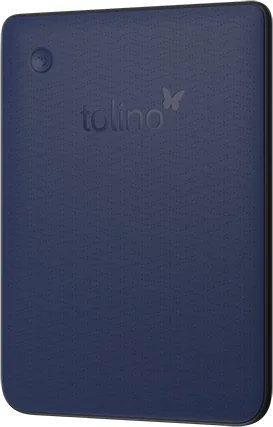
Blue/Black (Device)
Weight
0.38 lbs
Features
Touchscreen, Backlit display, Reducible blue light, Ambient light sensor, Compatible with Onleihe, IPX8, Waterproof
Warranty
Two years
Product Description
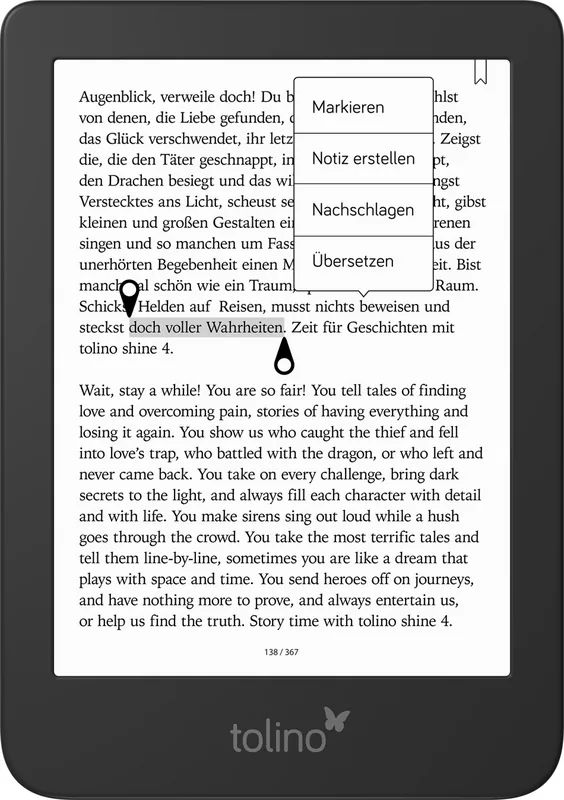
Discover the ultimate reading companion with the tolino Shine 4. This device brings the world of literature to your fingertips instantly. You will never carry heavy books again when you own this sleek gadget. The experience is designed for pure joy and convenience for modern readers. Navigating through thousands of pages requires only a simple touch. The interface is intuitive for all ages to understand easily without confusion. No complicated switches hinder your flow while reading deeply. You can customize the text size for perfect visibility always. Adjust brightness to match your environment safely and comfortably. Color temperature changes automatically to protect vision during usage. Your eyes stay healthy during long sessions at night. The cloud sync keeps your library updated everywhere instantly. Download titles directly to the reader from the web interface. Buy books on your PC and transfer them easily for reading. Borrowing from public libraries is simple with proper setup. You can set bookmarks automatically when you stop reading today. Highlight favorite passages to analyze literature later on. Create personal notes that save your thoughts forever securely. Refer to tolino Shine 4 Manual for advanced feature details. Web browsing is available though limited compared to phones. You can check weather or search information while waiting patiently. Sleep mode activates after five minutes of inactivity automatically. Wake the device quickly with the power button or touch. Security locks protect your personal data from strangers completely. Change the language in settings for your native preference. Updating software fixes bugs and adds new features regularly. Resetting the factory clears all user data safely. Cleaning the surface requires a soft damp cloth only carefully. Battery life lasts weeks with moderate usage daily habits. Dispose of the battery properly to help the earth preserve. Warranty covers manufacturing defects for a specific time period. Data privacy remains a priority for your online safety. Legal notices ensure you know your rights clearly always. Start your digital journey today without hesitation or fear. Enjoy reading in color and text with immense style.
Additionally, protecting content with DRM ensures legal safety. Adobe ID registration allows reading protected works smoothly. The reading view offers chapter navigation without stress. Table of contents helps jump to specific sections. Adjusting margins and font styles improves readability. Left-handed mode swaps screen controls for better grip. Deleting books frees up precious storage space quickly. Finding items uses search functions across the catalog. Finished books move to special collections automatically. Syncing ensures progress matches across different devices always. Logging out secures your account from unauthorized access. Payment methods store securely for fast purchases. Creating new accounts links multiple shops seamlessly. These features make the device a versatile tool for everyone. The hardware is built to last through many years. Software support continues long after launch dates. Enjoy your e-book collection without worry or stress. This tool changes how you consume written content forever.
The home page displays recent books and shop links clearly. Shop integration allows purchasing without leaving the home screen. Text alignment options help left and right handers read. Screens refresh to prevent ghosting on displays effectively. Energy saving tips extend battery performance significantly now. Hotspots in Germany connect you free while traveling abroad. You can transfer books freely between device and storage. Manage collections to organize genres easily on screen today. The webreader links to mytolino.com for computer access. This flexibility ensures you never lose your reading data. Cloud icons show download status at a glance always. Notifications remind you when updates or purchases arrive locally. The device respects your time by syncing automatically. Privacy settings let you control data sharing habits. The ecosystem supports global users with diverse languages. Purchase options vary by region and bookseller agreements. All functions aim to enhance your literary pleasure daily.
Search for 67,706 Manuals online


Type-in Brand or Model
Julia Meyer
5 months ago
I see this Tolino lasts longer than the Sony and Kobo I owned. Given that, is the warranty extension still necessary, or is standard coverage enough?
Manual.ly
5 months ago
Feedback suggests this model is reliable compared to Sony and Kobo units. However, warranty protection is a personal preference. If you expect heavy use or travel often, the extension offers peace of mind. Standard warranty covers defects, but extension adds longevity security.