
Thermaltake SWAFAN 12 RGB Manual
PDF manual · 2 Pages
English



Quick check
Incorrect answer, please try again.
Chat with your Thermaltake SWAFAN 12 RGB manual using AI
Get instant AI answers from your Thermaltake SWAFAN 12 RGB manual
Ask anything about the Thermaltake SWAFAN 12 RGB. Answers come from this manual, with the pages they are based on.
Ask a Question
Do you recommend SWAFAN 12 RGB?
Yes NoDo you recommend SWAFAN 12 RGB?
Yes NoFrequently Asked Questions
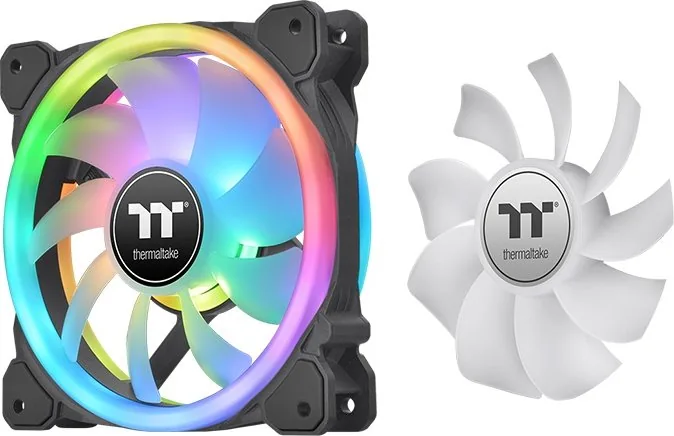
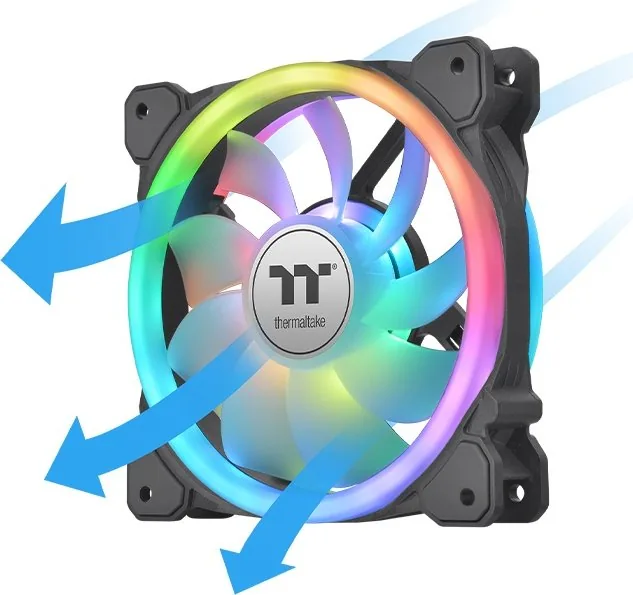
To change the airflow direction, simply remove the current fan blades and flip them over to install the reverse side. This converts the fan from an air exhaust model to an air intake model or vice versa.
Is this answer helpful?
A single controller can manage up to sixteen fans when using the bridge connector to link multiple controllers together. This makes it suitable for extensive liquid cooling setups.
Is this answer helpful?
No special tools are required beyond a standard screwdriver. The package includes all necessary screws, cables, and Velcro straps for a complete installation experience.
Is this answer helpful?
It is recommended to add about 0.1ml of lubricant into the bearing after replacing the fan blades several times. This helps maintain smooth operation and extends the fan's lifespan.
Is this answer helpful?
Yes, you can sync two or more controllers using the provided bridge connector. This allows for centralized control of a larger number of fans within a single system.
Is this answer helpful?
Advantages and Disadvantages
Advantages

- Dual-ball bearing system provides exceptional longevity and quiet operation.
- Interchangeable fan blades allow switching between intake and exhaust modes easily.
- Supports up to 16 fans per controller with bridge connectivity for large builds.
Disadvantages

- Requires manual oil application every few years to maintain peak bearing performance.
- Controller setup involves navigating DIP switches which may confuse beginners.
- Limited compatibility with non-standard mounting brackets compared to universal kits.
Product Specification
Fan connector
9-Pin proprietary
Dimensions
4.72x4.72x0.98 in (WxHxD)
Speed
500-2000 rpm
Airflow
3.18 cu ft/min (53.01 CFM)
Static pressure
0.10 inH2O
Noise level
30.5 dB(A)
Fan bearing
hydrodynamic bearing (HDB)
Voltage range
9-12V
Power consumption
3.24W
Lighting
RGB (30 LEDs)
LED controller/adapter
Synchronization via USB 2.0 header, Fan/LED connectors: 5x 9-Pin proprietary, Power supply: 4-Pin Molex
Note
Fans are operated via LED controller using a proprietary 9-Pin connector
Product Description
Thermaltake SWAFAN 12 RGB: The Ultimate Cooling Solution
The Thermaltake SWAFAN 12 RGB stands out as a premium cooling component designed for enthusiasts who demand both performance and aesthetic appeal. This fan features a unique dual-ball bearing system that ensures longevity while maintaining whisper-quiet operation. With its customizable RGB lighting, users can sync their system's look with the rest of their build, creating a cohesive visual theme.
Performance and Design
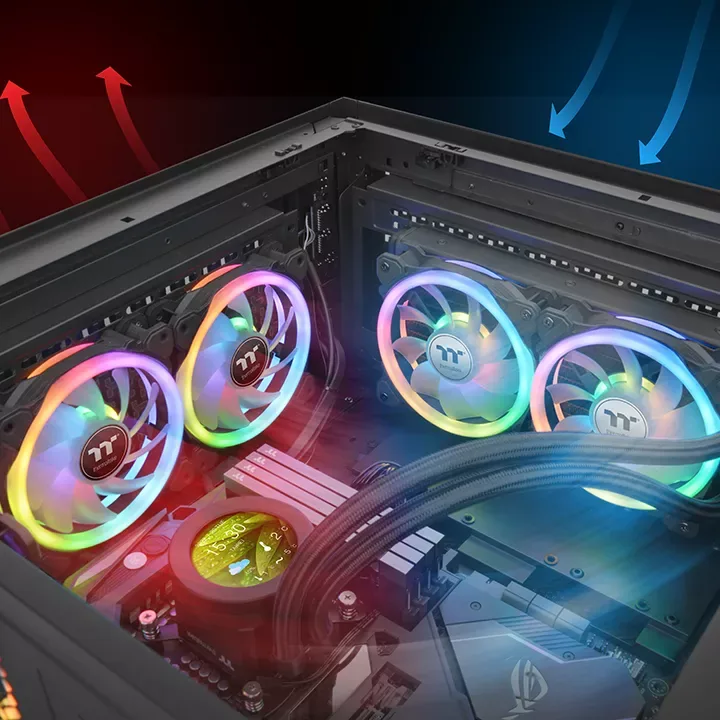
At the heart of the SWAFAN 12 RGB is a high-performance motor capable of delivering substantial airflow. The design allows for easy blade replacement, giving users the flexibility to switch between air intake and exhaust configurations without buying a new unit. This versatility makes it ideal for various case layouts and radiator setups. The included controller simplifies management, allowing up to sixteen fans to be synchronized via DIP switches for precise control over speed and lighting effects.
Installation Made Simple
Setting up the SWAFAN 12 RGB is straightforward thanks to the detailed instructions provided. The package includes all necessary hardware, from screws to Velcro straps, ensuring a secure fit on radiators or chassis mounts. A key feature is the oil setup guide, which recommends adding approximately 0.1ml of lubricant after several blade replacements to extend the lifespan of the bearings. This maintenance tip highlights the product's durability and user-friendly engineering.
Connectivity and Control
Connectivity is handled through a standard USB 2.0 9-pin header, making it compatible with most modern motherboards. For larger builds, multiple controllers can be bridged together, offering scalability for water-cooling loops or massive air-cooled systems. The ability to assign specific numbers to controllers via DIP switches adds a layer of organization that is often missing in other products.
Notes
- Always ensure the airflow direction matches your case configuration before securing the fan.
- Regular maintenance with the recommended oil can significantly prolong the life of the fan.
- The RGB lighting supports synchronization across multiple units for a unified look.
Search for 67,732 Manuals online


Type-in Brand or Model