
Thermaltake Riing 12 LED RGB TT Premium Edition Manual
PDF manual · 2 Pages
English



Quick check
Incorrect answer, please try again.
Chat with your Thermaltake Riing 12 LED RGB TT Premium Edition manual using AI
Get instant AI answers from your Thermaltake Riing 12 LED RGB TT Premium Edition manual
Ask anything about the Thermaltake Riing 12 LED RGB TT Premium Edition. Answers come from this manual, with the pages they are based on.
Ask a Question
Do you recommend Riing 12 LED RGB TT Premium Edition?
Yes No
christian41
6 months ago
How loud do these fans get at maximum speed and is the installation difficult?
Frequently Asked Questions
The software is compatible with Windows 7, Windows 8, Windows 8.1, and Windows 10. Users must download the application from the official Thermaltake website to ensure proper functionality.
Is this answer helpful?
You can connect two or more controllers using the included bridge cable. This allows you to manage a larger number of fans from a single interface or distribute them across different areas of your case.
Is this answer helpful?
Yes, you can use the fans via the hardware controller. The DIP switches allow you to assign controller numbers and basic settings manually without needing to install any software drivers.
Is this answer helpful?
In Silent Mode, the fan speed ranges from 500 to 950 RPM with a duty cycle between 0% and 50%. This mode is ideal for reducing noise during light computing tasks.
Is this answer helpful?
The Riing 12 fans feature a patented technology that supports 256 different colors. You can select specific colors or enable RGB cycling for dynamic lighting effects.
Is this answer helpful?
Advantages and Disadvantages
Advantages

- Patented design supports 256 distinct colors for highly customizable lighting effects
- Includes dedicated hardware controller with DIP switch configuration for easy manual setup
- Offers dual fan speed modes including Silent Mode for low noise operation
- Compatible with major Windows operating systems for broad software support
Disadvantages

- Requires USB 2.0 9-pin header connection which may not be available on all motherboards
- Software installation is mandatory to unlock full range of color and speed options
- Bridge cables are required for expanding beyond a single controller unit
Product Specification
Fan connector
4-Pin PWM
Dimensions
4.72x4.72x0.98 in (WxDxH)
RPM
400-1400 RPM
Airflow
2.93 CFM
Static pressure
0.04 inH2O
Noise level
7.36 dB(A)
Fan bearing
hydrodynamic sleeve bearing
Voltage range
9-12V
Power consumption
1.32W
Lighting
RGB
Color
black (frame), black (rotor)
LED controller/adapter
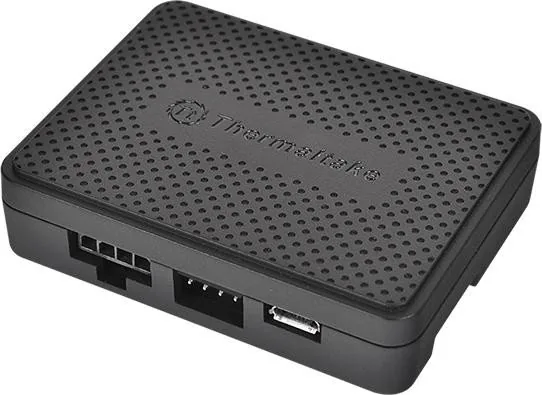
Synchronization connection via USB 2.0 header, Fan/LED connections: 3x 4-Pin PWM, Power supply: 4-Pin Molex
Features
vibration dampers, fan control
Product Description
Elevate Your PC Build with Thermaltake Riing 12 LED RGB TT Premium Edition
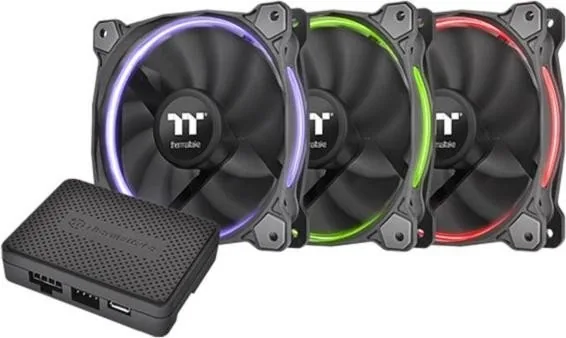
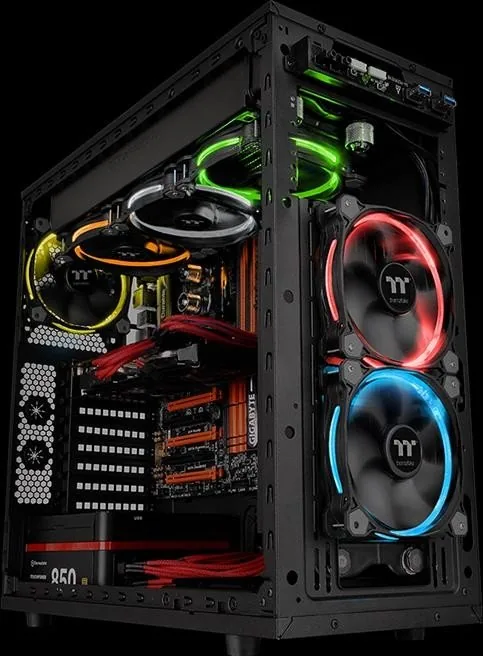
Transform your computer case into a visual masterpiece with the Thermaltake Riing 12 LED RGB TT Premium Edition. This 3-pack of 120mm fans is designed for enthusiasts who demand both superior cooling performance and stunning aesthetics. Each fan features a patented design capable of displaying 256 vibrant colors, allowing you to create a lighting setup that perfectly matches your system theme.
The package includes a dedicated controller that simplifies management without needing complex software initially. You can manually adjust fan speeds and lighting patterns using DIP switches on the controller itself. For those seeking deeper customization, the included software offers extensive control over profiles, fan speed modes ranging from silent to performance, and dynamic color cycling. The installation process is straightforward, utilizing standard 4-pin connections and a bridge cable to link multiple controllers if needed.
Whether you are building a high-performance gaming rig or a sleek workstation, these fans provide the airflow necessary to keep components cool while adding a premium look. The ability to set specific profiles ensures that your system remains quiet during idle tasks and performs at its peak during intense sessions. With compatibility across Windows 7 through Windows 10, integrating this lighting solution into your existing setup is seamless and user-friendly.
Important Notes
- Ensure proper connection to USB 2.0 headers for full software functionality.
- Use the provided bridge cable when installing more than one controller.
- Download the latest drivers from the official website for optimal OS support.
Search for 67,732 Manuals online


Type-in Brand or Model
Sylvia Zemlak
6 months ago
Do these fans support RGB lighting and PWM control on older motherboards like the Rampage IV Extreme?
Manual.ly
6 months ago
The fans function perfectly via software, but compatibility depends on your motherboard. While your board has an onboard USB header, specific features like Aurora lighting may not be supported if the BIOS or software does not recognize them. Additionally, when using PWM fan control, be aware that speeds can increase rapidly up to 1400 RPM under load, which may be audible during high-performance tasks even if they are quiet in desktop mode.