
Thermaltake Pacific CL Series Manual
PDF manual · 1 Pages
English


Quick check
Incorrect answer, please try again.
Chat with your Thermaltake Pacific CL Series manual using AI
Get instant AI answers from your Thermaltake Pacific CL Series manual
Ask anything about the Thermaltake Pacific CL Series. Answers come from this manual, with the pages they are based on.
Ask a Question
Do you recommend Pacific CL Series?
Yes NoFrequently Asked Questions
You can use the included bridge cable to connect two or more controllers together. Ensure each controller has a unique ID set via the DIP switches on the back before linking them.
Is this answer helpful?
The TT RGB Plus software is compatible with Windows 7, Windows 8, Windows 8.1, and Windows 10. Mac or Linux users will need to check for alternative compatibility options.
Is this answer helpful?
Yes, the software includes a color palette tool that allows you to select and assign specific colors to individual LEDs within the radiator array for a unique look.
Is this answer helpful?
First, set a connection password in the desktop software settings. Then, ensure your PC is on the same wireless network as your mobile device before launching the TT RGB Plus APP.
Is this answer helpful?
Available modes include Full Lighted, Wave, Pulse, Ripple, Blink, Sound Control, RGB Spectrum, Flow, and Thermal, providing diverse visual effects for your build.
Is this answer helpful?
No, the system uses a standard 4-pin Molex connector for power, which is commonly found in most modern computer power supplies.
Is this answer helpful?
Advantages and Disadvantages
Advantages

- Patented 16.8 million color RGB lighting allows for extensive customization
- DIP switch configuration enables easy identification of multiple controllers
- Comprehensive TT RGB Plus software supports various dynamic lighting modes
- Bridge cable support simplifies managing complex multi-radiator setups
- Compatible with Windows 7 through 10 for broad OS support
Disadvantages

- Requires manual installation of drivers and software for full functionality
- Mobile app connection requires prior setup of a password in desktop software
- Limited to specific motherboard USB headers for controller connection
- Complexity may be overwhelming for novice builders unfamiliar with water cooling
- Software updates may occasionally require manual intervention via website
Product Specification
Type
active
Material
Copper
Connections
G1/4"
Product Description
Elevate Your Cooling with the Thermaltake Pacific CL Radiator
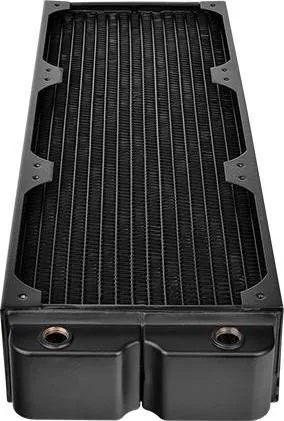
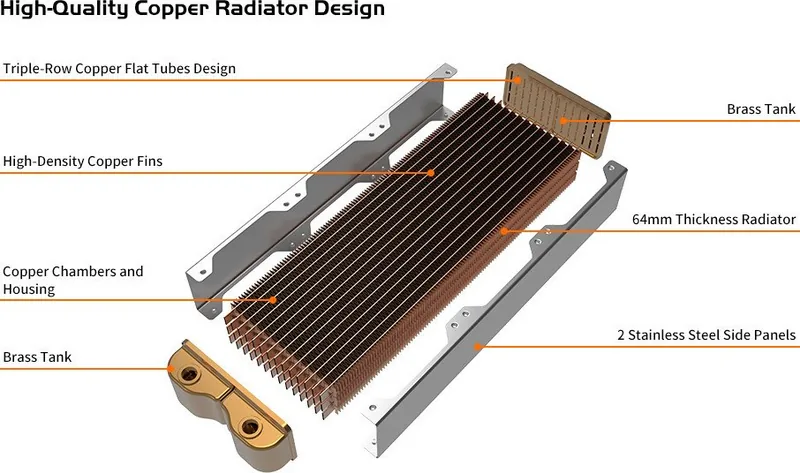
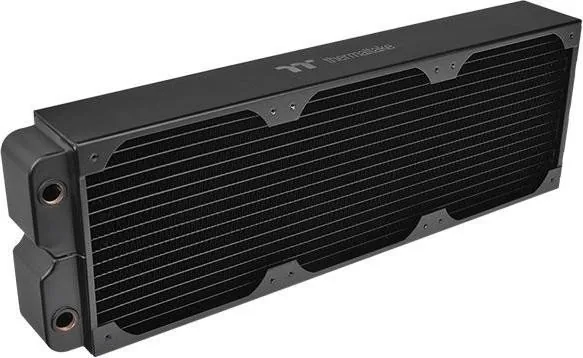
The Thermaltake Pacific CL Radiator represents a pinnacle in custom water cooling solutions, designed for enthusiasts who demand both aesthetic brilliance and thermal efficiency. This radiator is not merely a component; it is a centerpiece that transforms the interior of a PC case into a visual masterpiece. Featuring patented RGB technology, it offers an expansive palette of 16.8 million colors, allowing users to sync their lighting with other compatible components for a unified look.
Installation is streamlined through a comprehensive guide included with the unit. The process begins by mounting the LED module directly onto the radiator frame. Once secured, the fan cables are connected to the dedicated controller, which serves as the brain of the operation. A unique feature of this system is the DIP switch configuration located on the rear of the controller. By toggling these switches, users can assign specific identification numbers to multiple controllers, enabling precise management of complex multi-loop setups without signal confusion.
Powering the system requires connecting the power cable to a standard 4-pin Molex connector, ensuring stable energy delivery to the LEDs and fans. For those building advanced rigs with multiple radiators, a bridge cable facilitates daisy-chaining connections between controllers, simplifying cable management and reducing clutter. The controller itself interfaces with the motherboard via a USB 2.0 9-pin header, opening the door to deep software integration.
Control extends beyond simple on-off functionality through the TT RGB Plus software suite. Available for Windows 7 through 10, this application provides granular control over lighting modes such as Wave, Pulse, Ripple, and Sound Control. Users can create custom profiles, adjust individual LED brightness, and even set specific RGB color codes using decimal inputs. The software also supports mobile connectivity via the TT RGB Plus APP, though this requires setting a wireless password within the desktop interface first. Whether you prefer a static glow or dynamic effects that react to system activity, the Pacific CL Radiator delivers a customizable experience tailored to your style.
Search for 67,706 Manuals online


Type-in Brand or Model