
TFA Dostmann Memo 35.1141 Manual
PDF manual · 52 Pages
English



Quick check
Incorrect answer, please try again.
Chat with your TFA Dostmann Memo 35.1141 manual using AI
Get instant AI answers from your TFA Dostmann Memo 35.1141 manual
Ask anything about the TFA Dostmann Memo 35.1141. Answers come from this manual, with the pages they are based on.
Memo 35.1141 Maintenance Schedule
Change the batteries in the respective transmitter when the battery symbol appears on the channel display.
Change the base station batteries when the battery symbol appears on the indoor values display.
Ask a Question
Do you recommend Memo 35.1141?
Yes No
Klaus Weber
5 months ago
Is wind speed measurement included or can it be added later?
Frequently Asked Questions
The wireless transmission range is up to 60 meters in open fields. However, solid walls, especially those with metal parts, can significantly reduce this distance.
Is this answer helpful?
Yes, the system is expandable. You can connect up to three separate outdoor transmitters by assigning them different channels (1, 2, or 3) using the switch on the sensor battery compartment.
Is this answer helpful?
No, the device receives the DCF-77 radio signal to set the time automatically. It also handles daylight saving time transitions without any user intervention.
Is this answer helpful?
The symbols indicate a general weather trend for the next 12 hours based on air pressure changes. For example, a rain symbol means pressure has dropped, suggesting worsening weather, not necessarily immediate rain.
Is this answer helpful?
Check if the batteries are installed correctly and have sufficient charge. Ensure there are no electronic devices nearby causing interference and try moving the sensor closer to the base station.
Is this answer helpful?
The outdoor transmitter is splash-proof but not fully watertight. It should be placed in a location protected from direct rainfall to prevent damage.
Is this answer helpful?
Advantages and Disadvantages
Advantages

- Supports up to three additional outdoor transmitters for multi-room monitoring
- Features a radio-controlled clock that automatically adjusts for daylight saving time
- Provides a visual weather trend forecast based on atmospheric pressure changes
- Easy installation with simple button controls and clear LCD display
- Measures both indoor and outdoor temperature and humidity simultaneously
Disadvantages

- Weather forecast accuracy is approximately 70 percent and indicates trends rather than exact conditions
- Outdoor sensor is splash-proof but not fully waterproof, requiring careful placement
- Signal range may be significantly reduced by thick walls containing metal components
- Requires alkaline batteries which are not included in the package
- Time reception can be weak in basements or areas with heavy concrete reinforcement
Product Specification
Type
digital
Temperature
indoor and outdoor
Humidity
indoor and outdoor
Weather Forecast
symbols
Forecasting Method
barometer, high and low temperature
Other Displays
time, date, day of week
Alarms
alarm time
Outdoor Temperature Range
-40°F to 140°F
Placement
desktop, wall mount possible
Power Supply
4x AAA batteries
Color
black
Package Contents
1 outdoor sensor
Product Description
Discover the TFA Dostmann Memo Wireless Weather Station
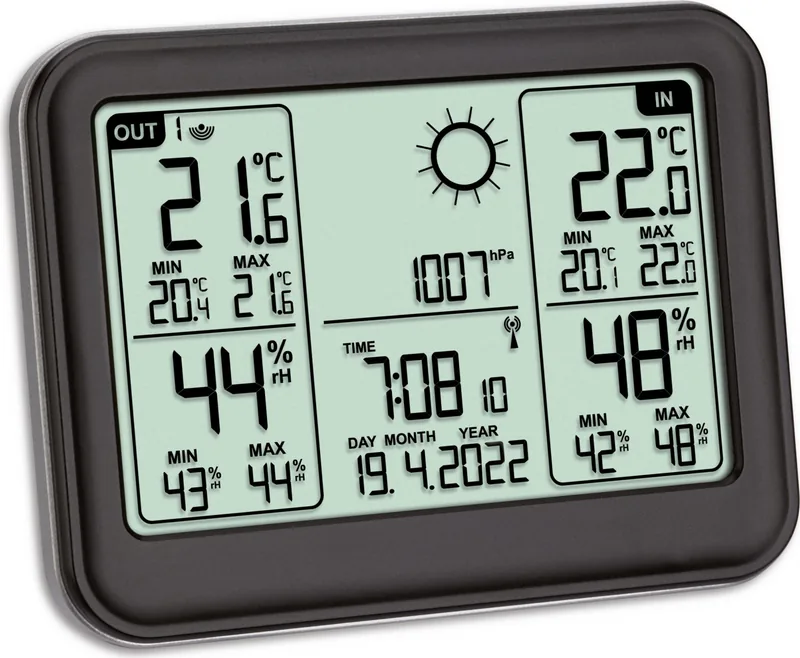
Welcome to a smarter way to monitor your home environment with the TFA Dostmann Memo Funkwetterstation Digital. This sleek and functional device brings professional-grade meteorological data directly into your living space, offering peace of mind through precise monitoring of indoor and outdoor conditions. Whether you are a gardening enthusiast tracking frost risks or simply someone who appreciates accurate weather trends, this station delivers reliable insights at a glance.
The system consists of a central base station and a wireless thermo-hygro sensor that communicates via a robust 433 MHz frequency. The base station displays real-time indoor temperature and humidity alongside data received from the outdoor transmitter. One of its standout features is the ability to expand the system by connecting up to three additional outdoor sensors. This makes it perfect for climate control in diverse areas like wine cellars, children's rooms, or greenhouses, allowing you to compare conditions across different zones effortlessly.
Beyond basic metrics, the Memo station provides a dynamic weather forecast based on atmospheric pressure changes. It utilizes five distinct symbols to indicate trends such as sunny, partly cloudy, rainy, or stormy conditions over the next twelve hours. While not a replacement for professional forecasting, it offers a helpful visual cue for immediate weather shifts. The unit also features a radio-controlled clock powered by the DCF-77 signal, ensuring your time and date remain perfectly synchronized without manual adjustments. Daylight saving time transitions happen automatically, and the display supports seven different languages for weekday names.
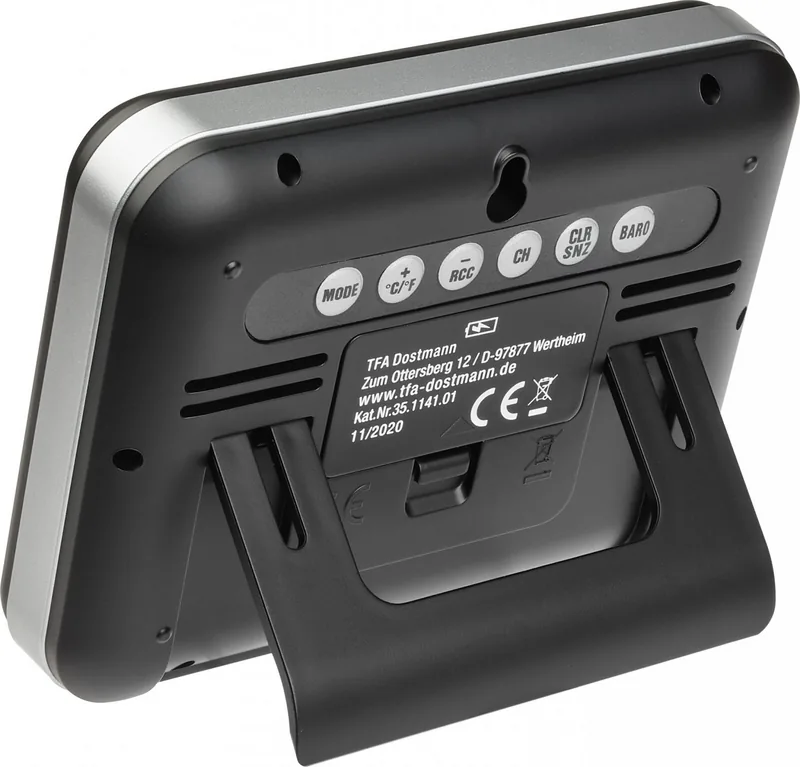
Installation is straightforward, requiring only two AAA batteries for each component. The device includes a fold-out stand for tabletop use or wall-mounting holes for flexible placement. Safety is paramount, with clear warnings regarding battery handling and protection from moisture for the outdoor sensor. By keeping this device away from electronic interference and placing the outdoor sensor in a shaded, dry spot, you ensure optimal performance and longevity.
Key Features Summary
- Wireless Monitoring: Tracks indoor and outdoor temperature and humidity.
- Expandable System: Supports up to three external transmitters.
- Weather Trends: Visual forecast based on barometric pressure.
- Atomic Clock: Self-setting time via DCF-77 radio signal.
- User-Friendly Display: Shows max/min values and alarm functions.
Search for 67,706 Manuals online


Type-in Brand or Model
Liliane Kilback
5 months ago
Does this weather station have a backlight for the display to read it in the dark?
Manual.ly
5 months ago
Thank you for your inquiry. Based on our product specifications, this compact weather station does not include a built-in backlight or illumination feature for the display. The screen is designed with large, high-contrast characters to ensure excellent readability in normal lighting conditions. If you require visibility in low-light environments, we recommend placing the unit near a light source or using an external ambient light.