
TFA Dostmann Boxx 60.2554 Manual
PDF manual · 44 Pages
English



Quick check
Incorrect answer, please try again.
Chat with your TFA Dostmann Boxx 60.2554 manual using AI
Get instant AI answers from your TFA Dostmann Boxx 60.2554 manual
Ask anything about the TFA Dostmann Boxx 60.2554. Answers come from this manual, with the pages they are based on.
Boxx 60.2554 Maintenance Schedule
Recharge the battery every six months, even if the product is not in use, to preserve battery life.
Clean the device with a soft, slightly damp cloth. Do not use scouring or solvent agents.
Free maintenance reminders
Timed to your purchase date. Always free, unsubscribe anytime.
Ask a Question
Do you recommend Boxx 60.2554?
Yes No
sunt_omnis
6 months ago
Does the quality match the low cost mentioned in reviews?
Frequently Asked Questions
Press and hold the SET button until the hour digits flash. Use the up or down arrows to adjust the time, then confirm with the SET button again to move to minutes and other settings.
Is this answer helpful?
Yes. In normal mode, press the °C/°F/▲ button to toggle between Celsius and Fahrenheit displays instantly.
Is this answer helpful?
A complete charge typically takes between 6 to 8 hours when connected to a standard 5V USB power source using the included micro-USB cable.
Is this answer helpful?
If left unattended, the alarm tone will automatically stop after two minutes and will reactivate at the same time the following day unless deactivated.
Is this answer helpful?
Yes, the radio-controlled feature automatically adjusts for summer and winter time changes based on the received DCF signal.
Is this answer helpful?
No, the internal lithium-ion battery is permanently installed and cannot be removed or replaced by the user.
Is this answer helpful?
Place the device near a window away from large metal objects or electronics. Avoid basements or rooms with thick reinforced concrete walls for optimal DCF signal strength.
Is this answer helpful?
Advantages and Disadvantages
Advantages

- Radio-controlled synchronization ensures perfect time accuracy
- Dual alarm settings with flexible weekday or weekend schedules
- Automatic backlight activation based on ambient light levels
- Built-in indoor thermometer with Celsius and Fahrenheit options
- Long-lasting rechargeable battery with up to six months runtime
Disadvantages

- Battery is permanently sealed and cannot be replaced by the user
- DCF signal reception may fail in areas with heavy concrete interference
- No external speaker volume control; alarm tone is fixed
- Requires proximity to a window for optimal radio signal reception
Product Specification
Type
Alarm Clock
Display
Digital
Case Material
Plastic
Dial
Gray
Case Color
Black
Alarm Method
Alarm
Features
Snooze, Date Display, Day of Week, Second Alarm, Thermometer, USB
Special Features
Radio
Dimensions
5.6x2.9x1.8 in (WxDxH)
Product Description
Discover the TFA Dostmann 60.2554.01 Wireless Alarm Clock with Temperature Box
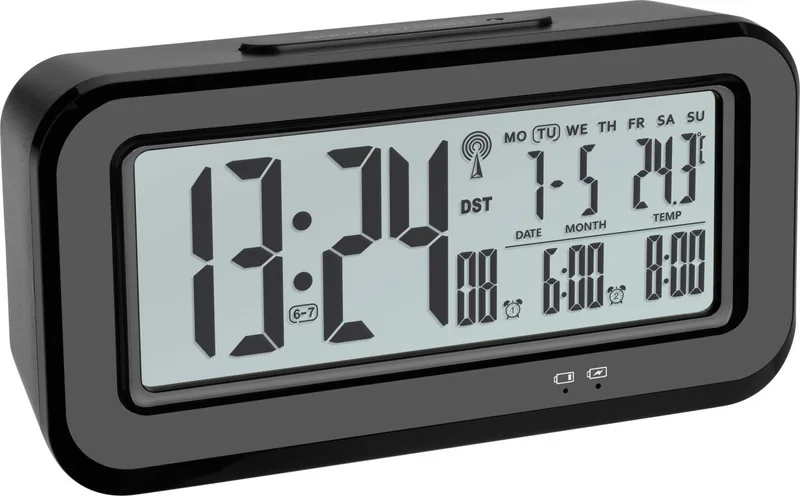
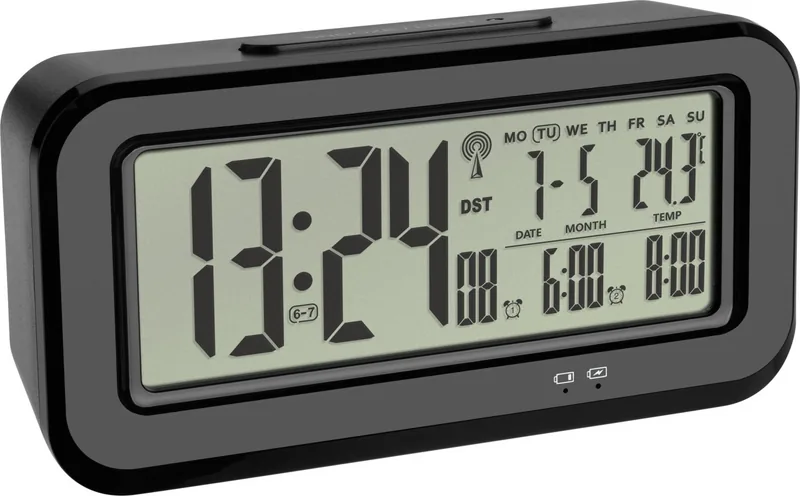
The TFA Dostmann 60.2554.01 is a sophisticated bedside companion designed to bring precision and comfort to your daily routine. This wireless alarm clock, also known as the BOXX model, combines accurate timekeeping with essential environmental monitoring. It features a radio-controlled function that automatically synchronizes with the DCF-77 signal, ensuring your time is always exact without manual adjustments. The device displays the date, day of the week, and current indoor temperature on a clear LCD screen, making it an informative addition to any nightstand.
One of its standout features is the dual-alarm system, allowing you to set two separate wake-up times with customizable rhythms for weekdays or weekends. The built-in snooze function provides a gentle five-minute extension if you need extra sleep. Powering the unit is a rechargeable lithium-ion battery with a capacity of 1200mAh, which can last up to six months on a single charge under normal usage conditions. Charging is convenient via the included micro-USB cable, taking approximately six to eight hours for a full cycle.
User convenience is prioritized with an automatic backlight controlled by a light sensor. When darkness falls, the display illuminates softly, while a manual button press offers a brighter three-second glow for quick checks. The device supports both Celsius and Fahrenheit temperature readings, catering to various user preferences. Safety is paramount, with warnings against opening the sealed battery compartment and instructions to avoid water exposure. The sleek design measures 152 x 45 x 73 mm and weighs only 185 grams, fitting easily into any space.
Whether you are setting alarms for work, tracking room temperature, or simply needing a reliable time source, this TFA Dostmann unit delivers consistent performance. Its ability to handle daylight saving time changes automatically adds to its reliability. By keeping the manual handy, users can maximize the device's potential and ensure long-term satisfaction with their purchase.
Search for 67,706 Manuals online


Type-in Brand or Model
reiciendis58
5 months ago
Is this product worth the price and would you buy it again?
Manual.ly
5 months ago
Yes, based on customer feedback, this item offers excellent value for its price. Many buyers report being highly satisfied and express a strong willingness to purchase it again.