
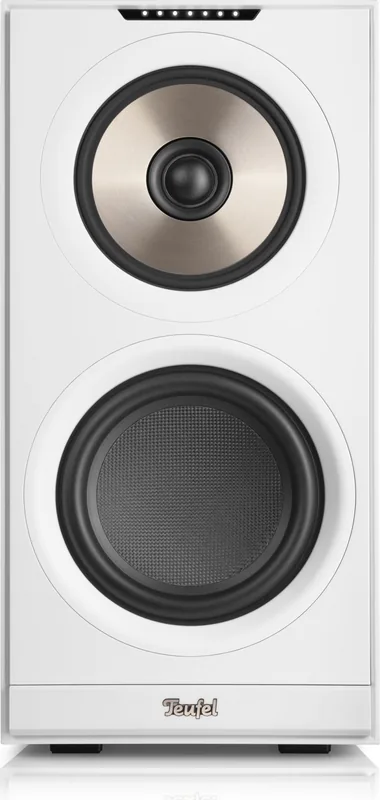
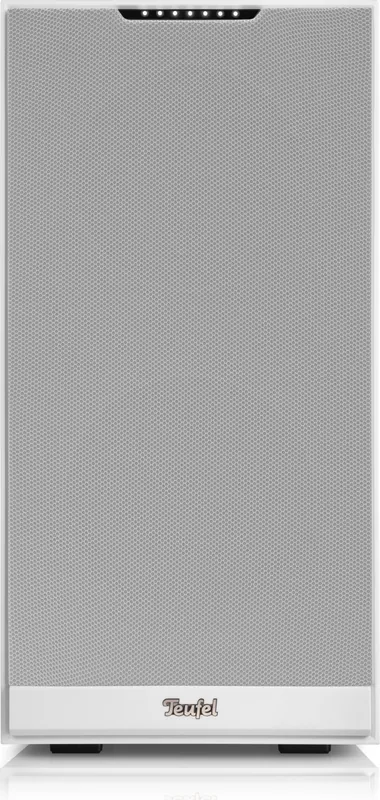
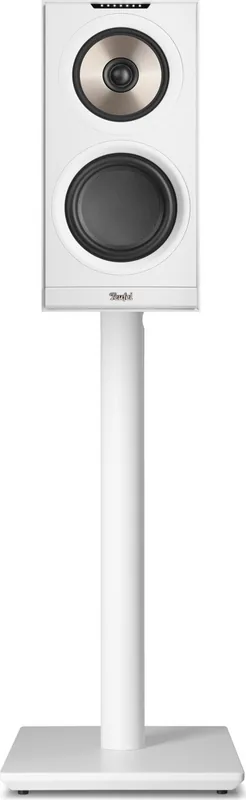
Teufel Stereo M 2 Manual
PDF manual · 30 Pages
English



Quick check
Incorrect answer, please try again.
Chat with your Teufel Stereo M 2 manual using AI
Get instant AI answers from your Teufel Stereo M 2 manual
Ask anything about the Teufel Stereo M 2. Answers come from this manual, with the pages they are based on.
Stereo M 2 Maintenance Schedule
Remove dust with a dry leather cloth. For stubborn stains, use a slightly damp cloth with mild soapy water, then dry immediately with a soft, dry cloth.
Software updates are installed automatically when connected to WiFi. Manual installation is possible via USB or SERVICE ports.
Ask a Question
Do you recommend Stereo M 2?
Yes NoFrequently Asked Questions
You can connect them wirelessly using the PAIR buttons on both units. Alternatively, connect them using a speaker cable from the SECONDARY port on the primary to the PRIMARY port on the secondary unit.
Is this answer helpful?
Yes, the speakers support Bluetooth connectivity. You can pair up to seven devices automatically, allowing quick switching between mobile phones and other audio sources without reconnecting.
Is this answer helpful?
Use a pointed object like a pin to press the RESET button on the back of the unit. This will clear all user data and restore the default configurations for a fresh start.
Is this answer helpful?
Ideally, place the speakers to form a stereoequilateral triangle with you as the listener. Keep them equidistant from your ears and each other for the best sound stage performance.
Is this answer helpful?
Use a dry soft cloth to remove dust and minor dirt. Avoid moisture entering the interior. For stubborn spots, lightly dampen the cloth with mild soapy water and dry immediately afterward.
Is this answer helpful?
Yes, the speakers enter auto stand-by mode after five minutes of no signal. You can change this timer setting through the Teufel Home App if needed.
Is this answer helpful?
Yes, firmware updates happen automatically over WiFi when connected. You can also install updates manually via USB or Service ports if automatic updates are disabled.
Is this answer helpful?
Advantages and Disadvantages
Advantages

- Multiple connectivity options including WiFi and Bluetooth for versatile use
- Teufel Home App allows extensive customization and control features
- Proximity sensing improves user interaction by lighting up controls automatically
- Auto stand-by function saves energy after five minutes of inactivity
- Support for multiple streaming protocols like AirPlay 2 and Chromecast
Disadvantages

- Secondary speaker requires pairing or specific cable connection to primary unit
- No remote control included for operation of the speaker system
- Original packaging is mandatory for warranty claims and returns processing
- WiFi setup mode ends automatically if not completed within fifteen minutes
- Protection covers must be removed for optimal high-frequency sound reproduction
Product Specification
Power
250W Peak
Tuner
Internet Radio
Streaming Services
Apple AirPlay 2, Google Cast, Spotify
Voice Assistants
Amazon Alexa, Google Assistant
Audio Connections
AUX In (3.5mm Jack), Stereo Line In (RCA), Digital Audio In (Optical), Digital Audio Out (Optical)
Additional Connections
USB-C, RJ-45
Wireless
Bluetooth, Wi-Fi 4 (802.11a/b/g/n)
Power Source
Mains Powered
Dimensions
8.27x16.63x10.39 inches (WxHxD)
Weight
22.27 lbs
Product Description
Teufel Stereo M 2 Audio Experience
Experience the Teufel STEREO M 2 Aktiv-Lautsprecher-Set as a centerpiece for your home audio environment. This active speaker system delivers powerful sound through intuitive controls and robust connectivity options. Users often refer to the guide for detailed setup steps. This resource explains how to connect the primary and secondary speakers wirelessly or via cable for a true stereo experience.
Setting up your system is straightforward with the Teufel Home App. Whether you prefer connecting via WiFi or Ethernet, the integration is seamless. The instructions outline pairing methods ensuring both left and right channels sync perfectly. For those who enjoy physical connections, AUX IN and OPTICAL IN ports allow external sources to stream audio directly. Bluetooth connectivity further enhances versatility, supporting up to seven paired devices automatically for quick switching between mobile phones.
Controls are accessible on the primary unit. A touch wheel adjusts volume, while dedicated buttons manage inputs and playback states. Proximity sensing adds a modern touch, activating the panel when your hand approaches. Auto stand-by conserves energy after five minutes of inactivity, though this timer can be customized through the software interface. Cleaning requires a dry soft cloth to maintain the finish without moisture damage.
Technical specifications highlight the build quality and performance limits. Dimensions and weight ensure stability on shelves or wall mounts. Network indicators provide real-time feedback on connection strength for the internet connection. Firmware updates happen automatically over WiFi, keeping features current and secure without manual intervention. Troubleshooting sections help resolve common issues like sound loss or connection drops quickly using the instructions.
Sound propagation in a room depends on placement strategies. The ideal setup forms a stereoequilateral triangle with the listener. Positioning the speakers equidistant from the ear and each other enhances the sound stage significantly. Avoid placing them near heat sources or in direct sunlight to prevent damage over time. The unit includes protective covers that can be removed for clearer high-frequency reproduction.
Power requirements are standard for home electronics, accepting a wide voltage range from 220 to 240 volts. The system consumes up to 240 watts per speaker under maximum load conditions. The warranty period requires keeping original packaging for returns, a detail mentioned in the service guidelines. Connectivity options extend beyond standard media streaming. The LAN port ensures stable internet access for internet radio and apps. WiFi setup mode automatically ends if not completed within fifteen minutes for security purposes. Pairing buttons on both units facilitate wireless linking without cable clutter. Users manage sources by switching between AUX, WiFi, or Optical inputs using simple button presses. The status LEDs indicate mute states and connection quality visually on the front panel. Whether used for background ambiance or focused music sessions, the features cater to diverse tastes. Updates via USB or wireless keep the hardware functional long term.
Search for 67,706 Manuals online


Type-in Brand or Model