
Teufel Real Blue TWS 3 Manual
PDF manual · 22 Pages
English



Quick check
Incorrect answer, please try again.
Chat with your Teufel Real Blue TWS 3 manual using AI
Get instant AI answers from your Teufel Real Blue TWS 3 manual
Ask anything about the Teufel Real Blue TWS 3. Answers come from this manual, with the pages they are based on.
Real Blue TWS 3 Maintenance Schedule
Remove tips and wash with mild detergent and water. Thoroughly rinse and dry before re-attaching.
Use a dry, soft cotton swab or equivalent. Never insert any cleaning tool into the nozzle.
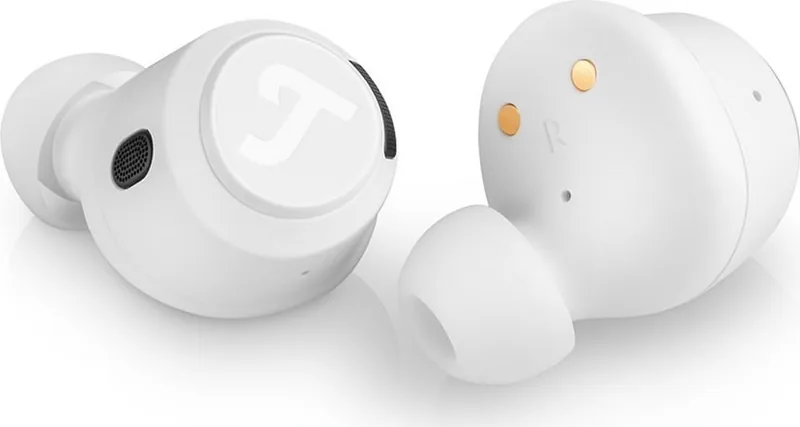
To prevent rusting, regularly clean the charging pins on earphones and case with a dry, soft cotton swab.
Clean the charging case only with a dry, soft cotton swab or equivalent.
Ask a Question
Do you recommend Real Blue TWS 3?
Yes NoFrequently Asked Questions
Open the charging case, enable Bluetooth on your phone or other source device, then select "Teufel REAL BLUE TWS 3" from the available-device list. A confirmation sound indicates successful pairing.
Is this answer helpful?
Tap the right earbud three times to turn Active Noise Cancellation on or off. Tap the left earbud three times to turn Transparency mode on or off. Transparency lets external sounds mix with your audio.
Is this answer helpful?
A full earbud charge can take up to two hours. The charging case can also take up to two hours to charge fully. Charging time may vary when the earbuds are stored in the case.
Is this answer helpful?
The earbuds provide up to 7.5 hours of operation after a full charge. A fully charged case can recharge the earbuds up to four times, extending listening time away from a power source.
Is this answer helpful?
Yes. The Teufel Headphones app for iOS and Android provides battery information, EQ adjustment, ANC and Transparency controls, earbud settings, and personalized control options.
Is this answer helpful?
Check that both earbuds are charged, paired, and connected to the Bluetooth device. Confirm they are seated correctly in your ears. If needed, clean the earbud outlets carefully using a dry, soft cotton swab.
Is this answer helpful?
Advantages and Disadvantages
Advantages

- Bluetooth 5.2 provides modern wireless connectivity, with SBC and AAC playback support.
- 12 mm full-range drivers are designed for powerful everyday audio reproduction.
- ANC and Transparency modes offer listening flexibility in noisy or awareness-sensitive settings.
- The Teufel Headphones app supports EQ, battery checks, settings, and customizable controls.
- The charging case supports USB-C and wireless charging and can recharge the earbuds up to four times.
Disadvantages

- Maximum stated earbud playback time is up to 7.5 hours per full charge.
- A secure seal depends on selecting the correct ear tip size from the four included pairs.
- The USB charging adapter is not included with the supplied USB-C to USB-A cable.
- Battery level shown by a connected phone may be approximate rather than fully precise.
- Touch gestures require learning, especially for volume, calls, ANC, and device-list reset actions.
Product Specification
Type
Earphones (in-ear)
Design
True wireless, no headband
Principle
Closed
Microphone
Integrated
Wireless
Bluetooth 5.3, AAC, Google Fast Pair, Multipoint
Controls
Touch controls
Battery life
9 hr (without ANC), 21 hr (with charging case)
Battery
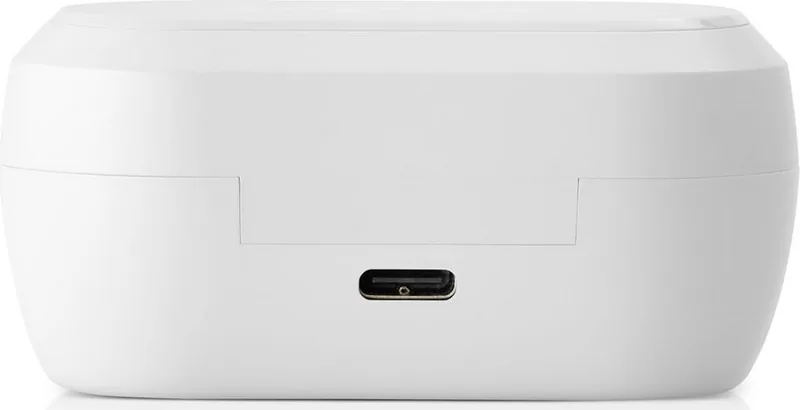
USB-C charging port, charging case (400 mAh), wireless charging (Qi), 2 hr charging time
Frequency range
10 Hz-20 kHz
Driver
0.47 in
Device features
Active noise cancellation (ANC), ambient mode, water-resistant (IPX4)
Weight
0.2 oz (per earbud), 1.27 oz (charging case)
Product Description
Teufel Real Blue TWS 3 Manual: Everyday True Wireless Listening
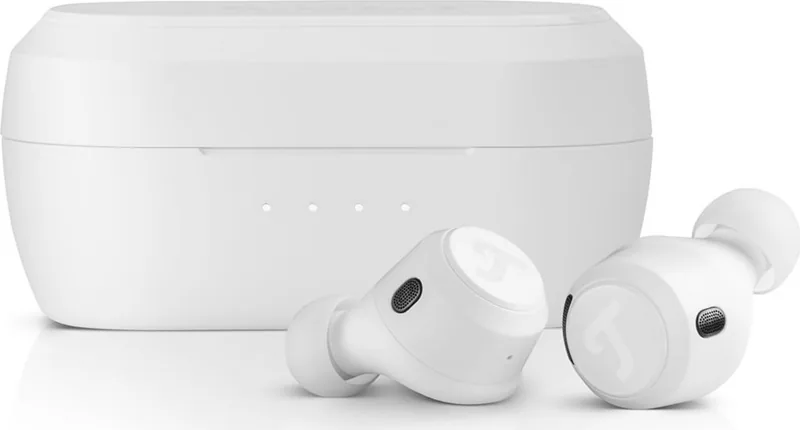
The Teufel Real Blue TWS 3 are true wireless in-ear headphones designed for private listening, calls, and mobile entertainment. This Teufel Real Blue TWS 3 Manual overview highlights the features that matter most when setting up the earbuds and getting the best experience from them. With 12 mm full-range drivers, Bluetooth 5.2 connectivity, and support for SBC and AAC audio, they are built for straightforward wireless playback from compatible phones and other Bluetooth devices.
Fit, pairing, and daily controls
A secure fit is essential for sound quality and comfort. The package includes four pairs of ear tips, allowing users to test sizes and even use different sizes for each ear if necessary. A well-sealed fit helps improve bass response and makes active noise cancellation more effective. The earbuds switch on automatically when the charging case is opened, while placing them back in the case and closing the lid powers them down and starts charging.
Initial pairing begins automatically when the case is first opened. Select "Teufel REAL BLUE TWS 3" in the Bluetooth settings of the source device to connect. Once paired, the earbuds attempt to reconnect to the last used device when switched on. If no remembered device is available after 60 seconds, they return to pairing mode. Touch controls on each earbud handle playback, track skipping, calls, volume adjustment, ANC, and Transparency mode.
ANC, Transparency, and app support
The Real Blue TWS 3 provide two useful listening modes for changing environments. Active Noise Cancellation, activated with three taps on the right earbud, helps reduce persistent surrounding noise for more focused listening. Transparency mode, controlled with three taps on the left earbud, mixes outside sounds with audio so users can remain aware of conversations, announcements, or nearby activity.
The Teufel Headphones app for iOS and Android adds practical customization. It can show battery status, adjust EQ settings, manage ANC and Transparency options, personalize earbud controls, and access further settings. This makes the headphones more adaptable than relying on touch controls alone.
Charging and care
Each earbud can deliver up to 7.5 hours of operation after a full charge. Charging the earbuds in the case can take up to two hours, and a fully charged case can recharge them up to four times. The case supports USB-C charging and wireless charging. Four front LEDs provide a quick indication of the case battery level and charging progress.
Notes
Keep charging contacts clean and dry, and clean ear tips with mild detergent and water only after removing them. For reliable charging, use the earbuds and case within the recommended charging temperature range of 0 to 45 C. Store both earbuds in their matching magnetic slots when not in use to protect them and maintain battery readiness.
Search for 67,706 Manuals online


Type-in Brand or Model