
Testboy TV 700 Manual
PDF manual · 46 Pages
English



Quick check
Incorrect answer, please try again.
Chat with your Testboy TV 700 manual using AI
Get instant AI answers from your Testboy TV 700 manual
Ask anything about the Testboy TV 700. Answers come from this manual, with the pages they are based on.
TV 700 Maintenance Schedule
Examine the instrument for signs of damage or dirt before every use.
Change the battery when the symbol appears without segments or if the device switches off immediately after turning on.
Ask a Question
Do you recommend TV 700?
Yes NoFrequently Asked Questions
It is designed to locate metal, wood, and voltage-carrying (live) wires behind walls, ceilings, and floors. Separate operating modes help you switch between metal search, wood search, and live wire detection, while the display, traffic light, and sound indicate proximity and position.
Is this answer helpful?
Maximum scan depths depend on the material: up to 80 mm for ferrous metals, 60 mm for non-ferrous metals, 50 mm for live wires, and 20 mm for wood. Real-world results can vary with wall composition and environmental conditions.
Is this answer helpful?
Self-calibration happens automatically right after switching on or when changing modes. For stable measurements, keep the device away from metallic and magnetic disturbances during startup. If the unit feels overly sensitive, you can run a recalibration by holding the mode button for 3 seconds.
Is this answer helpful?
No. The TV 700 cannot locate shielded cables carrying AC voltage in the range 110-230 V (50-60 Hz). For other conditions, accuracy can still be affected by static charge, wall materials, and nearby electromagnetic influences.
Is this answer helpful?
Static electricity on the wall or water pipes running parallel to live wires can cause broad or imprecise indications. To improve results, place your free hand flat on the wall beside the measuring tool to discharge static, then scan carefully in horizontal and vertical passes.
Is this answer helpful?
The device cannot provide 100 percent certainty. The manual advises verifying drilling plans with additional information sources such as building plans, statics, and circuit diagrams. Always treat warnings as safety guidance and mark the confirmed spot only after consistent readings.
Is this answer helpful?
Replace the 9V battery when the battery symbol appears without segments or when the unit switches off immediately after turning on. Open the battery compartment, insert the new battery with correct polarity, close the compartment, and continue scanning.
Is this answer helpful?
Advantages and Disadvantages
Advantages

- Clear results using LC display, bar indicator, crosshair, traffic light, and acoustic signal
- Detects metal, wood, and live wires with dedicated operating modes and simple button control
- Useful depth indications: up to 80 mm (ferrous), 60 mm (non-ferrous), 50 mm (live), 20 mm (wood)
- Automatic self-calibration and optional recalibration for improved stability
- Auto power off after about 5 minutes helps extend battery life
Disadvantages

- Cannot guarantee 100 percent reliability; results can be affected by plaster, moisture, static charge, and calibration deviations
- Wood locating is limited behind certain surfaces such as tiles, padded carpets, metal-fiber wallpaper, metal film, and damp walls
- Live wire detection cannot locate shielded AC cables (110-230 V, 50-60 Hz)
- Metal and wire detection accuracy can be reduced by static electricity and nearby metal or magnetic disturbances
- Best performance requires careful calibration and correct handling (for example, removing rings and watches)
Product Specification
Suitable for
Ferrous metals 3.15 in, non-ferrous metals 2.36 in, live wires 1.97 in, wood 0.87 in
Features
Automatic shut-off
Power supply
Battery operated (1x 9V block battery)
Weight
0.35 lb
Scope of delivery
Bag, Battery
Product Description
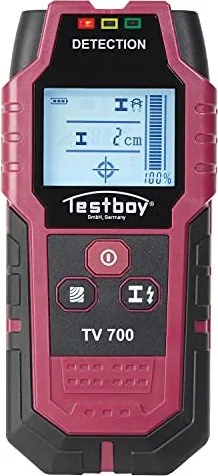
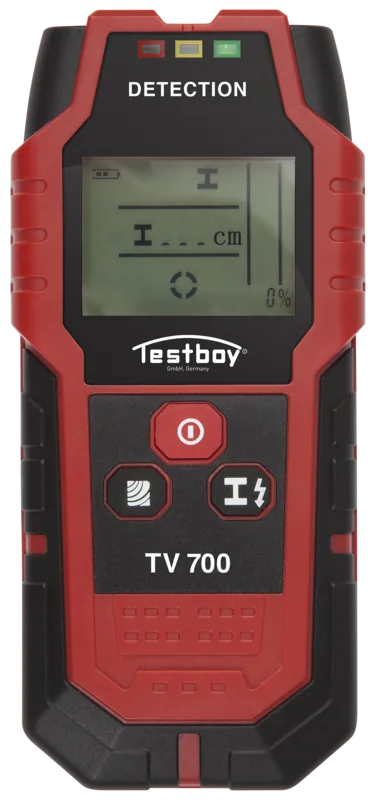
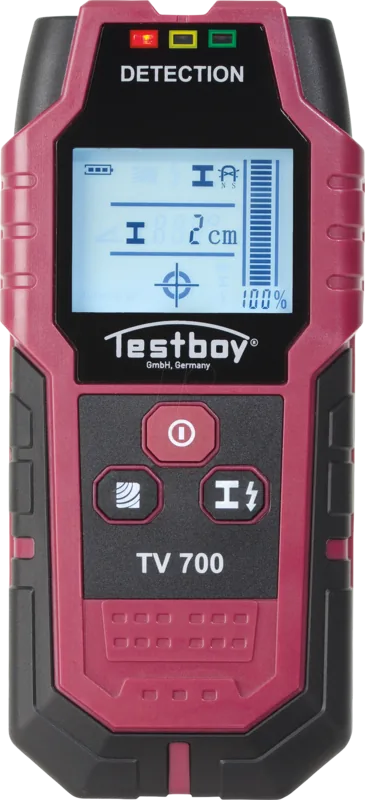
Testboy TV 700 Digital Locator Device for Metal, Wood and Live Wires
The Testboy TV 700 Digital locator device is a practical wall scanner for anyone who needs more confidence before drilling. It helps you locate metal, wood, and live (voltage-carrying) wires behind common building surfaces in walls, ceilings, and floors. With an easy-to-read LC display showing depth information in centimeters, a bar indicator, and a crosshair, the TV 700 is designed to make detection more intuitive. A top traffic light plus an acoustic signal support fast orientation while you move the device across the surface.
In metal mode, the TV 700 starts automatically after switching on. As you approach a metal object, the display bars rise, the traffic light moves from green to yellow to red, and the tone changes. The device also indicates the approximate center position using symbols (for example, a horseshoe marking for ferromagnetic materials and a crossed-out horseshoe for non-ferrous metals). For live wire detection, the red LED flashes and an alternating warning tone sounds when voltage-carrying lines are detected.
The scanner supports different maximum scan depths depending on the target: up to 80 mm for ferrous metals, 60 mm for non-ferrous metals, 50 mm for live wires, and 20 mm for wood. It also includes auto power off after about 5 minutes to save battery power. Power is supplied by a 9V battery (6LR61/6F22), and the battery symbol on the display helps you know when replacement is needed.
For reliable results, calibration matters. After switching on, the TV 700 performs self-calibration and confirms it with a sound and the green LED. For maximum sensitivity, keep the device away from metallic and magnetic disturbances during startup. If it reacts too sensitively, use the recalibration function by holding the appropriate measurement button for 3 seconds, ideally on a clear section of the wall. Also, note that static electricity can cause broad or imprecise live-wire indications; placing your free hand flat on the wall beside the tool can help discharge it.
Before you drill, remember that the Testboy TV 700 Digital locator device Manual emphasizes that 100 percent certainty cannot be guaranteed. Measurement results can be influenced by factors such as plaster consistency, moisture, static charging, metal particles in material, calibration deviations, and conditions behind certain surfaces.
Key takeaways
- Locates metal, wood, and live wires with clear traffic light, bars, crosshair, and sound.
- Depth performance: 80 mm (ferrous), 60 mm (non-ferrous), 50 mm (live), 20 mm (wood).
- Self-calibration and optional recalibration improve measurement stability.
- Live wire detection has limits and can be affected by static charge and wall conditions.
- Always verify drilling plans with additional sources for maximum safety.
Notes
- Do not use the device near strong electromagnetic fields (for example, welders and induction heaters).
- After abrupt temperature changes, allow about 30 minutes for stabilization so the IR sensor can adapt.
- Shielded AC lines (110-230 V, 50-60 Hz) cannot be detected.
Search for 67,732 Manuals online


Type-in Brand or Model