
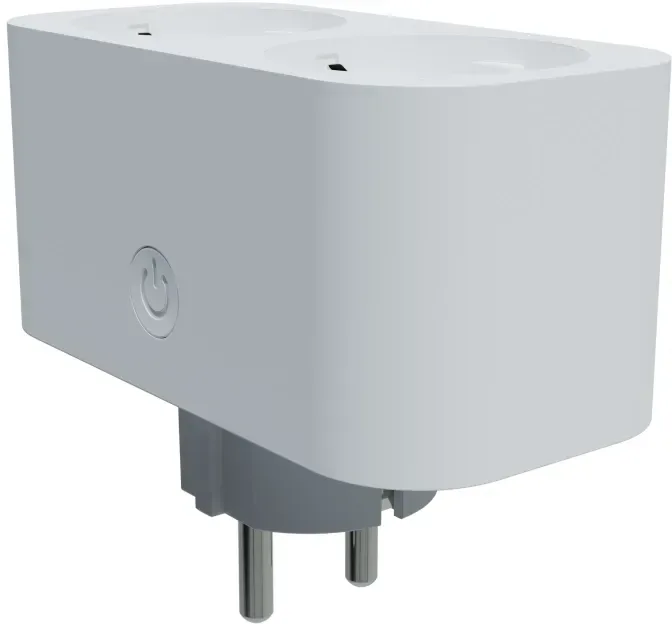
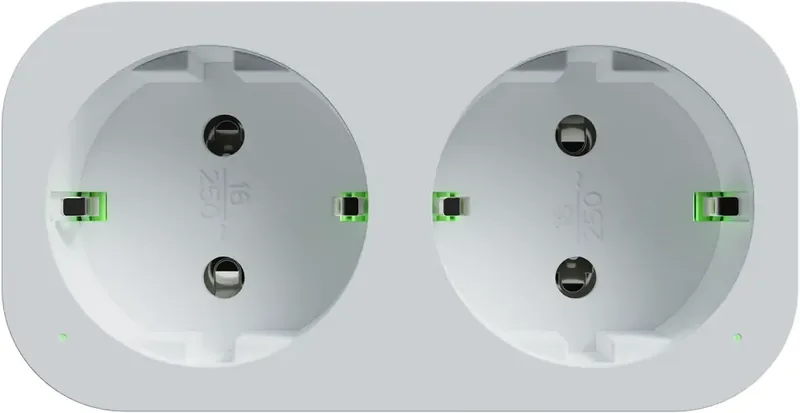
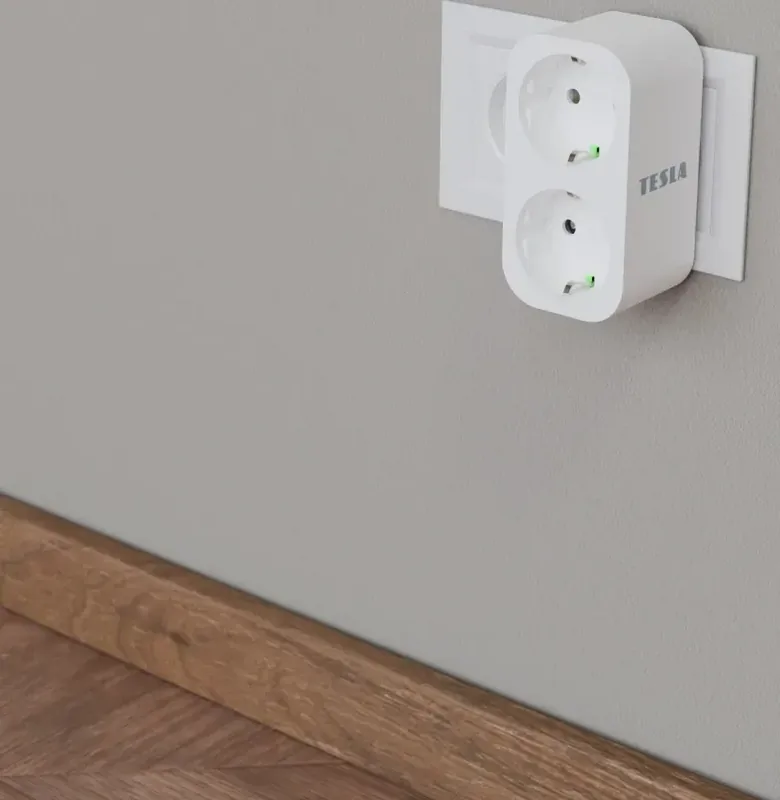
Tesla Smart Plug Dual SD300 Manual
PDF manual · 56 Pages
English



Quick check
Incorrect answer, please try again.
Chat with your Tesla Smart Plug Dual SD300 manual using AI
Get instant AI answers from your Tesla Smart Plug Dual SD300 manual
Ask anything about the Tesla Smart Plug Dual SD300. Answers come from this manual, with the pages they are based on.
Ask a Question
Do you recommend Smart Plug Dual SD300?
Yes NoFrequently Asked Questions
Download the Tesla Smart App, scan the QR code, and hold the power button for eight seconds until the LED flashes. Select the device in the app and confirm connection.
Is this answer helpful?
The plug supports a maximum power load of 3680 watts with a single outlet current of 16 amps maximum per socket.
Is this answer helpful?
No. You must not disassemble, repair, or modify the device. Doing so can cause damage or electric shock. Contact customer support for assistance.
Is this answer helpful?
Clean only with a soft, dry cloth. Do not use solvents or cleaning solutions, and ensure the device is kept dry at all times.
Is this answer helpful?
The operating temperature range is minus ten to thirty five degrees Celsius. Storage temperature allows up to forty five degrees Celsius.
Is this answer helpful?
Yes. Dispose of according to local regulations for electrical and electronic equipment. Do not mix with regular municipal waste.
Is this answer helpful?
No, the device only supports the 2.4 GHz IEEE 802.11b/g/n Wi-Fi standard. A 2.4 GHz router connection is required.
Is this answer helpful?
Advantages and Disadvantages
Advantages

- Supports up to 3680 watts for high-power appliances.
- Dual outlets allow simultaneous device charging.
- Easy setup using Tesla Smart App and QR code.
- Compatible with 2.4 GHz Wi-Fi networks.
- Includes Bluetooth for additional connectivity.
Disadvantages

- Requires Wi-Fi 2.4 GHz only, not 5 GHz.
- Cannot be repaired or disassembled by users.
- Sensitive to moisture and humidity levels.
- Overloading may cause overheating or damage.
- Strict disposal regulations for electronic waste.
Product Specification
Type
Sensor, Actuator
Standard
Wi-Fi (802.11b/g/n)
Function
Switched Outlet (on/off), Power Monitoring
Dimensions
3.82x1.97x3.23 inches
Special Features
Controllable via App (Android, iOS), Voice Assistant (Amazon Alexa, Google Assistant)
Product Description
Welcome to Smart Home Automation
Integrating smart technology into your living space has never been easier or more accessible than it is today. With advanced devices like the Tesla SD300 Smart Plug Dual 3680W Type F Smart Socket, managing your home appliances becomes truly effortless. This comprehensive analysis explores how you can maximize performance and safety using essential resources like the Tesla SD300 Smart Plug Dual 3680W Type F Smart Socket Manual. Understanding the full capabilities of your hardware ensures both safety and efficiency in your daily operations within the home.
Power and Performance Specifications
The unit supports a maximum power load of 3680 watts across its dual outlets. This high capacity makes it suitable for various high-demand devices including electric heaters or kitchen appliances. It operates reliably on a 220-240 V AC supply frequency. Each individual socket can handle up to 16 amps independently without issues. Users must strictly avoid exceeding these limits to prevent potential overheating or permanent damage to the device itself over time. The official documentation emphasizes keeping the plug completely dry and clean at all times during operation. Moisture sensitivity requires careful placement away from sinks, bathtubs, or any area prone to frequent liquids. Additionally, the device functions well in temperatures ranging from minus ten to thirty five degrees Celsius for optimal reliability.
Connectivity and Initial Setup Process
Connecting your device to your home network involves downloading the dedicated Tesla Smart App from your preferred digital store. A unique QR code simplifies the installation journey significantly for every user. To initiate pairing correctly, hold the main power button for approximately eight seconds until the LED indicator begins flashing rapidly. This signal confirms readiness for secure connection attempts. Ensure your mobile phone utilizes a standard 2.4 GHz Wi-Fi network since the system does not support 5 GHz frequencies initially. Once successfully linked, remote control becomes available from anywhere with stable internet connectivity. Bluetooth capabilities also aid in smoother initial configuration sequences for beginners who prefer alternative setup methods.
Critical Safety Precautions
Safety remains the absolute top priority during continuous usage cycles throughout your life. Never attempt to disassemble or physically modify the internal hardware components yourself. Such actions will void functionality and pose serious risks of electric shock or personal injury. If strange odors or excessive heat emit from the unit unexpectedly, contact customer support immediately. Keep the socket far away from direct sunlight or active heat sources like radiators. Never overload electrical circuits connected to the plug beyond rated limits. Environmental disposal must follow strict European recycling directives regarding electronic equipment waste safely. Only clean with a soft dry cloth to maintain appearance and function.
Final Thoughts on Usage
This dual smart socket offers significant flexibility and modern control options for users everywhere. Adhering to established guidelines ensures longevity throughout years of consistent service. Enjoy seamless automation features while staying safe within your personal home environment always.
Search for 67,732 Manuals online


Type-in Brand or Model