
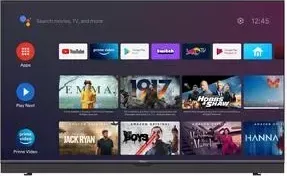
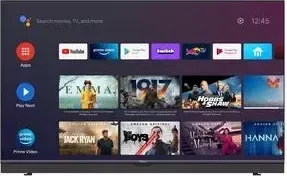
Tesla S906BUS Manual
PDF manual · 124 Pages
English



Quick check
Incorrect answer, please try again.
Chat with your Tesla S906BUS manual using AI
Get instant AI answers from your Tesla S906BUS manual
Ask anything about the Tesla S906BUS. Answers come from this manual, with the pages they are based on.
Ask a Question
Do you recommend S906BUS?
Yes NoFrequently Asked Questions
The series is available in four distinct sizes to accommodate various room layouts. These include 43 inches, 50 inches, 55 inches and 65 inches. Each size has specific net weight and dimensions listed in the specifications section for proper planning.
Is this answer helpful?
Place two AAA size batteries into the battery compartment on the remote. Ensure the polarity markings inside the compartment match the batteries. Do not mix battery types like manganese and alkaline. Remove them if not using the remote for a long duration.
Is this answer helpful?
Yes, an optional wall mount is available for use with your television. Consult your dealer for a mount supporting the VESA standard used by your specific model. Attach the bracket to the rear and a solid wall perpendicular to the floor. Improper installation is not covered by warranty.
Is this answer helpful?
The device works within 5 to 40 degrees Celsius for both tropical and moderate climates. Storage temperatures can range from minus 15 to 50 degrees Celsius. Humidity levels during operation should remain between 20 and 80 percent for safety.
Is this answer helpful?
This feature helps filter blue light to protect eyesight from prolonged exposure. To activate it, go to the menu, select Picture, then Picture Mode and choose Movie. Additionally select Color Temperature and set it to Warm for the best effect.
Is this answer helpful?
The unit requires a working voltage between 100 to 240 volts AC. It supports frequency inputs of 50 or 60 Hz. Ensure your power plug fits safely and does not defeat the polarized or grounding purpose.
Is this answer helpful?
Check if the router is working well. For models needing a USB dongle to connect, ensure it is inserted correctly. If the web page does not appear completely, memory may be full. Restart the router and TV connection.
Is this answer helpful?
Advantages and Disadvantages
Advantages

- Supports multiple screen sizes from 43 to 65 inches
- Extensive connectivity including HDMI, USB, LAN and WiFi
- Wide voltage range 100-240V for global compatibility
- Built-in Eye-protection function filters blue light
- Dolby and DTS audio technologies for sound
Disadvantages

- External accessories and cables are not supplied
- Remote control range may suffer interference from devices
- Network browsing features may have model specific limitations
- Web page support excludes certain formats like Flash
Product Specification
Resolution
3840x2160
Panel
LCD
Backlight
LED, Direct-lit
HDR
HDR, HDR10, HLG
Refresh Rate
50/60Hz native
Viewing Angle
178°/178° (H/V)
3D
no
Tuner
1x DVB-C/T/T2/S/S2 HEVC (H.265)
Video Inputs
1x HDMI 2.0, 2x HDMI 1.4, Composite Video
Audio Connections
Digital Audio Out (optical)
Other Connections
2x USB-A 2.0, 1x RJ-45, 1x CI+
Wireless
Wi-Fi 5 (802.11a/b/g/n/ac), Bluetooth
Processor
ARM Cortex-A53, Quad-Core
Operating System
Android TV 10
Voice Assistants
Google Assistant
Streaming Clients
Screen Mirroring (Google Cast)
Audio Decoder
Dolby Digital, DTS
Color
Black
Stand
Side
Note
Information regarding DVB-T2 reception in Austria. Information regarding DVB-T2 reception in Germany.
Product Description
Discover the Tesla S906BUS LED Television Experience
Transform your viewing habits with the advanced Tesla S906BUS series. This modern television set delivers high-definition performance tailored for diverse household needs. Designed with safety and efficiency in mind, the setup process is streamlined to ensure optimal operation. For owners looking to maximize performance, referencing the Tesla S906BUS Manual provides essential insights into connecting external devices securely.
Versatile Connections and Inputs
The unit features extensive connectivity options to support your entertainment hub. Connect audio/video sources like DVD players or gaming consoles through the HDMI ports. Digital audio signals can be output via optical cables for compatible receivers. Wired network access is available through the LAN port, while wireless connectivity leverages WiFi modules operating on 2.4G and 5G bands for robust streaming. Antenna inputs accommodate terrestrial, cable, or satellite signals. A CI card slot supports conditional access modules common in cable services. USB ports allow playback of media files directly from storage drives.
Safety and Installation Guidelines
Proper positioning ensures safety and prevents overheating. The device requires placement on a solid horizontal surface with at least 10 cm clearance for ventilation. Do not block ventilation openings or install near heat sources like radiators. For wall mounting, verify the VESA standard compatibility and use specified screws to prevent tip-overs. Children should be educated about the dangers of climbing on furniture. Always disconnect power before moving the unit to avoid electric shock risks.
User Controls and Accessibility
Navigation is managed through an intuitive remote control featuring dedicated function buttons. Voice assistance is available via the microphone button for quick commands. Teletext functionalities include reveal, index, and hold features. The eye-protection function reduces blue light emission to minimize strain during long viewing sessions. Adjust color temperature settings to warm modes for comfortable viewing. Remember to take breaks every half hour to rest your eyes.
Technical Specifications and Environment
This appliance operates on a wide voltage range from 100 to 240 volts AC at 50 or 60 Hz. Operating temperatures range from 5 to 40 degrees Celsius in tropical and moderate climates. Humidity tolerance during operation stays between 20 to 80 percent. Storage conditions allow for temperatures between minus 15 and 50 degrees Celsius. The audio engine supports Dolby and DTS technologies for immersive soundscapes. Remote control batteries are size AAA and should not be exposed to fire or extreme heat. Dispose of old batteries according to environmental regulations.
Maintenance and Support
If performance issues arise, troubleshoot power connections or remote sensor alignment before contacting service. Clean the exterior only with a dry cloth to prevent liquid damage. If the screen displays snowflakes or mosaics, check the signal cable and antenna alignment. Web browsing capabilities vary by model and supported formats like Flash may be restricted. Ensure the router is functioning correctly if network errors occur.
Search for 67,732 Manuals online


Type-in Brand or Model