
TerraMaster D5 Thunderbolt 3 Manual
PDF manual · 9 Pages
English


Quick check
Incorrect answer, please try again.
Chat with your TerraMaster D5 Thunderbolt 3 manual using AI
Get instant AI answers from your TerraMaster D5 Thunderbolt 3 manual
Ask anything about the TerraMaster D5 Thunderbolt 3. Answers come from this manual, with the pages they are based on.
Ask a Question
Do you recommend D5 Thunderbolt 3?
Yes NoFrequently Asked Questions
It is designed for fast external storage expansion, RAID setups, and large file workflows such as video editing, backups, and professional data management.
Is this answer helpful?
It supports 3.5-inch SATA enterprise drives, NAS drives, SSHD hybrid drives, and 2.5-inch SSDs that meet the listed SATA requirements.
Is this answer helpful?
Yes, Windows users may need Thunderbolt 3 and RAID drivers so the enclosure is recognized properly and advanced features work as expected.
Is this answer helpful?
Mac users may be able to move directly to storage setup after connecting the device, but disk initialization and formatting are still required before use.
Is this answer helpful?
RAID Manager Pro helps create arrays, manage disks, and maintain advanced storage settings, making it useful for users who want more control and better data organization.
Is this answer helpful?
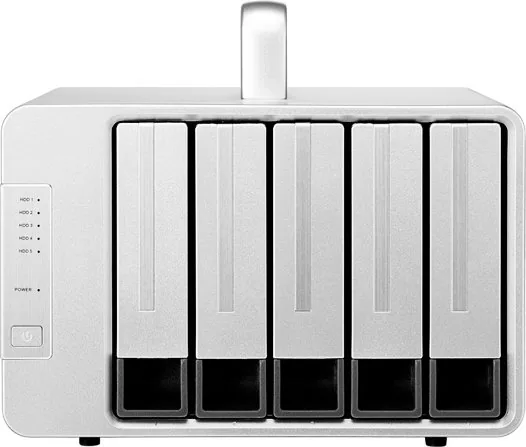
They show power status, disk activity, sleep state, and drive problems such as missing disks or array damage, which makes troubleshooting easier.
Is this answer helpful?
Advantages and Disadvantages
Advantages

- Thunderbolt 3 connectivity supports fast data transfer for large files and demanding workflows.
- Dual Thunderbolt 3 ports and a DP port improve flexibility in workstation-style setups.
- Supports multiple drive types, including HDDs, SSHDs, and SSDs for different needs.
- RAID Manager Pro adds helpful tools for creating and managing disk arrays.
Disadvantages

- Windows users may need to install Thunderbolt and RAID drivers before use.
- RAID setup and formatting add extra steps for beginners.
- Drives must be installed carefully to avoid unstable read and write behavior.
- The device should be used only with the original power adapter.
Product Specification
Form factor
3.5"
Internal connection
5x SATA 6Gb/s (3.5"/2.5")
External connection
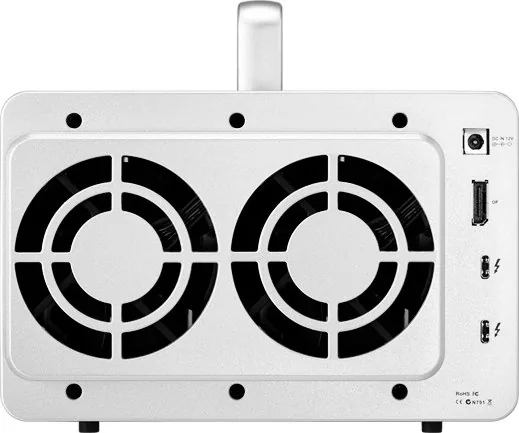
2x Thunderbolt 3 (40Gb/s), 1x DisplayPort 1.2
RAID Level
0/1/5/10/JBOD
Fan
2x 3.15in
Dimensions
8.94x8.86x5.35in
Weight
5.42lb
Color
silver
Special features
Aluminum housing, external power supply
Manufacturer's warranty
two years
Product Description
TerraMaster D5 Thunderbolt 3 for High-Speed Storage Expansion
TerraMaster D5 Thunderbolt 3 is a compact desktop enclosure created for users who need fast, reliable, and expandable storage. With Thunderbolt 3 connectivity and dual Thunderbolt 3 ports, it is well suited to creative professionals, small studios, and power users who work with large files every day. Whether the goal is to centralize backups, build a flexible RAID set, or speed up project access, this enclosure is designed to keep pace with demanding workflows.
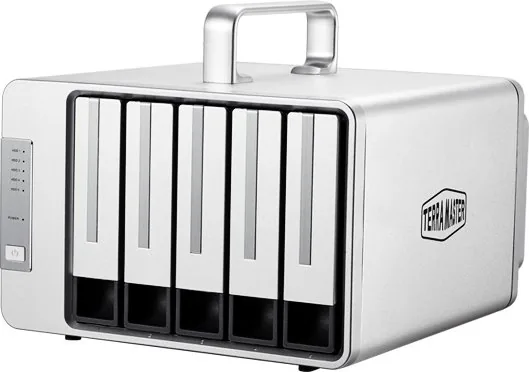
One of the strongest points of the TerraMaster D5 Thunderbolt 3, 2x Thunderbolt 3 Manual setup is the wide drive support. The device can work with 3.5-inch SATA enterprise drives, NAS-class hard drives, SSHD hybrid drives, and 2.5-inch SSDs, giving users room to mix capacity and performance. That flexibility makes it useful for video editing libraries, photo archives, business data, and personal storage collections. The front indicators also make everyday use easier, showing power state, disk activity, sleep mode, and potential drive issues at a glance.
The enclosure includes a DP port alongside the Thunderbolt 3 connections, making it easier to integrate into multi-display or workstation setups. Installation is straightforward once the trays are prepared: slide in the drive, lock the handle, connect the cable, and power up. The design emphasizes practical operation, but it also expects careful handling, especially during drive installation and RAID preparation. For users who plan to build arrays, the RAID Manager Pro software adds an important management layer, helping create, monitor, and maintain disk arrays with more control.
Driver setup is another important part of the experience. Mac users can often move directly to storage setup, while Windows users may need to install Thunderbolt and RAID drivers before the device is recognized. Once the hardware and software are in place, the enclosure can be initialized and formatted for real use. That makes it a good fit for users who want a serious storage solution without moving to a full server environment.
For content creators, the enclosure can act as a central workspace drive or a high-capacity backup destination, reducing dependence on scattered external disks. In RAID configurations, it can also provide a better balance between speed, redundancy, and capacity depending on the chosen array type. That makes it a versatile choice for users who want storage that can evolve with their workload instead of being fixed to one setup.
Notes
- Use the original power adapter only.
- Ensure drives are fully seated before locking the tray.
- RAID setup improves organization and resilience, but it also adds setup steps.
- Initial formatting is required before the array can be used.
Search for 67,706 Manuals online


Type-in Brand or Model