
TerraMaster D2 Thunderbolt 3 Manual
PDF manual · 8 Pages
English


Quick check
Incorrect answer, please try again.
Chat with your TerraMaster D2 Thunderbolt 3 manual using AI
Get instant AI answers from your TerraMaster D2 Thunderbolt 3 manual
Ask anything about the TerraMaster D2 Thunderbolt 3. Answers come from this manual, with the pages they are based on.
Ask a Question
Do you recommend D2 Thunderbolt 3?
Yes NoFrequently Asked Questions
It is a dual-bay direct-attached storage enclosure for fast file access, backups, and RAID-based storage setups. It is well suited to users who need higher-speed external storage with flexible configuration options.
Is this answer helpful?
It uses Thunderbolt 3 for data connection. The unit also requires external power through its original adapter to operate correctly and safely.
Is this answer helpful?
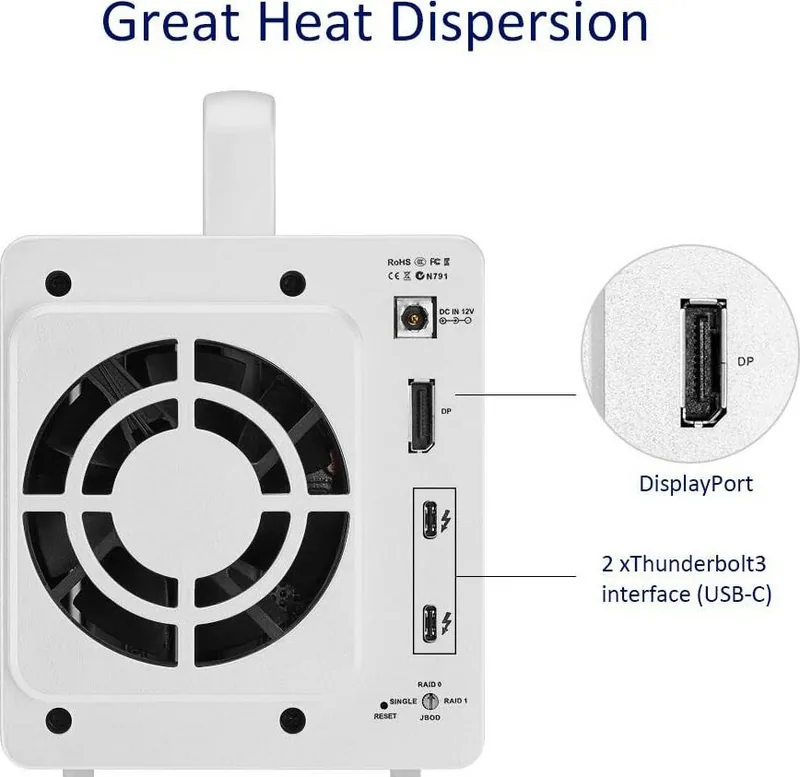
Yes. The rear RAID switch lets you select a different RAID mode. After changing it, you must press the RESET button for about 5 seconds and then initialize or format the array on your computer.
Is this answer helpful?
Yes. Creating or changing RAID can format the hard drives and erase all data stored on them. Back up everything important before making any RAID changes.
Is this answer helpful?
RAID 1 can automatically recover data after replacing the faulty drive, as long as the device remains powered on and connected during the recovery process.
Is this answer helpful?
Yes. The enclosure does not include hard drives. You need to install compatible drives yourself before use, making sure they are properly mounted and fully inserted into the trays.
Is this answer helpful?
Advantages and Disadvantages
Advantages

- Thunderbolt 3 connectivity supports fast, responsive storage access for demanding tasks.
- Dual-bay design offers flexible RAID options for speed, capacity, or redundancy.
- Drive trays and status indicators make installation and monitoring straightforward.
- RAID 1 can automatically rebuild data after a drive failure, improving resilience.
Disadvantages

- Changing RAID settings can erase all data on the drives, so backups are essential.
- The device requires compatible hard drives, which are not included.
- Using a non-original power adapter may damage the unit or cause malfunction.
- Improper tray insertion can lead to unstable read/write performance or failed mounting.
Product Specification
Form factor
3.5"
Internal connection
2x SATA 6Gb/s (3.5"/2.5")
External connection
2x Thunderbolt 3 (40Gb/s), 1x DisplayPort 1.2
RAID Level
0/1/JBOD
Fan
1x 3.15in
Dimensions
8.94x5.24x4.69in
Weight
3.22 lb
Color
silver
Special features
Aluminum housing, external power supply
Manufacturer warranty
two years
Product Description
TerraMaster TD2 Thunderbolt 3: Fast, Flexible Dual-Bay Storage
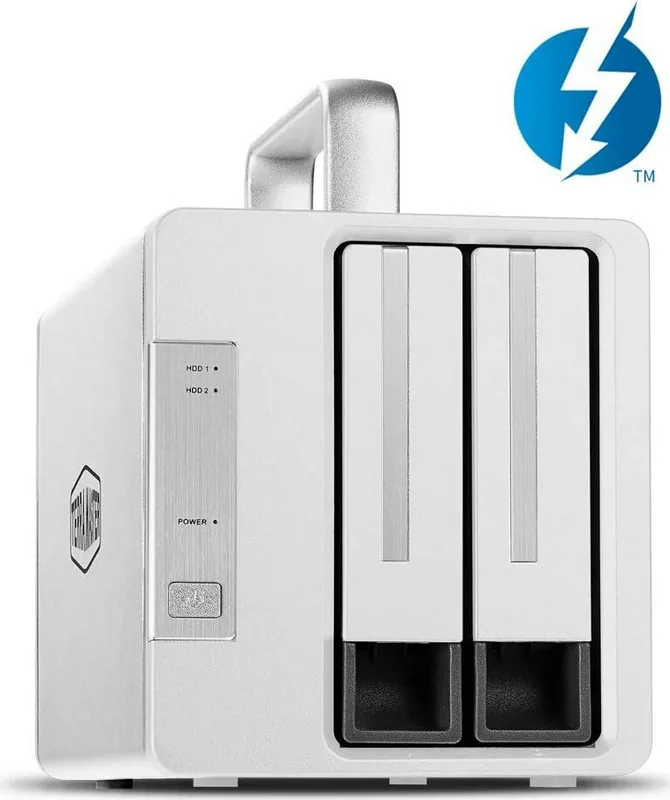
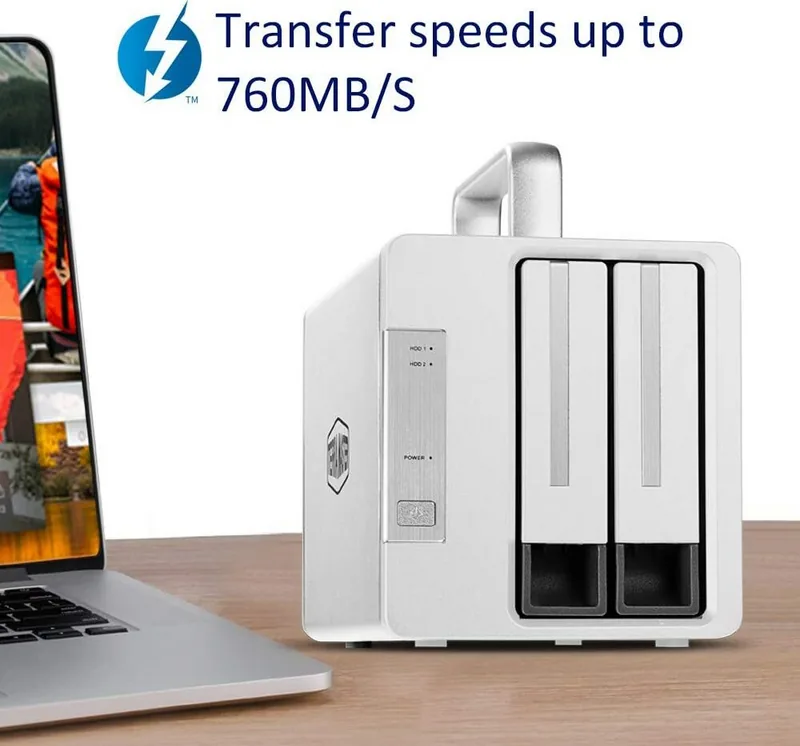
The TerraMaster TD2 Thunderbolt 3 is a compact direct-attached storage solution built for users who want speed, simplicity, and dependable data handling in one enclosure. Designed around Thunderbolt 3 connectivity, it offers a strong balance of performance and practicality for creative work, backups, and everyday storage expansion. Whether you are building a workspace for large media files or looking for a responsive external array, this model is made to keep data moving efficiently.
One of the biggest strengths of the TerraMaster TD2 Thunderbolt 3 is its dual-bay design with support for multiple RAID modes. That makes it appealing for users who want to prioritize either performance, capacity, or redundancy depending on the job at hand. The factory default is SINGLE mode, but the rear RAID switch gives you the freedom to adjust the setup when needed. For users who value data protection, RAID 1 can automatically recover data after a drive failure, which adds peace of mind for important projects.
The hardware experience is equally practical. Drive trays are installed with screws, then slid into place and locked with a handle, making the process straightforward once you follow the correct order. The front panel indicators also help you understand the health of each drive and the device itself, with clear lights for normal operation, sleep, rebuilding, and possible drive or RAID issues. A DP port adds extra utility by allowing monitor connection, while the Thunderbolt 3 interface keeps the whole system responsive and modern.
Following the TerraMaster TD2 Thunderbolt 3 manual, setup is simple but should be handled carefully. The unit must be connected with the original power adapter, powered on properly, and then initialized on a Mac or Windows system before use. If you decide to change RAID settings, the device requires a reset and reformatting step, so planning ahead is essential. This makes the TD2 a strong fit for users who are comfortable managing storage and want more control than a basic external drive.
Notes
- Always back up data before changing RAID settings.
- Make sure installed drives are compatible and seated fully.
- Use only the original power adapter to avoid damage.
- RAID 1 can help protect data, but it is not a substitute for backups.
Search for 67,706 Manuals online


Type-in Brand or Model