
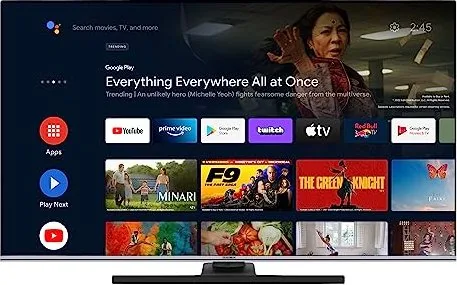
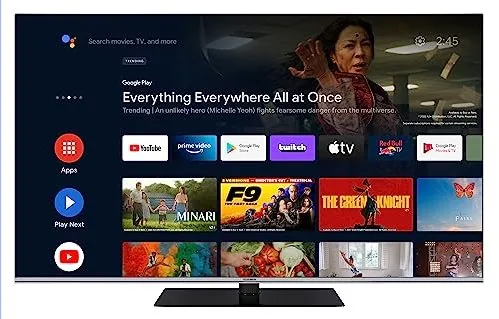
Telefunken QU AN900M Manual
PDF manual · 82 Pages
English



Quick check
Incorrect answer, please try again.
Chat with your Telefunken QU AN900M manual using AI
Get instant AI answers from your Telefunken QU AN900M manual
Ask anything about the Telefunken QU AN900M. Answers come from this manual, with the pages they are based on.
Ask a Question
Do you recommend QU AN900M?
Yes NoFrequently Asked Questions
You can connect via built-in Wi-Fi or use the Ethernet port for a wired connection. During setup, select your network from the list and enter the password. The device supports both 2.4GHz and 5GHz bands for stable streaming performance.
Is this answer helpful?
Yes. The display is compatible with Dolby Vision technology. This feature delivers enhanced contrast and color for compatible content available through apps or HDMI inputs using HDMI 2.0a or higher.
Is this answer helpful?
Hold the Source button on the remote until the LED starts blinking. The TV will search for the device. Once found on the screen, select it and press OK to complete the pairing process successfully.
Is this answer helpful?
Yes. Settings allow you to adjust standard modes like Vivid or Sports. You can also activate specific modes like Dolby Vision or Game Mode which optimizes performance for low latency gaming applications.
Is this answer helpful?
Yes. It follows standard VESA mounting patterns. You will need to purchase a compatible wall mount separately. Ensure the wall can support the weight and use appropriate screws for your wall type.
Is this answer helpful?
Absolutely. The remote control includes a microphone button. Press and hold it to activate Google Voice Search. Speak the name of a show or app to find it quickly without manual typing.
Is this answer helpful?
Do not block vents to prevent overheating. Keep liquids away from the screen and unit. Do not place the TV on unstable surfaces. Always unplug before cleaning. Keep batteries out of reach of children.
Is this answer helpful?
Advantages and Disadvantages
Advantages

- Runs on Android TV with full Google Play Store access for apps and games.
- Ultra HD resolution with HDR10 and Dolby Vision for superior picture quality.
- Built-in Chromecast and Wi-Fi for easy wireless streaming and casting.
- Supports multiple digital tuner types for diverse TV signal sources.
- VESA compatible for standard wall mounting options to save space.
Disadvantages

- Wall mount bracket sold separately and not included in the box.
- No physical power switch located on the main TV chassis.
- Remote requires Bluetooth pairing which can be confusing for some.
- Built-in speakers may lack bass depth without an external soundbar.
- Initial setup involves multiple configuration steps for network and accounts.
Product Specification
Resolution
3840x2160
Panel
LCD, Quantum dot
Backlight
LED, Edge-lit, Dimming
HDR
Dolby Vision, HDR, HDR10, HLG
Refresh Rate
50/60Hz native
Brightness
350cd/m2
3D
No
Tuner
1x DVB-C/-T/-T2/-S/-S2 HEVC (H.265)
Video Connections
3x HDMI
Audio Connections
Digital Audio Out (optical), Headphones (3.5mm jack)
Additional Connections
2x USB-A, 1x RJ-45, 1x CI+
Wireless
Wi-Fi, Bluetooth
Operating System
Android TV
Voice Assistants
Google Assistant integrated
Streaming Clients
Screen Mirroring (Google Cast), DLNA Client
Audio Decoder
Dolby Digital, Dolby Digital Plus, Dolby Atmos, DTS
Features
HbbTV, Voice Control
SDR Energy Efficiency Class
E (A to G)
HDR Energy Efficiency Class
G (A to G)
Color
Black, Silver
Stand
Centered
Note
Information regarding DVB-T2 reception in Austria. Information regarding DVB-T2 reception in Germany
Product Description
Step Up Your Home Theater with the Telefunken QU AN900M
Welcome to the next generation of home entertainment. The Telefunken QU AN900M brings cinema-quality visuals and smart connectivity directly into your living room. This television is designed for the modern viewer who demands high resolution and seamless integration with their digital life. Engineered with advanced technology, it ensures that every movie, sports event, or gaming session looks stunning on your wall.
At the heart of the QU AN900M lies a powerful Android operating system. This opens up a vast world of possibilities for your daily viewing experience. You can access thousands of applications directly on your screen through the Google Play store. Whether you enjoy streaming services like Netflix and YouTube, play interactive games, or follow the latest news programs, everything is just a click away. Voice search capabilities allow you to find content quickly without typing everything manually. Google Cast support lets you beam your favorite videos from your smartphone to the big screen effortlessly.
Visual fidelity is a top priority for this specific model. It supports Ultra High Definition resolution, providing four times the detail of standard Full HD screens. This means every scene is crisp and clear, showing fine details you might miss on older sets. High Dynamic Range technology enhances contrast and color accuracy, making images look more realistic. Dolby Vision compatibility takes this further by delivering greater luminance and contrast for a true-to-life look. You will notice deeper blacks and brighter lights that bring your favorite scenes to life.
The sleek bezel design creates a modern aesthetic that fits any decor. Audio output includes optical digital out for soundbars. Parental controls are available for safety settings. Software updates are automatic to keep features fresh. Connectivity options are plentiful to suit any specific setup in your home. Multiple HDMI ports allow you to connect gaming consoles, Blu-ray players, and external soundbars. USB connections let you play media directly from external hard drives. Wireless integration is comprehensive with built-in Wi-Fi and an Ethernet port. This ensures smooth streaming without buffering issues on high-speed networks. For traditional broadcasting, the device features integrated digital terrestrial, cable, and satellite tuners.
Installation is flexible to match your space perfectly. You can place it on a sturdy stand or mount it securely on the wall utilizing VESA standards. The included remote control simplifies navigation and access. Pairing is straightforward during the initial setup wizard. The system guides you through network configuration and app downloads smoothly.
Note: Ensure adequate ventilation around the unit to prevent overheating. Do not block air vents on the back. Keep the remote control batteries away from small children.
Search for 67,732 Manuals online


Type-in Brand or Model