
Teka TT6420 Manual
PDF manual · 24 Pages
English



Quick check
Incorrect answer, please try again.
Chat with your Teka TT6420 manual using AI
Get instant AI answers from your Teka TT6420 manual
Ask anything about the Teka TT6420. Answers come from this manual, with the pages they are based on.
TT6420 Maintenance Schedule
Clean with a damp cloth and gentle detergent or warm soapy water once cooled. Use special cleaner for deep stains or grease.
Use a scraper with a blade to remove strongly adhered dirt caused by burning repeatedly.
Immediately replace the blade if it is damaged in any way to prevent fragments from getting stuck.
Ask a Question
Do you recommend TT6420?
Yes NoFrequently Asked Questions
Touch the lock sensor until the lock indicator turns off, then press and hold the main on/off touch key for at least one second. Power displays will show 0 and you have 10 seconds to select a zone.
Is this answer helpful?
Automatic cook-start runs a selected zone at full power (9) and after a preset interval reduces it to a chosen power level. Select the zone, set power to 9, then press the power touch and reduce to the desired level. The display will flash “A” with the target level.
Is this answer helpful?
Select the zone and set a power level (1–9). Press the timer touch key, the timer display shows 00, then enter a time from 1 to 99 minutes using the increase/decrease touches. When time elapses the zone switches off and the hob beeps.
Is this answer helpful?
F1 indicates one sensor active >10s (check for objects, clean sensors, power-cycle). F2 means multiple sensors triggered (remove objects/spills, dry and ventilate). FC signals electronic overheating—let the hob cool and retry; contact service if persistent.
Is this answer helpful?
Clean when cooled using a damp cloth and mild detergent for light dirt. For burnt-on residues use a ceramic hob cleaner and, if needed, a proper razor scraper while hot (carefully), following manufacturer instructions; replace blades if damaged.
Is this answer helpful?
Use only cooktop protectors designed or recommended by the appliance manufacturer; inappropriate protectors may cause accidents and affect hob operation.
Is this answer helpful?
Unplug the hob or switch off at the breaker immediately to avoid electric shock and contact authorized service for inspection and repair; do not use the hob when cracked.
Is this answer helpful?
Advantages and Disadvantages
Advantages

- Intuitive touch controls with audible feedback and quick-boost to full power
- Double-circuit zone for flexible cookware sizes and efficient heating
- Individual timers and automatic cook-start for hands-free cooking
- Safety features: residual heat indicator, child lock, automatic shut-off and error diagnostics
- Smooth glass surface is easy to clean with proper tools and cleaners
Disadvantages

- Glass-ceramic surface can scratch or crack if cookware is dragged or impacts occur
- Requires careful use of a razor scraper—blade hazards if mishandled
- Installation requires correct grounding and professional service for cable replacement
- Sensor errors (F1/F2) can occur from spills or objects and may need power cycling
- Not compatible with external timers or remote control systems
Product Specification
Design
Stainless steel frame, black, glass ceramic surface
Width
23.62in (standard width)
Cooking zones
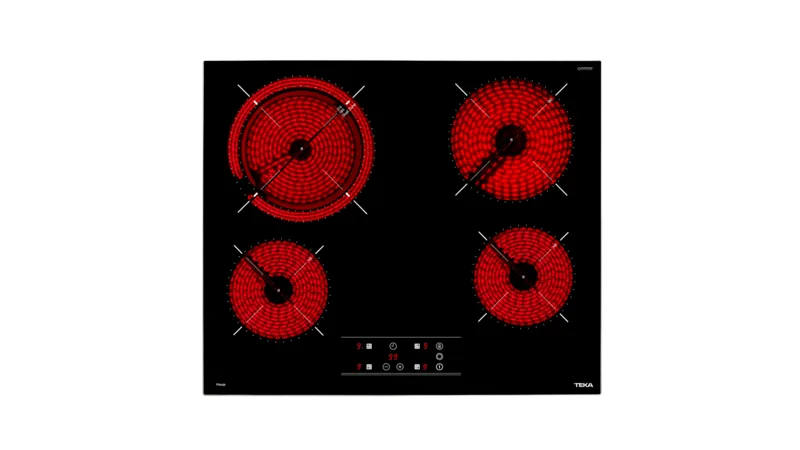
4 cooking zones, thereof 1x dual-circuit cooking zone Ø 7.09/8.27in, 1x cooking zone Ø 7.09in, 2x cooking zone Ø 5.71in
Temperature control
9 levels
Control
Touch control operation
Special features
Automatic boil function, Timer, Child lock, Overheating protection, Residual heat indicator
Product Description
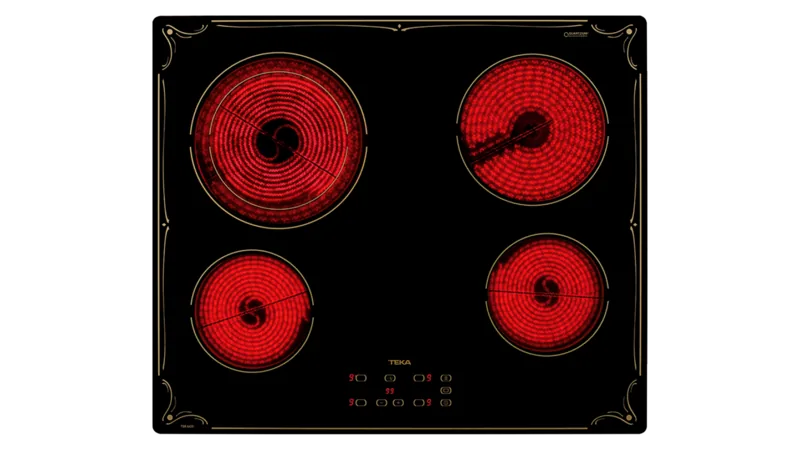
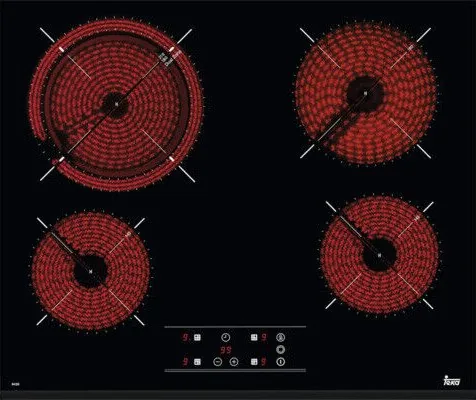
Teka TT6420 Glass-ceramic hob Built-in Manual
The Teka TT6420 is a built-in glass-ceramic hob designed for everyday home cooking with intuitive touch controls and safety-focused features. Its smooth ceramic surface houses multiple cooking zones, including an optional double-circuit zone for flexible pan sizes. The hob’s touch panel provides simple on/off, individual zone selection, power adjustment, quick-boost to full power, timer and automatic cook-start (flash cooking) functions. Residual heat indicators and audible confirmations guide safe operation while child lock and key lock options prevent accidental use.
Key features and usage
The touch control panel is responsive to light fingertip taps and confirms actions with beeps. To power up the unit you unlock the controls, hold the main on/off touch for one second, then select a zone and set power from 1–9 or use instant maximum power. The double-circuit zone lets you use inner or outer rings depending on pan diameter. The automatic cook-start temporarily runs a zone at full power and drops to a preset level after a programmed time. Individual timers can be set for each zone (1–99 minutes) and will turn zones off when elapsed.
Safety and maintenance are emphasized throughout the manual. If the ceramic glass cracks, unplug immediately. The hob must be properly earthed and installed with required clearances; only authorized service should replace power cables. Child lock and general key lock options add protection. The unit includes overheat detection, automatic safety shut-off by power level, and error codes (F1, F2, FC) with troubleshooting steps like cleaning sensors and power cycling.
Care and cleaning
Clean only when cooled, using non-abrasive cleaners or a dedicated ceramic-glass cleaner. Light dirt can be wiped with a damp cloth and mild detergent. Burnt-on residues may be removed with a razor scraper designed for ceramic hobs—used carefully to avoid injury or scratching. Remove sugary spills immediately while hot with a scraper. Avoid sliding cookware on the glass and use flat, thick-bottomed pans of appropriate diameter.
Installation and environmental notes
Install with a 20 mm separation board if a cutlery drawer is below the hob and follow the electrical connection instructions, including an all-pole disconnector and correct grounding. Dispose of the appliance and packaging per local electronic-waste and recycling regulations.
Notes
- Always unplug or switch off at the breaker before servicing or if glass is cracked.
- Use only manufacturer-recommended hob protectors.
- Keep control area dry and free of objects to avoid sensor errors.
Search for 67,732 Manuals online


Type-in Brand or Model