
Tecnoware ATA Manual
PDF manual · 40 Pages
English



Quick check
Incorrect answer, please try again.
Chat with your Tecnoware ATA manual using AI
Get instant AI answers from your Tecnoware ATA manual
Ask anything about the Tecnoware ATA. Answers come from this manual, with the pages they are based on.
Ask a Question
Do you recommend ATA?
Yes NoFrequently Asked Questions
The inverter provides 1.2 kW continuous (1.2 kVA) output with a surge capacity (typically 2× rated power for short durations) and pure sine wave output suitable for most household appliances.
Is this answer helpful?
The unit supports 12 V battery systems with selectable battery types (AGM, Flooded, or User-Defined). Charging voltages, float, bulk, equalization voltage and intervals can be configured via the LCD menu to match battery chemistry and maintenance needs.
Is this answer helpful?
You can set source priority (Utility first, Solar first, SBU) in the settings. The inverter can combine solar and utility charging, perform auto-restart on AC recovery, and transfer loads between sources with typical UPS transfer times.
Is this answer helpful?
Built-in protections include overload, short-circuit, over-temperature, high/low DC cut-off, and bus faults. The LCD displays fault codes and warning indicators with audible alarms (configurable) to guide troubleshooting and safe operation.
Is this answer helpful?
MPPT operates from 15 V to 80 V with a maximum PV array open-circuit voltage of 102 V and recommended total PV power up to 700 W for the 1.2 kW model. Panel configuration must keep Voc below 102 V and Vmpp within the MPPT range.
Is this answer helpful?
Install on non-combustible surfaces with specified clearances for ventilation. Use recommended cable sizes, torque values, DC over-current protection and AC breakers. Only qualified personnel should perform battery and mains wiring to prevent shock or fire hazards.
Is this answer helpful?
The inverter includes RS-232 and optional USB communication ports. Tecnoware’s monitoring software (WatchPower) can be used to configure settings and monitor system data when connected to a PC via the supplied communication cable.
Is this answer helpful?
Advantages and Disadvantages
Advantages

- Pure sine wave output with high inverter efficiency and reliable surge capability.
- Integrated MPPT solar charger and configurable charger priorities for flexible energy management.
- Comprehensive LCD interface for easy configuration of charging, voltage ranges, and equalization.
- Robust protections: overload, short-circuit, over-temperature, and configurable auto-restart.
- Compact, wall-mountable design with clear installation guidance and communication ports.
Disadvantages

- Limited to 12 V systems and 1.2 kW continuous power, restricting larger installations.
- Requires proper installation by qualified personnel and external over-current protection.
- PV input max VOC and MPPT range require careful panel sizing and configuration.
- Some advanced features (USB communication) may be optional and need extra accessories.
- Thermal sensitivity requires adequate ventilation and may derate output in hot environments.
Product Specification
Note
Prices partly include 0% VAT tax rates for AT and DE
MPP Tracker Quantity
1
Ambient Temperature
5F to 140F
Product Description
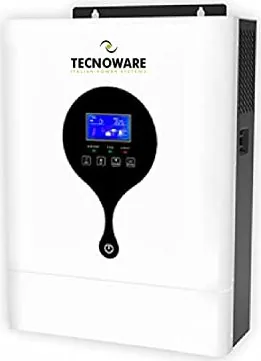
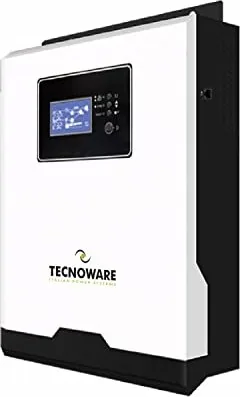
Tecnoware ATA Solar Inverter Manual — Product Overview
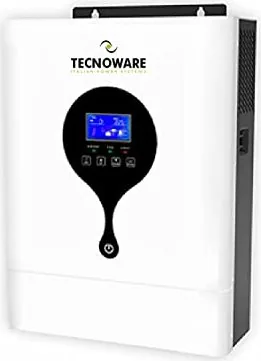
The Tecnoware ATA Solar Inverter is a compact, multifunction 1.2 kW hybrid inverter/charger designed for residential and small-office applications where reliable backup and solar integration are needed. It combines a pure sine wave inverter, MPPT solar charger, and AC battery charger into a single unit that supports seamless switching between utility, solar, and battery power. The unit offers configurable settings through an intuitive LCD interface, allowing users to adjust charging currents, input voltage tolerance, and source priorities to match different system requirements.
Key product features
This inverter delivers pure sine wave output with high efficiency and fast transfer times, supporting motor loads such as fans, refrigerators, and lights. It incorporates multiple protections including overload, over-temperature, short circuit, and bus over-voltage. The MPPT solar charger maximizes PV harvest within a wide MPPT voltage range (15–80 Vdc) and the inverter supports combined maximum charging currents up to 60 A. Cold-start capability, auto-restart on AC recovery, and configurable charger priorities (utility, solar, SBU) increase operational flexibility.
Design and installation highlights
The ATA 1.2 kW is engineered for easy wall mounting on non-combustible surfaces, with clear installation guidance for battery, AC, and PV connections. Recommended wiring sizes, torque values, and required protective devices (DC over-current protection, AC breaker) are specified to ensure safe and compliant installation. The unit is suitable for 12 V battery banks and supports recommended battery capacities (100 Ah or higher) with detailed equalization and charge-stage controls for flooded and AGM batteries.
Operation and control
A front-panel LCD and function keys provide clear system status, including input/output voltages, PV power, battery SOC, load percentages, and fault/warning codes. Users can navigate program menus to set output source priority, maximum charging current, AC input tolerance (Appliances vs UPS ranges), battery type, charging voltages, equalization schedules, and alarm/backup behaviors. Communication options (RS-232, optional USB) allow integration with monitoring software.
Performance and specifications
In inverter mode the unit provides 1.2 kW continuous power with a peak surge capacity and >90% efficiency. MPPT solar input supports up to 700 W PV and 102 V open-circuit. Line-mode efficiency can exceed 95%. Operating temperature ranges and humidity tolerances are suitable for typical household environments, and the compact footprint and ~4.6 kg weight simplify installation.
Notes
- Follow safety instructions: only qualified personnel should install high-voltage or battery wiring. Use recommended cable sizes and over-current protection devices.
- Configure battery type and charging parameters correctly to prolong battery life and avoid over- or under-charging.
- Observe ventilation clearances and ambient temperature limits to prevent thermal shutdowns.
- Use provided communication software to monitor and customize system behavior.
Search for 67,706 Manuals online


Type-in Brand or Model