
Technoline WS 9750-IT Manual
PDF manual · 284 Pages
English



Quick check
Incorrect answer, please try again.
Chat with your Technoline WS 9750-IT manual using AI
Get instant AI answers from your Technoline WS 9750-IT manual
Ask anything about the Technoline WS 9750-IT. Answers come from this manual, with the pages they are based on.
WS 9750-IT Maintenance Schedule
Recommended to replace batteries annually to ensure optimum accuracy. Battery life is approximately 24 months.
Use a soft damp cloth only. Do not use solvents or scouring agents.
Remove immediately to avoid leakage and damage. Replace only with recommended type.
Free maintenance reminders
Timed to your purchase date. Always free, unsubscribe anytime.
Ask a Question
Do you recommend WS 9750-IT?
Yes NoFrequently Asked Questions
Under good conditions, the distance should not exceed 100 meters between the final position of the station and the transmitter. Environmental factors like concrete or metal can reduce this range significantly.
Is this answer helpful?
Both the temperature station and the transmitter require two AA alkaline batteries. They are not rechargeable. Battery life lasts approximately 24 months if alkaline is used.
Is this answer helpful?
Yes, the device can receive data from up to three outdoor transmitters. You can view readings from different channels by pressing the channel select key.
Is this answer helpful?
The receiver updates outdoor data every four seconds for accurate live reporting of conditions. This ensures you get near real-time weather information.
Is this answer helpful?
If the signal icon does not appear within five minutes, check for interference and ensure the distance is under 100 meters. You may need to remove and reinsert batteries to reset all units.
Is this answer helpful?
The outdoor transmitter casing is considered splash proof. You should avoid direct rain and exposure to the sun. Do not submerge the unit.
Is this answer helpful?
Press and hold the SET key to enter setup mode. Use the plus button to toggle between 12-hour and 24-hour formats. Press the set key again to confirm.
Is this answer helpful?
Advantages and Disadvantages
Advantages

- Wireless transmission allows flexible placement up to 100 meters in open spaces
- Supports up to three outdoor transmitters for multi-zone monitoring
- Features unique Five weather icons for immediate visual understanding
- Low battery indicator alerts users before power failure occurs
- Wall mount or table stand options provide versatile display choices
Disadvantages

- Signal range may be reduced by obstacles like concrete walls or metal
- Requires strict timing during initial battery setup for pairing
- Transmission can be interfered by other electronic devices on 868 MHz
- Only tracks temperature and not humidity or barometric pressure
- Batteries must be replaced in all units simultaneously if changed
Product Specification
Type
digital
Temperature
indoor and outdoor
Weather Forecast
Symbols
Forecast Technology
Barometer
Other Displays
Time, stored min./max. temperature, battery replacement indicator
Connectable Outdoor Sensors
up to 3
Mounting
Tabletop Device, Wall Mount Possible
Power Supply
2 AA Batteries
Color
Silver
Product Description
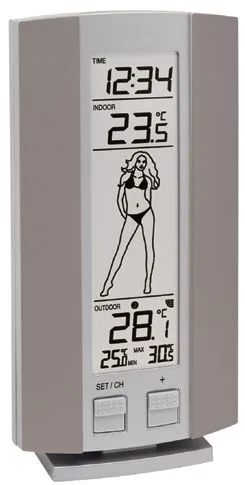
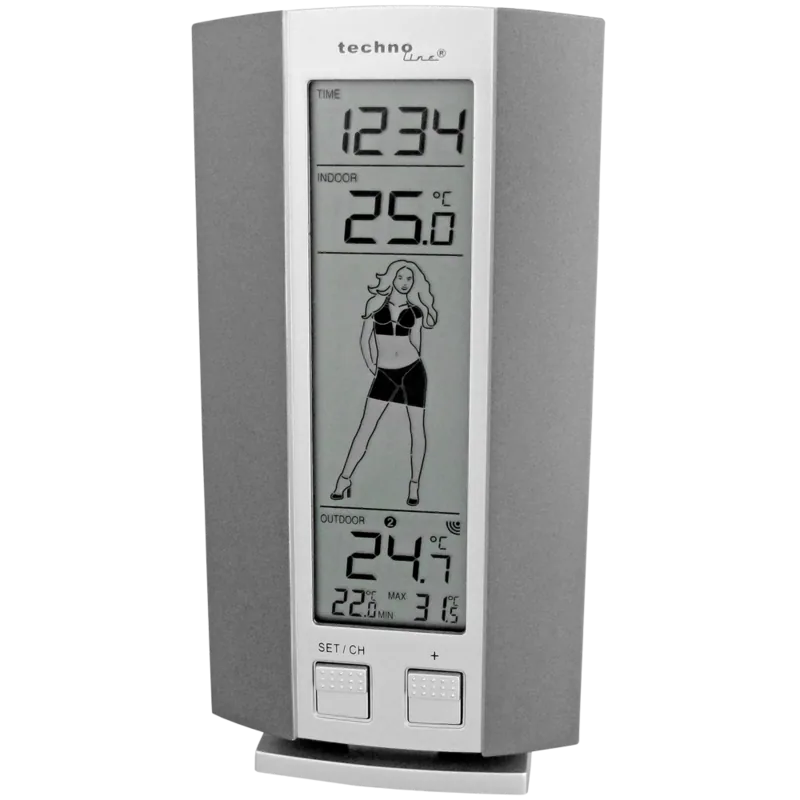
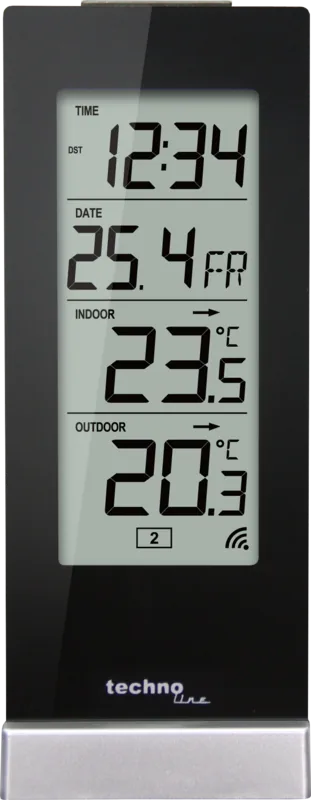
Home weather monitoring has never been more accessible with advanced technology suitable for any space. The technoline WS 9750-IT Wireless Weather Station Digital offers a reliable solution for tracking environmental changes inside and outside your property efficiently. This device combines a main base station with a remote outdoor transmitter to deliver instant updates to your home display screen. Users can view the current time along with indoor and outdoor temperatures on a bright digital LCD screen showing clear numbers. The interface features a unique weather icon system known as the Weather Girl which simplifies complex data into visual cues for ease of reading. Five different icons help you understand the current temperature conditions instantly based on thresholds set by the manufacturer for accuracy. The station supports up to three outdoor transmitters allowing for multi-zone monitoring across your home or business locations simultaneously. Installation involves simply pairing the base with the battery-powered transmitter using a specific sequence described in the technoline WS 9750-IT Wireless Weather Station Digital Manual to ensure correct pairing happens during setup. Once connected the system transmits data wirelessly using 868 MHz signals with a range of up to 100 meters in open conditions without obstruction. Battery life is highly optimized to last approximately two years using standard alkaline cells in both units for long term value. You can switch between Celsius and Fahrenheit formats as needed via the function buttons located on the base. The 12 or 24 hour clock format is also user configurable for personal preference regarding time display. Daily minimum and maximum temperature records are kept for every channel to show trends throughout the day without manual logging. The unit can be placed on a flat desk or mounted on a wall using a hanging hook feature provided. Care instructions advise cleaning with a soft damp cloth and avoiding any direct water exposure to prevent electronic damage. Interference from other electronics can affect signal reception so maintaining distance from computer monitors is strongly recommended for best performance. The low battery indicator alerts you when power is running low on either unit to prevent sudden failure of the system. This system ensures you stay informed about weather patterns without internet dependency or subscription costs for connectivity. It is ideal for offices or domestic settings requiring constant ambient awareness for safety or comfort in daily life. Setup requires attention to the timing of battery insertion to ensure the security code matches correctly between devices initially. Troubleshooting steps involve power cycling if signals fail to connect within the specified minutes of operation to resolve link issues. Overall it is a robust tool for daily climate tracking and monitoring of external conditions. The weather icons change appearance depending on the temperature value detected by the transmitter unit specifically. The transmitter casing is designed to be splash proof for outdoor durability against light rain. Mounting options allow flexibility in placement without permanent fixtures required on walls. The display splits into four sections for clear organization of information like time and temperature readings clearly. Pressing the set key allows access to manual settings for time adjustment easily. Replacing batteries requires a reset of the system for all connected units to maintain synchronization. The receiver updates outdoor data every four seconds for accurate live reporting of conditions. Users can toggle channels to view different sensor readings quickly and efficiently.
Search for 67,706 Manuals online


Type-in Brand or Model
Heinz Weber
8 months ago
Does the weather station sensor work reliably through walls, or are there issues with defective units?
Manual.ly
8 months ago
Thank you for your inquiry. Many users report excellent signal transmission even through walls. Regarding defective units, while rare, it can happen. If a sender does not work, please contact our support team directly for a replacement or exchange procedure. We value your satisfaction and ensure proper function upon delivery for the best weather tracking experience.