
Technoline WS 9170 Manual
PDF manual · 12 Pages
English



Quick check
Incorrect answer, please try again.
Chat with your Technoline WS 9170 manual using AI
Get instant AI answers from your Technoline WS 9170 manual
Ask anything about the Technoline WS 9170. Answers come from this manual, with the pages they are based on.
WS 9170 Maintenance Schedule
Insert new alkaline batteries when the low battery symbol is displayed on the screen.
Remove exhausted or all batteries immediately if the device will not be used for an extended period.
Ask a Question
Do you recommend WS 9170?
Yes NoFrequently Asked Questions
No, the manual specifies using only alkaline batteries. Rechargeable batteries are not recommended and may affect performance or damage the unit over time. Always use a complete set of fresh batteries.
Is this answer helpful?
Press the SET button once while in normal mode. This toggles between Celsius and Fahrenheit. Press again to switch back if needed.
Is this answer helpful?
The device will automatically search for the signal again for two minutes one hour after the signal loss. An indicator shows signal quality on the display.
Is this answer helpful?
The main unit is for indoor use only. The outdoor sensor can be placed outside but the station must remain indoors away from direct sunlight and moisture.
Is this answer helpful?
Hold the SET button for two seconds to enter time setting. Use the MAX/MIN button to adjust hours and minutes. Press SET again to confirm.
Is this answer helpful?
Indoor is 0C to 50C and outdoor is minus 40C to 70C. These ranges cover most home and garden weather conditions effectively and accurately.
Is this answer helpful?
Advantages and Disadvantages
Advantages

- Dual temperature display allows monitoring indoor and outdoor conditions simultaneously.
- MIN and MAX memory storage helps track temperature variations throughout the day.
- Quartz clock feature provides accurate timekeeping alongside temperature readings.
- Simple installation requires only batteries and no internet or wiring connection.
- Signal strength indicator ensures reliable wireless communication between units.
Disadvantages

- Indoor use only prevents placing the main unit in garages or sheds.
- Rechargeable batteries are not supported and must use alkaline types instead.
- Wireless range may be limited if walls are thick between sensor and base.
- Memory values reset daily which might lose historical data for analysis.
- External sensor must remain within range or signal strength drops significantly.
Product Specification
Type
digital
Temperature
indoor and outdoor
Humidity
no
Weather Forecast
no
Other Displays
Time, stored min/max temperature, battery change indicator
Alarm
Wake-up time
Placement
Desktop unit, wall-mounting possible
Power Supply
2x AA batteries (outdoor sensor), 2x AAA batteries (base station)
Color
silver, black
Package Contents
1 outdoor sensor
Product Description
Discover the Technoline WS 9170 Wireless Temperature Station Digital
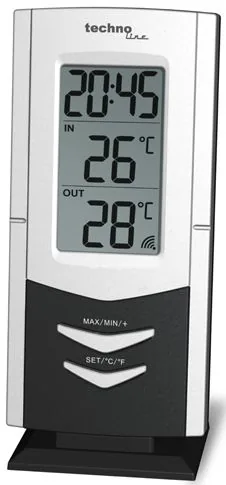
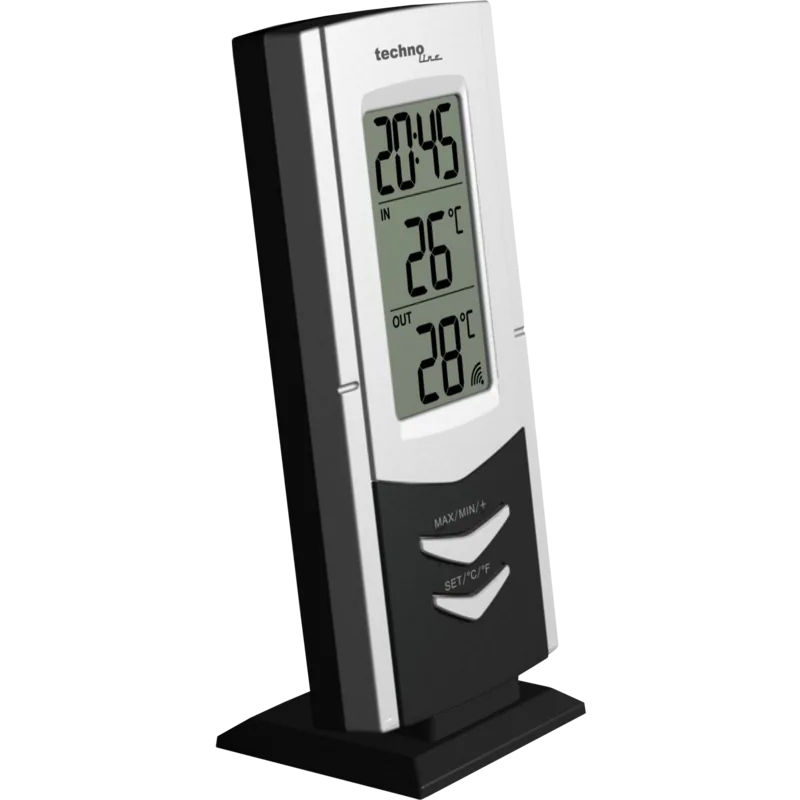
Monitoring your home climate has never been easier with the technoline WS 9170 Wireless Temperature Station Digital Manual guidance. This device offers a seamless way to track indoor and outdoor conditions from the comfort of your living space. It serves as an essential tool for anyone looking to maintain optimal environmental conditions without complex wiring or frequent adjustments. Many users appreciate the wireless capability which allows for placement flexibility within the home.
The unit features a quartz clock and provides dual temperature displays for convenience. You can view readings in Celsius or Fahrenheit with the press of a simple button. The system includes MIN and MAX memory storage to help you track temperature fluctuations throughout the day. This feature is particularly useful for understanding daily patterns in your home without needing constant app connectivity. The low battery indicator ensures you always know when it is time to replace the power source before data stops updating.
Installation is straightforward and requires no special tools or technical expertise. Simply open the battery compartment of the base station and insert two AAA batteries carefully. Do the same for the outdoor sensor using two AA batteries. Once powered on, the LCD screen activates fully before the station searches for the radio signal. This process takes about two minutes to ensure a stable connection between the receiver and the transmitter. If the signal is weak, moving the sensor or base station slightly can resolve connection issues quickly.
Using the device is intuitive for people of all technical backgrounds. You can set the time using the same buttons used to change temperature units. A long press on the SET button initiates the time setting mode for hours and minutes. The device resets temperature memory values daily at midnight to keep data fresh. It is designed for indoor use only, so keep the main unit away from moisture or extreme heat. Always use alkaline batteries and avoid mixing old and new items to ensure longevity and safety.
The temperature ranges are impressive with indoor support from 0 to 50 degrees Celsius and outdoor support from minus 40 to 70 degrees Celsius. This allows accurate readings in most climates. Safety precautions state do not expose the device to fire or water. Never tamper with the internal components as this voids protection. Keep batteries away from children due to choking hazards. The signal strength icon helps verify connectivity instantly on the screen. You do not need an internet connection for this standalone weather station to work perfectly. The resolution of the data is precise enough for household needs.
Proper disposal according to the battery and electronics laws is crucial for environmental safety. Do not throw the device in regular trash as it contributes to e-waste. Return used batteries and the unit to recycling centers to ensure proper handling. This helps protect the environment and ensures safety standards are met. By following these guidelines, the technoline WS 9170 Wireless Temperature Station Digital remains a reliable companion for your home monitoring needs. It combines functionality with ease of use.
Search for 67,706 Manuals online


Type-in Brand or Model
Sarah Miller
9 months ago
Does this weather station measure both indoor and outdoor temperatures?
Manual.ly
8 months ago
Yes, this unit is specifically designed to display both internal and external temperatures accurately. Users have confirmed it provides reliable readings for the home environment as well as the current outside conditions. If you need additional functionality like a clock, this model also includes that feature.