
Technoline WS 9132 Manual
PDF manual · 42 Pages
English



Quick check
Incorrect answer, please try again.
Chat with your Technoline WS 9132 manual using AI
Get instant AI answers from your Technoline WS 9132 manual
Ask anything about the Technoline WS 9132. Answers come from this manual, with the pages they are based on.
Ask a Question
Do you recommend WS 9132?
Yes NoFrequently Asked Questions
It measures indoor temperature and humidity, outdoor temperature, and displays weather trends and forecast icons. It also includes a radio-controlled clock and alarm functions.
Is this answer helpful?
The station uses the DCF77 radio signal to set and correct the time automatically. It can also retry synchronization later if the signal is not received right away.
Is this answer helpful?
Yes. The system supports selectable channels, allowing use with up to three sensors. This makes it possible to compare temperatures in different locations.
Is this answer helpful?
Yes. It uses barometric pressure changes to estimate short-term weather trends and displays symbols such as sunny, cloudy, rainy, or snowy for the next several hours.
Is this answer helpful?
The main weather station uses 2 AAA batteries, and the outdoor sensor uses 2 AA batteries. The manual recommends alkaline batteries rather than rechargeable ones.
Is this answer helpful?
Reception can be affected by distance, concrete walls, nearby buildings, metal objects, or electronics like TVs and computers. Placing it near a window often helps.
Is this answer helpful?
Yes. The unit includes a frost alert that flashes when outdoor temperature approaches freezing, helping you notice cold conditions early.
Is this answer helpful?
Advantages and Disadvantages
Advantages

- Radio-controlled clock keeps time automatically and reduces manual setup.
- Shows indoor and outdoor temperature plus humidity in a single view.
- Includes alarm, snooze, max/min memory, and trend indicators.
- Wireless sensor supports flexible placement and up to 30 m range in open space.
Disadvantages

- Outdoor signal can weaken near concrete, metal, or electronic interference.
- Forecast is pressure-based and may not always match real-time weather exactly.
- Requires batteries for both units, so maintenance is ongoing.
- Designed for indoor use only, so it is not suitable for exposed outdoor installation.
Product Specification
Type
digital
Temperature
indoor and outdoor
Humidity
indoor
Weather forecast
Symbols
Forecast technology
Barometer
Other indicators
Time (radio controlled clock), Low battery indicator
Alarms
Alarm time
Connectable outdoor sensors
up to 3
Outdoor temperature measuring range
-13°F to +122°F
Mounting
Tabletop device, Wall mounting possible
Power supply
2x AAA battery
Color
black
Scope of delivery
1 outdoor sensor
Product Description
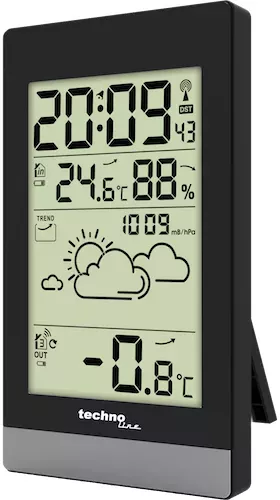
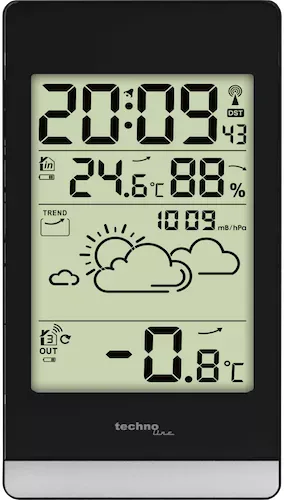
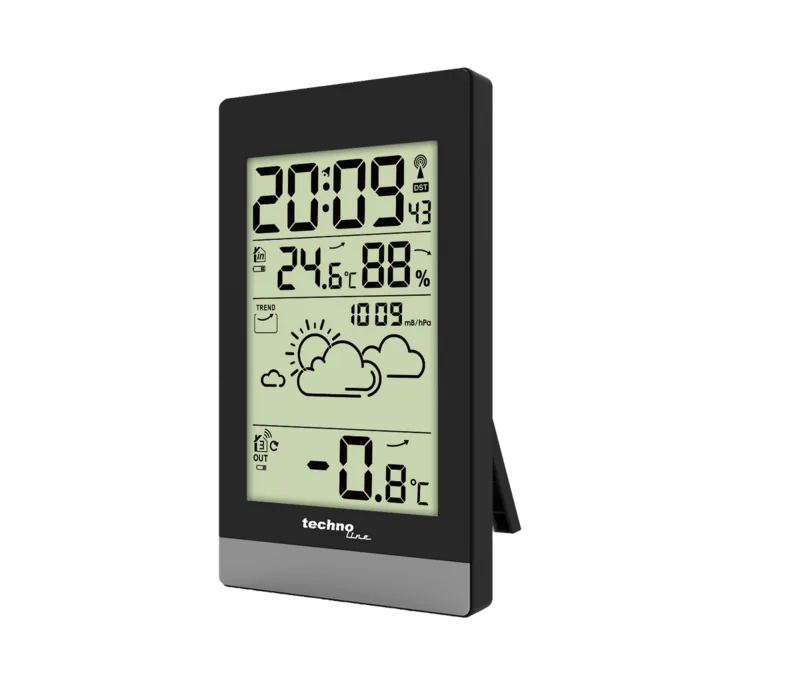
Technoline WS 9132 Digital Wireless Weather Station
The Technoline WS 9132 Digital Wireless Weather Station is a compact home weather monitor designed to bring everyday climate data into one easy-to-read display. It combines radio-controlled timekeeping with indoor and outdoor temperature tracking, humidity readings, a weather forecast icon set, and practical alarm features. For anyone who likes quick environmental updates without opening an app, this station offers a straightforward and reliable setup.
What makes it useful
One of the strongest benefits of the WS 9132 is its automatic DCF77 time synchronization. Once powered on, it searches for the radio signal and keeps the clock aligned with accurate time, which reduces manual adjustment. The unit also shows indoor humidity and temperature, while the wireless outdoor sensor extends monitoring to the yard, balcony, or another nearby spot. With support for up to three channels, it can work as a flexible multi-sensor system.
The weather station also includes helpful everyday features such as a daily alarm, snooze function, max/min memory, and trend indicators for temperature, humidity, and air pressure. The frost alert is especially practical in colder months, warning when outdoor conditions approach freezing. Weather forecasting is based on air pressure changes, giving a simple outlook for the next several hours.
Design and operation
The display layout is built for quick reading, with separate areas for time, indoor climate, outdoor temperature, and status icons. Setup is battery-powered, making placement simple and cable-free. The main unit uses AAA batteries, while the remote sensor uses AA batteries. For best reception, the station should be placed away from strong electrical interference and ideally near a window.
Notes
- Best performance comes from stable indoor placement and minimal interference.
- The forecast is trend-based, so it reflects likely changes rather than exact current weather.
- The device is intended for indoor use only.
- Battery care matters: use alkaline batteries and replace sets together.
Why it stands out
The Technoline WS 9132 Digital Wireless Weather Station Manual highlights a device that balances convenience, clarity, and practical weather tracking. It is a solid fit for bedrooms, kitchens, home offices, or small living spaces where accurate time and basic climate awareness are useful every day. Rather than overcomplicating things, it focuses on the essentials: reliable clock syncing, easy sensor pairing, and readable weather data in a compact format.
Search for 67,706 Manuals online


Type-in Brand or Model
Christiane Reynaud
8 months ago
Is the setup really easy, and are the instructions sufficient if I want to run more than one outdoor sensor?
Manual.ly
8 months ago
Yes. The station is designed for quick start: insert the batteries in the display unit and the outdoor sensor, then pair the outdoor transmitter(s) using the station controls. Reviews indicate the connection to the outdoor sensor is very reliable and the display is easy to read. Regarding the manual: it is described as a bit brief, but it includes the essential steps to get started. If you add additional outdoor transmitters, you typically just follow the same pairing procedure for each new sensor, so you can extend your setup beyond a single transmitter (where supported by the model).