
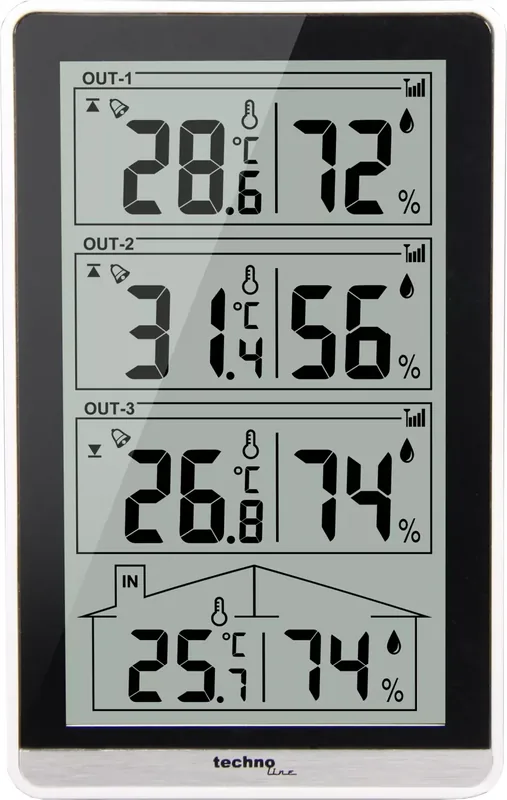
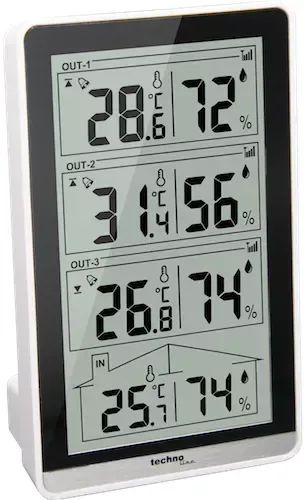
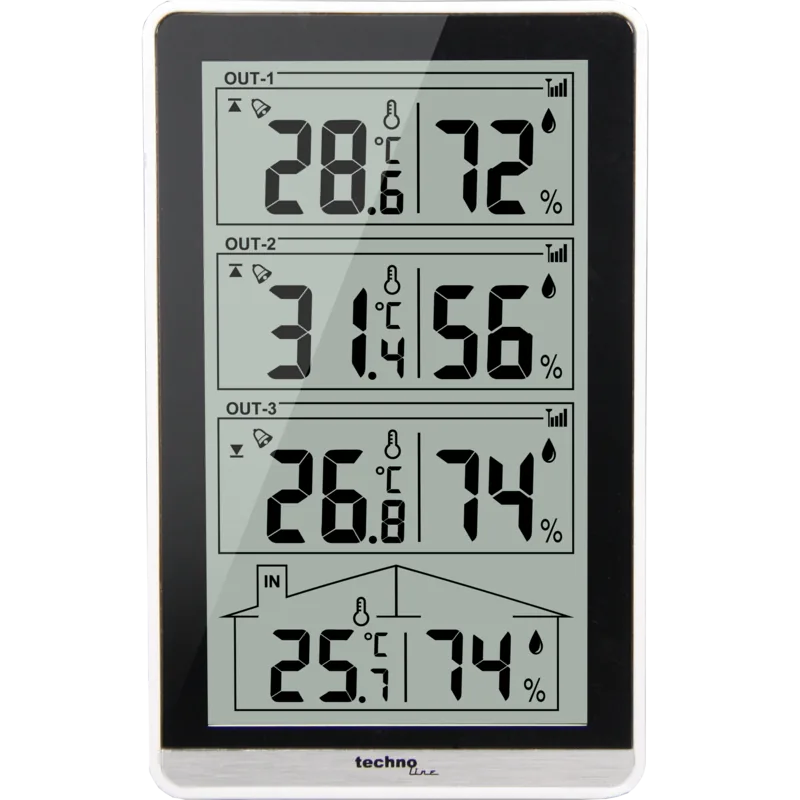
Technoline WS 7060 Manual
PDF manual · 47 Pages
English



Quick check
Incorrect answer, please try again.
Chat with your Technoline WS 7060 manual using AI
Get instant AI answers from your Technoline WS 7060 manual
Ask anything about the Technoline WS 7060. Answers come from this manual, with the pages they are based on.
Ask a Question
Do you recommend WS 7060?
Yes NoFrequently Asked Questions
Insert fresh AAA batteries into both devices. Press the minus button for three seconds to enter search mode. Keep sensors close until symbols show received status permanently on display indicating successful link completion.
Is this answer helpful?
Yes press the minus slash C slash F button during normal display mode. Toggle selection switches instantly between Celsius and Fahrenheit readings without resetting stored data values.
Is this answer helpful?
Alarms activate when temperature exceeds predefined upper or lower limit values configured per channel. Audio sounds continuously until stopped manually or pauses after sixty seconds automatically. Blinking lights identify active warning status.
Is this answer helpful?
Testing cycles refresh approximately every thirty seconds automatically. This ensures timely reporting of fluctuating atmospheric conditions without excessive delay between displayed intervals on screen.
Is this answer helpful?
Mount away from concrete buildings or metal obstructions ideally near windows facing open areas. Walls and roofs cut effective signal strength by half so open sky paths yield strongest possible reception reliability.
Is this answer helpful?
Hold the Plus slash Max slash Min button for three seconds. Values vanish momentarily confirming deletion occurred successfully. All recorded highest and lowest metrics wipe clean instantly afterward.
Is this answer helpful?
Advantages and Disadvantages
Advantages

- Supports up to three separate outdoor channels for diverse monitoring locations simultaneously without extra hardware cost
- Features comprehensive Max/Min recording allowing users to track temperature extremes and humidity peaks over time
- Easy installation process requiring only standard AAA batteries with simple channel matching for immediate wireless connectivity
- Includes customizable temperature alarms with visual and audible alerts to notify of dangerous high or low threshold breaches
- Interchangeable temperature units let users select Celsius or Fahrenheit based on their regional preference easily
Disadvantages

- Main station must remain indoors limiting portability while outdoor sensors are exposed to weather elements constantly
- Wireless range decreases significantly when passing through concrete walls or thick metal structures reducing effectiveness indoors
- Requires frequent battery maintenance across four units total which increases ongoing operating costs over extended periods
- Max/Min data resets manually rather than storing indefinitely meaning long term history must be recorded externally
- Display becomes unreadable under direct bright sunlight preventing outdoor viewing despite durable casing claims in manuals
Product Specification
Type
digital
Temperature
indoor and outdoor
Humidity
indoor and outdoor
Weather Forecast
no
Other Displays
low battery indicator, stored min/max temperature, stored min/max humidity, stored min/max values
Alarms
temperature alarm
Connectable Outdoor Sensors
up to 3
Outdoor Temperature Range
-58°F to +122°F
Placement
tabletop unit, wall mounting possible
Power Supply
2x AAA Battery
Color
black, white
Product Description
Comprehensive Weather Monitoring with the WS 7060
Maintain precise control over your home climate environment using the technoline WS 7060 Wireless Weather Station Digital. This sophisticated tool provides real-time updates on both indoor and outdoor conditions. Homeowners and plant enthusiasts appreciate the ability to track temperature changes and humidity levels accurately. By referencing the technoline WS 7060 Wireless Weather Station Digital Manual, users maximize the device potential immediately after unpacking.
Detailed Specifications and Capabilities
The console accepts inputs from up to three separate outdoor channels simultaneously. Indoor temperature measurement spans from 0 to 50 degrees Celsius. Outdoor ranges extend significantly wider covering negative fifty to positive fifty degrees Celsius. Relative humidity is tracked between twenty percent and ninety-five percent across all zones. Updates occur every thirty seconds ensuring data remains current. Max and Min functions retain historical high and low points which reset upon demand.
Installation and Configuration Process
Proper setup guarantees stable wireless communication. Begin by removing battery covers from the main unit and all remote transmitters. Insert two AAA alkaline batteries into each compartment strictly observing polarity markings. Align channel numbers on switches with corresponding sensor IDs displayed on fronts. Power cycles initiate a three-minute reception window where symbols flash until connection succeeds. Once linked, sensors operate independently at greater distances provided line of sight exists.
Advanced Alert Settings
Customizable temperature alarms safeguard against extreme weather events. Access settings through the alert button held for three seconds. Select target channels using plus or minus keys then define threshold limits. Confirm values to save changes permanently to memory. Symbols indicate active states clearly on screen. Audible warnings pause automatically after one minute if ignored.
Maintenance and Safety Guidelines
Batteries power the entire system so replacement frequency impacts reliability. Low battery icons warn users before total failure occurs. Dispose of spent cells responsibly according to environmental laws regarding electronic waste. Never mix old and new power sources within the same housing. Avoid submerging the device or exposing components to corrosive chemicals. Keep out of direct sunlight to prevent internal damage over time.
Conclusion
Accurate weather data empowers better lifestyle decisions daily. This compact yet powerful station fits easily on shelves or desks. Simple navigation reduces learning curves for family members of all ages. Trustworthy performance stems from robust construction designed for longevity. Following operational advice ensures seamless integration into any living space seeking enhanced environmental awareness without complex cabling requirements. Experience peace of mind knowing weather shifts are detected early. This knowledge aids in preparing for seasonal adjustments promptly.
Search for 67,706 Manuals online


Type-in Brand or Model
pariatur86
7 months ago
Can this station measure temperatures for the buffer and hot water tanks as well as outside?
Manual.ly
7 months ago
Yes, this system is designed to display readings from multiple points. You can track outside temperatures alongside those from your buffer and hot water storage tanks. Installation is straightforward due to pre-set configurations included by default.