
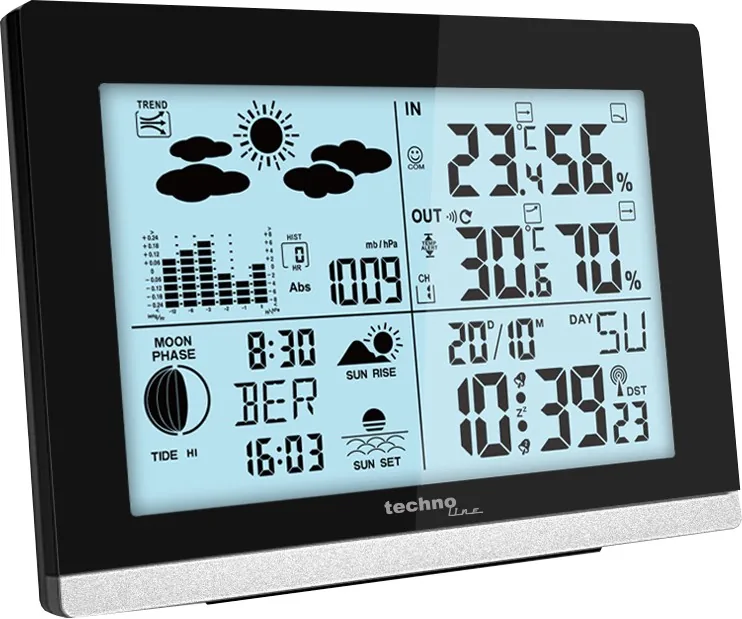
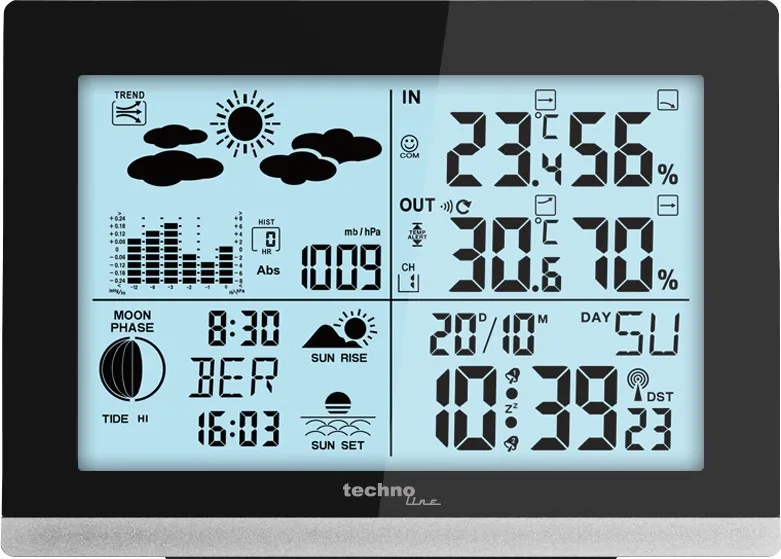
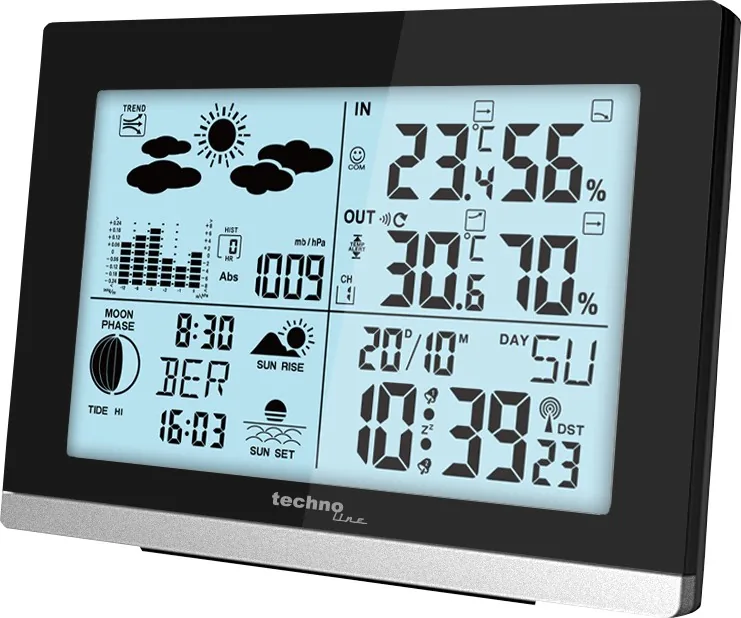
Technoline WS 6762 Manual
PDF manual · 230 Pages
English



Quick check
Incorrect answer, please try again.
Chat with your Technoline WS 6762 manual using AI
Get instant AI answers from your Technoline WS 6762 manual
Ask anything about the Technoline WS 6762. Answers come from this manual, with the pages they are based on.
WS 6762 Maintenance Schedule
Replace 2 AA batteries when the LCD becomes illegible or the battery low symbol (20) is displayed. Ensure correct polarity.
Replace 2 AA batteries when the battery low symbol (26) is displayed on the station. Ensure correct polarity.
Ask a Question
Do you recommend WS 6762?
Yes NoFrequently Asked Questions
The outdoor sensor can transmit data up to a maximum distance of 60 meters in open areas without obstacles.
Is this answer helpful?
Yes, both the main unit and the outdoor sensor require two AA alkaline batteries each to operate correctly.
Is this answer helpful?
Yes, the device supports five languages: German, English, Italian, French, and Spanish, which can be selected during setup.
Is this answer helpful?
Reception issues are often caused by thick concrete walls, metal structures, or distance from the transmitter. Try moving the unit near a window.
Is this answer helpful?
The comfort indicator displays three categories based on indoor humidity and temperature levels to suggest ideal living conditions.
Is this answer helpful?
Hold the plus button down for three seconds while in time display mode to erase stored maximum and minimum measurements.
Is this answer helpful?
No, the forecast predicts conditions for the next eight hours based on pressure trends rather than showing the exact current weather.
Is this answer helpful?
Advantages and Disadvantages
Advantages

- Automatic synchronization with DCF atomic clock for precise timekeeping
- Wireless outdoor sensor with up to 60-meter transmission range
- Detailed weather forecasting based on barometric pressure trends
- Global city selection for accurate sunrise, sunset, and tide data
- Dual programmable alarms with snooze function
Disadvantages

- Signal reception can be severely impaired by reinforced concrete buildings
- Outdoor sensor requires AA batteries that need regular replacement
- Manual setup required for cities not listed in the default database
- Interference from nearby electronics may disrupt wireless data transmission
- Weather forecast is predictive and may not match actual current conditions
Product Specification
Type
digital
Temperature
indoor and outdoor
Humidity
indoor and outdoor
Weather Forecast
icons
Forecasting Method
satellite-based
Other Displays
time (radio-controlled clock), date, day of week, moon phases, sunrise and sunset times, battery level indicator, 12-hour air pressure trend, stored min/max values
Alarms
alarm time, snooze function
Connectable Outdoor Sensors
up to 3
Placement
desktop device
Power Supply
2x AA batteries
Color
black, silver
Package Contents
1 outdoor sensor
Product Description
Technoline WS 6762 Digital Weather Station Manual Overview
The Technoline WS 6762 Digital Weather Station is a comprehensive tool for monitoring indoor and outdoor environmental conditions with precision. This device offers a wide array of features designed to keep you informed about the weather patterns affecting your daily life. The station includes an outdoor sensor that transmits data wirelessly up to 60 meters, ensuring accurate readings of temperature and humidity from outside without needing complex wiring.
One of the standout capabilities of this model is its ability to receive DCF radio time signals, which automatically synchronize the clock to atomic time standards broadcast from Germany. This ensures your timekeeping remains precise without manual intervention. The display provides detailed information including date, month, day of the week, sunrise and sunset times, lunar phases, and tidal ranges. Users can also track barometric pressure trends to predict weather changes over the next eight hours, with symbols indicating sunny, cloudy, or rainy conditions.
The interface allows for extensive customization. You can select your specific city from a global list or manually input coordinates to get localized forecasts. The device supports multiple languages including English, German, French, Spanish, and Italian. It also features dual alarms with a snooze function, making it useful as both a weather monitor and a reliable alarm clock. Temperature and humidity thresholds can be set to trigger alerts if conditions fall outside a safe range, which is particularly helpful for protecting plants or sensitive equipment.
Installation is straightforward with simple battery compartments for both the main unit and the outdoor sensor. However, placement is critical for optimal performance. Avoid placing the station near metal surfaces, large concrete structures, or other electronic devices that might interfere with the 433 MHz signal. For best results, position the main unit near a window and ensure the outdoor sensor is mounted in a sheltered spot away from direct sunlight and rain.
This weather station combines functionality with ease of use, offering a complete picture of your local climate while maintaining accurate time and providing practical alerts for temperature extremes.
Search for 67,706 Manuals online


Type-in Brand or Model
AutOdit13
5 months ago
What makes this product the best one you have found so far?
Manual.ly
5 months ago
Based on user feedback, the standout feature is the high-quality display with excellent brightness and color accuracy. This ensures clear visibility in various lighting conditions, making it a top choice for daily use.