
Technoline WM 5412 Manual
PDF manual · 14 Pages
English



Quick check
Incorrect answer, please try again.
Chat with your Technoline WM 5412 manual using AI
Get instant AI answers from your Technoline WM 5412 manual
Ask anything about the Technoline WM 5412. Answers come from this manual, with the pages they are based on.
Ask a Question
Do you recommend WM 5412?
Yes NoFrequently Asked Questions
The station requires a minimum of 24 hours after start-up to receive the complete weather forecast data. While time and outdoor temperature appear quickly, the large volume of forecast data transfers over a longer period.
Is this answer helpful?
The weather station requires three LR6, Mignon, or AA batteries. The wireless outdoor temperature transmitter requires two LR3, Micro, or AAA batteries.
Is this answer helpful?
Yes, users can select their weather region via the setup menu. Changing the region requires re-synchronization for new data, which may take 24 hours to receive fully.
Is this answer helpful?
The maximum transmission range is approximately 80 meters in open space. However, this distance depends on environmental conditions and interference from other electrical devices.
Is this answer helpful?
To reset the MIN/MAX outdoor temperature records, press and hold the SNOOZE button for approximately 3 seconds. This clears the stored extreme values.
Is this answer helpful?
Interference is caused by buildings with concrete and metal, electrical appliances like TVs, transformers, power lines, and geographical factors. Weak batteries can also reduce reception quality.
Is this answer helpful?
Advantages and Disadvantages
Advantages

- Receives professional 2-day weather forecasts synchronized via radio signal
- Wireless outdoor transmitter range up to 80 meters in open space
- Automatic time and date synchronization via DCF77 or HBG signals
- Includes alarm function with snooze capability for convenience
Disadvantages

- Full weather data forecast synchronization takes at least 24 hours
- Signal reception can be blocked by concrete walls and metal structures
- Changing batteries resets all internal configuration data
- Not suitable for medical or public information purposes
Product Specification
Type
digital
Temperature
inside and outside
Weather Forecast
for the current day/night and the following day, maximum and minimum temperature
Forecast Technology
satellite-based
Additional Displays
Time (Radio Clock), Date, Day of Week, Stored min./max. Values
Alarms
Wake-up Time
Mounting
Wall mountable
Color
silver-gray
Product Description
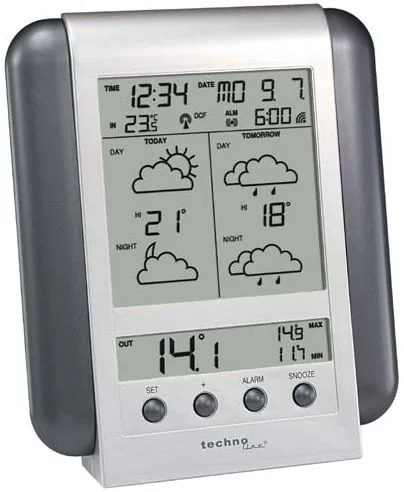
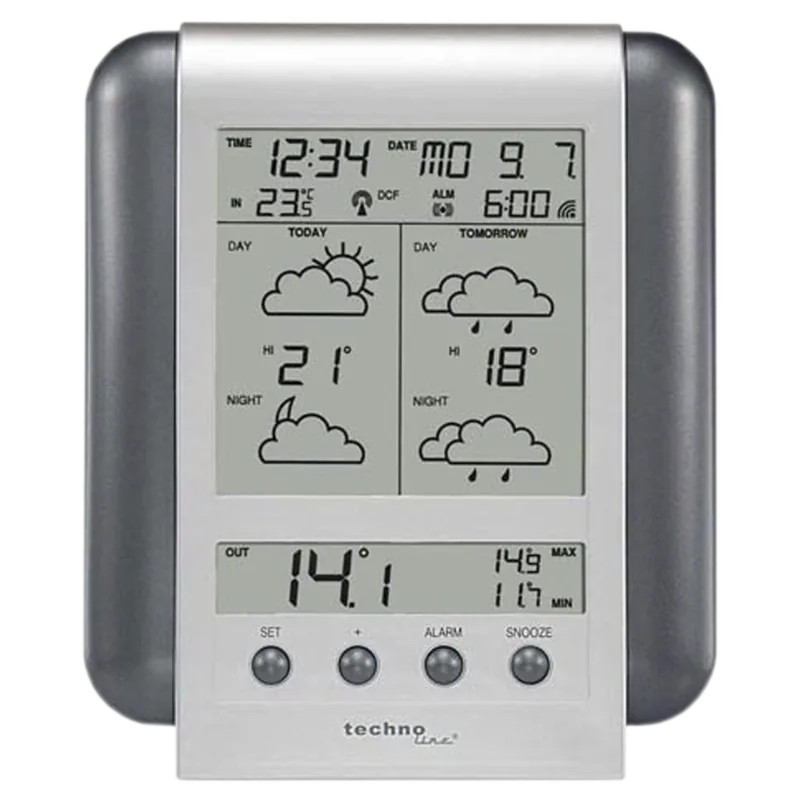
Discovering the technoline WM 5412 Wireless Digital Weather Station
Weather monitoring has never been this accessible or reliable. The technoline WM 5412 Wireless Digital Weather Station offers a comprehensive solution for tracking meteorological conditions right from your home. Whether you are planning a vacation or organizing daily activities, having accurate weather data is crucial. This device leverages professional forecasts created by meteorologists and distributed via time signal transmitters like DCF77 in Germany and HBG in Switzerland. It is designed to provide a quick overview of the weather situation for the following days at any time.
Comprehensive Forecasting Capabilities
Unlike simple thermometers, this unit provides forecasts for the current day and the next. It divides the reception area into 90 meteorological regions, allowing users to select their specific location for localized data. The device updates these forecasts daily, ensuring you are always informed about changing conditions. The display features intuitive indicators for the weather forecast, including icons for day and night conditions. Users can track maximum temperatures and monitor weather trends easily. The reception indicator for weather data confirms if the data is complete or still uploading.
Wireless Connectivity and Setup
One of the standout features is the wireless outdoor temperature transmitter. With a transmission range of up to 80 meters in open spaces, placement flexibility is high. However, users should read the installation sections carefully. Buildings with thick concrete or metal can interfere with the signal significantly. A dedicated test mode helps position the station correctly to find the best reception spot. Battery installation requires specific sizes for both the main unit and the transmitter. Once configured, data transmission occurs regularly, though full forecast data may take 24 hours to synchronize completely after initial start-up. The receiver symbol shows the quality of the signal immediately after placement.
User Experience and Configuration
The interface is designed for ease of use, featuring distinct buttons for settings and alarms. The alarm function includes a snooze mode for added convenience, stopping the signal for five minutes. Adjusting the display contrast ensures visibility in various lighting conditions, with values ranging from 1 to 16. The clock is synchronized automatically via radio signals, reducing manual adjustments for time zones except in special regions. However, changes to the battery may reset all internal data, requiring reconfiguration of regions and time zones.
Safety and Environmental Responsibility
Safety guidelines state that the unit is for private usage only. It is not suitable for medical or public information systems. Users must dispose of old batteries at designated collection points rather than household waste. Electronic waste should be recycled according to local regulations. This ensures that harmful materials do not enter the environment. Understanding these responsibilities keeps the ecosystem clean and ensures compliance. By following the guidelines found in the technoline WM 5412 Wireless Digital Weather Station Manual, users can maximize performance and minimize errors.
Search for 67,706 Manuals online


Type-in Brand or Model