
Technoline WL 1035 Manual
PDF manual · 143 Pages
English



Quick check
Incorrect answer, please try again.
Chat with your Technoline WL 1035 manual using AI
Get instant AI answers from your Technoline WL 1035 manual
Ask anything about the Technoline WL 1035. Answers come from this manual, with the pages they are based on.
WL 1035 Maintenance Schedule
Place the monitor in a well-ventilated area (CO2 near 400 PPM) for at least one hour daily to allow automatic baseline calibration.
Have a qualified laboratory perform manual calibration of PM2.5/CO2/TVOC sensors every 12 months in a well-ventilated room with clean air.
Free maintenance reminders
Timed to your purchase date. Always free, unsubscribe anytime.
Ask a Question
Do you recommend WL 1035?
Yes NoFrequently Asked Questions
After turning on the device, it typically takes 1 to 2 hours for all sensor readings regarding PM2.5, CO2, TVOC, temperature, and humidity to fully stabilize and provide accurate data.
Is this answer helpful?
Yes, you can customize the high and low alert levels for CO2, PM2.5, TVOC, and relative humidity. You can also enable or disable the audible alarm sound for high-level alerts.
Is this answer helpful?
No, the Technoline WL 1035 requires a continuous connection to a 5V DC power adapter. However, it has an internal memory chip that saves your settings even when power is lost.
Is this answer helpful?
Place the monitor in a well-ventilated area away from walls, direct sunlight, and electronic devices like printers or TVs. Ensure it has at least 6 hours of daily ventilation for proper calibration.
Is this answer helpful?
It is recommended to have the PM2.5, CO2, and TVOC sensors professionally calibrated by a qualified laboratory every 12 months to maintain peak accuracy.
Is this answer helpful?
If relative humidity exceeds 70%, the device will display a mold warning icon labeled 'SCHIMMELGEFAHR' to alert you to the risk of mold growth.
Is this answer helpful?
While it measures outdoor air, it is primarily designed for indoor use. Placing it in highly polluted outdoor environments for long periods may damage the sensors.
Is this answer helpful?
Advantages and Disadvantages
Advantages

- Comprehensive monitoring of PM2.5, CO2, TVOC, temperature, and humidity
- Customizable high and low alarms with optional sound alert
- Automatic baseline calibration reduces long-term drift errors
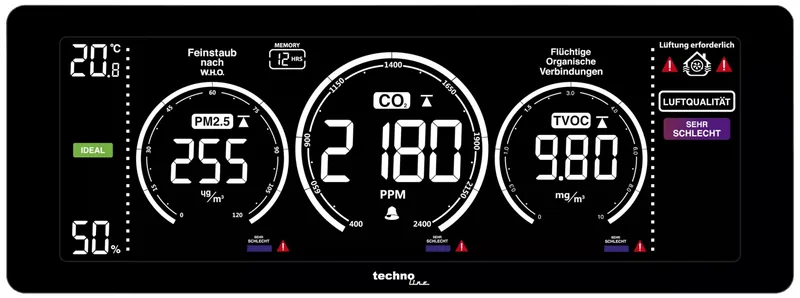
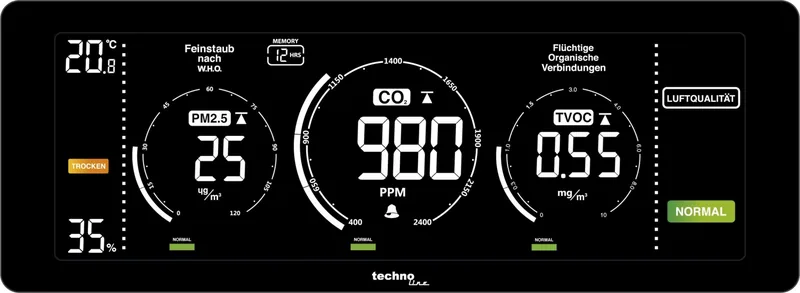
- Large triple display with moving chart and color-coded indicators
- Built-in memory stores MAX, MIN, and AVG data for up to 36 hours
Disadvantages

- Requires a stable power source as it does not have a battery backup
- Sensors may take 1 to 2 hours to stabilize after initial startup
- Accuracy can be compromised if placed near electronics or in highly polluted areas
- Manual calibration requires access to a qualified laboratory every 12 months
- Display text uses German terms like GUT and SCHLECHT alongside English translations
Product Specification
Type
digital
Temperature
indoor
Humidity
indoor
Weather forecast
no
Other displays
humidity, stored min/max values
Alarms
weather warnings (humidity, indoor air quality)
Placement
desktop device
Power supply
mains operation
Color
black
Product Description
Discover the Technoline WL 1035 Air Quality Monitor Digital
Maintaining a healthy indoor environment is crucial for your well-being, and the Technoline WL 1035 Air Quality Monitor Digital stands out as an essential tool for modern homes and offices. This sophisticated device goes beyond simple temperature readings by providing real-time data on critical air quality indicators. It meticulously tracks PM2.5 particulate matter, carbon dioxide levels, total volatile organic compounds (TVOC), along with temperature and relative humidity. By integrating advanced sensor technology into a sleek design, it empowers users to make informed decisions about ventilation and environmental comfort.
The monitor features a large triple display that presents all key metrics simultaneously. A moving chart indicator visualizes trends over time, allowing you to see how air quality fluctuates throughout the day. The device utilizes Non-Dispersive Infrared (NDIR) technology for accurate CO2 detection and a MEMS module for TVOC analysis. Furthermore, its laser particle sensor ensures precise monitoring of dust and fine particles. Whether you are concerned about mold growth due to high humidity or need to ensure fresh air circulation in a crowded room, this digital monitor provides actionable insights through color-coded bars and clear icons.
One of its standout capabilities is the customizable alarm system. Users can set specific thresholds for high or low values across all measured parameters. When limits are exceeded, visual alerts flash on the screen, and an optional audible alarm sounds to immediately draw attention to potential hazards. The built-in memory function stores maximum, minimum, and average values over selectable periods of 8, 12, 24, or 36 hours, helping you analyze long-term trends. Automatic baseline calibration ensures the sensors remain accurate over time without manual intervention, provided the unit is placed in a well-ventilated area periodically.
Key Features and Benefits
The Technoline WL 1035 is designed for ease of use and reliability. Its intelligent light sensor automatically adjusts the backlight brightness based on ambient conditions, ensuring readability day or night. The device includes a robust internal memory chip that preserves all settings even during power outages. With a wide measurement range for CO2 from 400 to 5000 PPM, it covers everything from typical office environments to highly congested spaces. The inclusion of mold and dryness warnings adds an extra layer of protection for your health and property.
Important Notes for Optimal Performance
To ensure the most accurate readings, place the monitor in a location with good airflow, away from direct sunlight, walls, or electronic devices like printers and televisions. Avoid exposing the unit to strong solvents or extremely polluted environments for extended periods, as this can damage the sensitive sensors. Regular maintenance involves cleaning the exterior with a soft, damp cloth and avoiding harsh chemicals. For the best results, allow the device to stabilize for 1 to 2 hours after initial setup and perform automatic calibration in a clean air environment regularly.
Search for 67,706 Manuals online


Type-in Brand or Model