
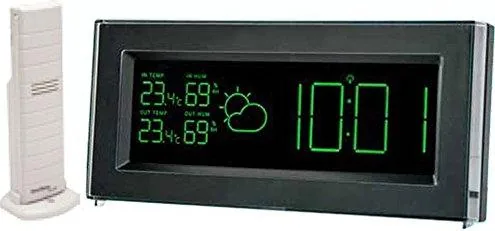
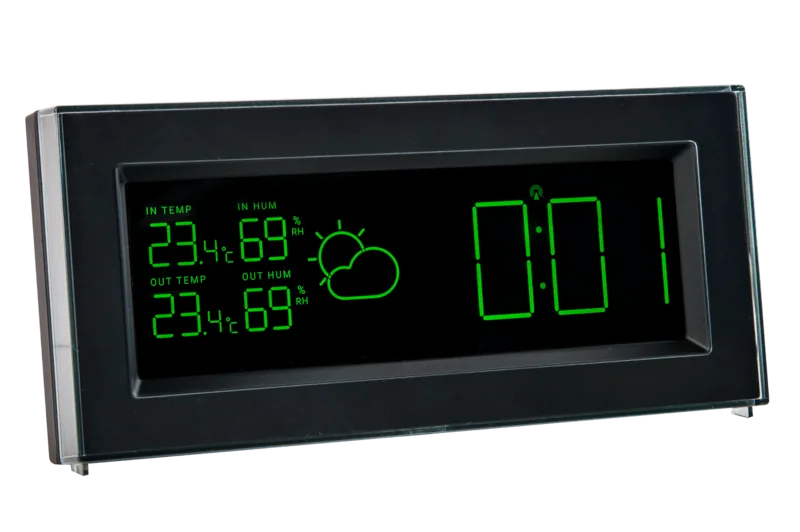
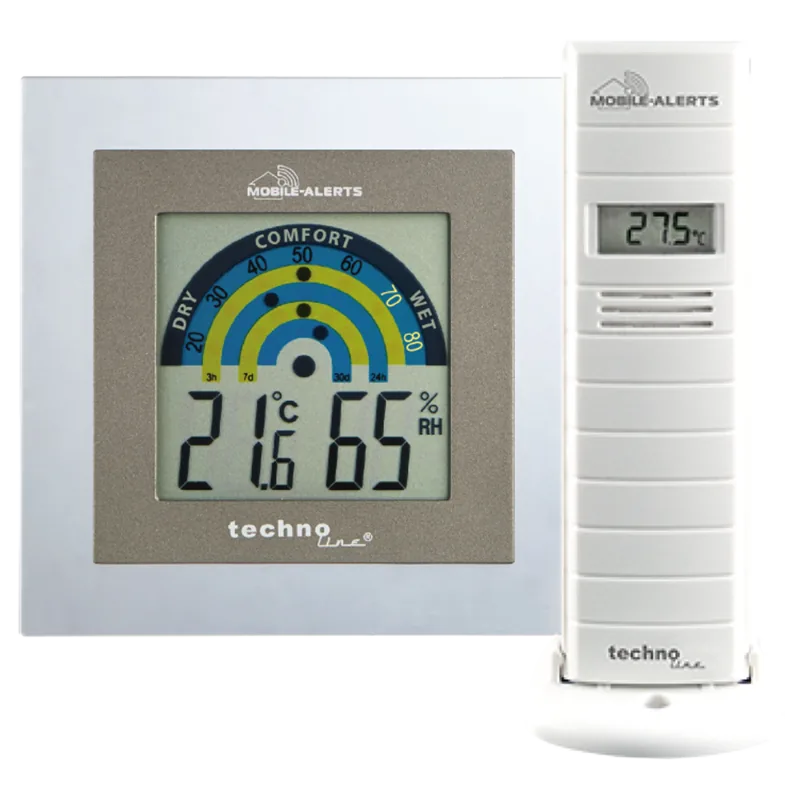
Technoline Mobile Alerts MA 10901 Manual
PDF manual · 4 Pages
English



Quick check
Incorrect answer, please try again.
Chat with your Technoline Mobile Alerts MA 10901 manual using AI
Get instant AI answers from your Technoline Mobile Alerts MA 10901 manual
Ask anything about the Technoline Mobile Alerts MA 10901. Answers come from this manual, with the pages they are based on.
Mobile Alerts MA 10901 Maintenance Schedule
Remove low-powered batteries immediately to prevent leakage. Use only 2x AA (IEC LR6) alkaline batteries of the recommended type.
Use a soft, slightly damp cloth only. Do not use solvents or scouring agents as they may damage the LCD and casing.
Ask a Question
Do you recommend Mobile Alerts MA 10901?
Yes NoFrequently Asked Questions
The weather station estimates accuracy around seventy-five percent. It works best in areas with frequent weather changes and less well where conditions remain stagnant for long periods. Absolute accuracy cannot be guaranteed as it depends on air pressure changes.
Is this answer helpful?
You must perform a reset procedure. The device sends a random security code at startup that must be received within thirty seconds. If you change batteries, all units need to be reset according to the setup procedures to prevent transmission problems.
Is this answer helpful?
Direct connection is not possible for full mobile access. You need the MOBILE-ALERTS gateway which is sold separately to transmit temperature and humidity data to the app on your smartphone for remote monitoring.
Is this answer helpful?
Ensure the distance between units is within one hundred meters. Avoid placing near steel frames or electronic devices like monitors. In extreme cases, move the station close to a window or point it toward the Frankfurt transmitter if located nearby for better reception.
Is this answer helpful?
It uses DCF-77 signal for automatic time setting but has manual options. If the signal is not received, you can manually set the time which will then function like a normal quartz clock until a signal is detected on the next attempt.
Is this answer helpful?
Place it in a sheltered area away from direct rain and sunshine. Avoid locations where it might be hit by extreme temperature fluctuations or vibrations. The signal range can be affected by cold temperatures, so ensure it is positioned well.
Is this answer helpful?
Advantages and Disadvantages
Advantages

- DCF-77 radio controlled time ensures high accuracy within one second over a million years
- Wireless transmission of outdoor data over distances up to one hundred meters
- Weather forecast symbols indicate trends with sixty to seventy-five percent accuracy
- Minimum and maximum recorded values stored for indoor and outdoor sensors
- Alarm function allows users to start their day with specific time alerts
Disadvantages

- Battery replacement requires a full system reset procedure to maintain security codes
- Signal reception may suffer in steel reinforced buildings or near metal frames
- Weather forecast is not guaranteed to be perfect and depends on location
- Mobile app integration requires purchasing a separate gateway device for functionality
- Outdoors sensor transmission range decreases in very cold ambient temperatures
Product Specification
Type
digital
Temperature
indoor and outdoor
Humidity
indoor and outdoor
Weather Forecast
Symbols
Other Displays
Time (Radio-controlled clock), stored min./max. values
Alarms
Alarm
External Sensors
up to 1 (Range max. 328.08 ft)
Outdoor Temperature Range
-40°F to 140°F
Placement
Tabletop
Power Source
Battery
Color
Black
Product Description
Discover the technoline MA 10901 Wireless Weather Station Digital Manual Experience
Welcome to the world of precise home weather monitoring with the technoline MA 10901 Wireless Weather Station Digital. This is an advanced device designed to keep you informed about your local environment continuously. Many users refer to the technoline MA 10901 Wireless Weather Station Digital Manual to navigate its complex functions effectively. This gadget offers a seamless way to track indoor and outdoor conditions simultaneously without messy wires.
Key Features Overview
This digital station utilizes DCF-77 radio controlled time synchronization technology. It receives time signals from Mainflingen to ensure accuracy within one second. The high contrast display shows temperature in Celsius and humidity levels clearly. You can view minimum and maximum recorded values for both indoor and outdoor sensors whenever needed. An alarm function helps you start your day or receive important notifications. Wireless transmission occurs via 868 MHz, allowing data to be sent from the outdoor unit to the main console over distances up to one hundred meters.
Setup and Usage Guide
Setting up the device requires attention to detail for optimal performance. You must place the outdoor sensor in a sheltered area to avoid rain or direct sunlight interference affecting the readings. Battery replacement necessitates a reset procedure as per the guidelines found in the technoline MA 10901 Wireless Weather Station Digital Manual instructions. The system sends data every four seconds to ensure real-time updates of your climate data. If the signal is weak, adjustments in placement near windows or away from steel structures may be needed for better reception.
Weather Forecasts and Trends
The station predicts weather changes based on air pressure trends observed over time. Symbols indicate sunny, cloudy, or rainy conditions with tendency indicators. Arrows show if the weather is improving or worsening rapidly. While not guaranteed to be perfect, it estimates accuracy around seventy-five percent depending on location. Mobile integration is possible through a third-party app but requires an additional gateway device for full smartphone accessibility.
Maintenance and Troubleshooting
Clean the unit gently with a soft damp cloth to maintain the casing. Avoid extreme temperatures or water exposure to prevent potential damage to the electronics. Replace alkaline batteries promptly to avoid internal leakage from the housing. If errors occur during transmission, resetting the device often resolves connectivity issues. Enjoy accurate weather insights with this reliable home assistant tool today.
Search for 67,706 Manuals online


Type-in Brand or Model