
Technoline Mobile Alerts MA 10200 Manual
PDF manual · 1 Pages
English


Quick check
Incorrect answer, please try again.
Chat with your Technoline Mobile Alerts MA 10200 manual using AI
Get instant AI answers from your Technoline Mobile Alerts MA 10200 manual
Ask anything about the Technoline Mobile Alerts MA 10200. Answers come from this manual, with the pages they are based on.
Ask a Question
Do you recommend Mobile Alerts MA 10200?
Yes No
Lena_Keller
9 months ago
How easy is it to set up and register this device, and can I trust the temperature readings over a wide measurement range?

Manual.ly
9 months ago
Setup is straightforward: registration/pairing is done in a few simple steps, and you can read the values right away in the app or dashboard. Reviewers report the temperature display is accurate and that the measurement range is very large, making it suitable for a wide variety of conditions. If registration does not work on the first try, check that the device is in pairing mode and that your connection (Wi-Fi/Bluetooth) is stable, then repeat the quick start steps from the guide.
Frequently Asked Questions
It measures temperature and humidity, making it a thermo-hygro sensor for everyday climate monitoring in indoor or protected outdoor locations.
Is this answer helpful?
Yes. It only works with the MOBILE-ALERTS system, so you need a compatible MOBILE-ALERTS gateway and the app to add and view the sensor.
Is this answer helpful?
Insert two AA batteries into the battery compartment, open the app, choose Add new sensor, and scan the QR code on the back of the unit.
Is this answer helpful?
The temperature range is from -39.9°C to +59.9°C. Humidity is measured from 20% to 99%, which covers most common household and storage conditions.
Is this answer helpful?
It transmits measurement data every seven minutes. This helps balance regular monitoring with efficient battery usage.
Is this answer helpful?
The transmission range is up to 100 meters in open area conditions. Walls, furniture, and other obstacles can reduce that distance.
Is this answer helpful?
Battery life is estimated at about two years, depending on usage and environmental conditions. This makes it a low-maintenance option for long-term monitoring.
Is this answer helpful?
Advantages and Disadvantages
Advantages

- Easy QR code pairing through the app makes setup quick and user-friendly.
- Measures both temperature and humidity in a wide range for versatile monitoring.
- Long battery life and seven-minute intervals support low-maintenance operation.
- 100 m open-area transmission range offers flexible placement options.
Disadvantages

- Works only within the MOBILE-ALERTS system, so it is not a standalone sensor.
- Requires a compatible gateway before it can be used.
- Seven-minute measurement intervals are not ideal for instant live tracking.
- Accuracy is solid for everyday use, but not precise enough for lab-level needs.
Product Specification
Type
Sensor
Function
Temperature, Humidity
Dimensions
7.09x3.54x2.76in
Features
Outdoor, battery-powered, Display, app-controllable
Product Description
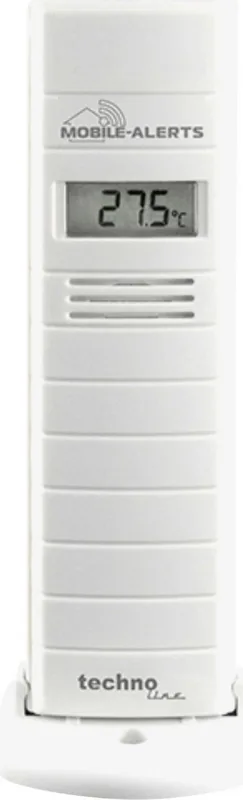
Technoline Mobile Alerts Additional Sensor: Practical Indoor and Outdoor Climate Monitoring
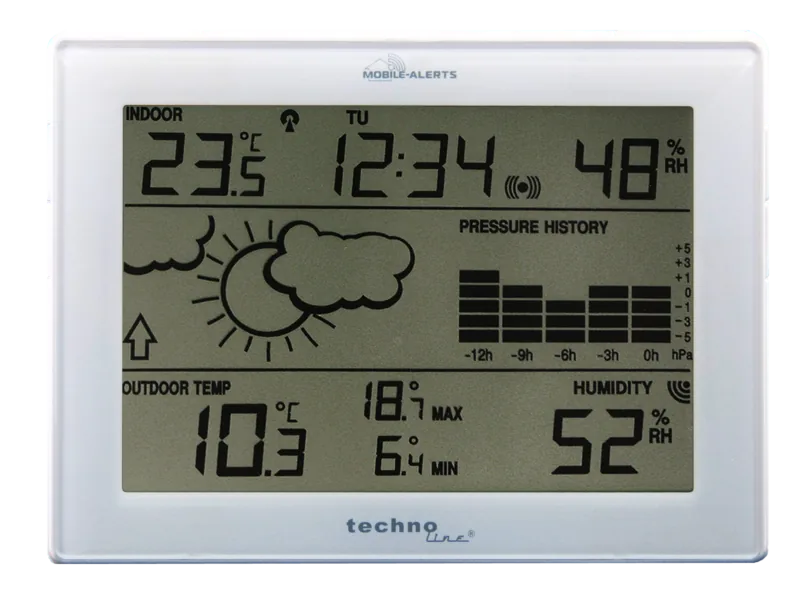
The Technoline Mobile Alerts Additional Sensor Indoor/Outdoor is a compact thermo-hygro sensor designed to extend the MOBILE-ALERTS ecosystem with reliable temperature and humidity tracking. It is made for users who want a simple way to keep an eye on climate conditions in different spaces, from living rooms and basements to garages, sheds, or even protected outdoor spots. Because it works with the MOBILE-ALERTS gateway, it is best suited for people already using this connected monitoring system.
Setting it up is straightforward. After opening the battery compartment and inserting two AA batteries, the sensor can be added through the app by scanning the QR code on the back. Once paired, you can assign a custom name and start monitoring right away. That easy onboarding makes it appealing for households, hobby gardeners, storage areas, and anyone who needs a quick overview of environmental conditions without complicated installation.
What makes this sensor useful is its broad measurement range. It measures temperature from -39.9°C to +59.9°C and humidity from 20% to 99%, with accuracy levels of 1°C and 3% respectively. Readings are refreshed at seven-minute intervals, which is a practical balance between regular updates and efficient battery use. The transmission range reaches up to 100 meters in open areas, giving the sensor enough flexibility for many everyday setups.
Another strong point is battery efficiency. With an estimated battery life of around two years, the sensor is designed for low-maintenance operation. This is especially helpful for users who place sensors in less accessible areas and prefer not to replace batteries often. In combination with the app-based system, it becomes a convenient tool for long-term climate awareness rather than just short-term checks.
For best results, place the sensor where airflow is stable and avoid direct sunlight, moisture exposure, or heat sources that could distort measurements. If you use it outdoors, choose a sheltered position to protect it from harsh weather. The MOBILE-ALERTS app also provides more information, detailed instructions, and product support resources.
Notes
- Requires a MOBILE-ALERTS gateway to function.
- Uses 2 x AA alkaline batteries.
- Old batteries and electronics should be recycled properly.
- Ideal for monitoring rooms, storage spaces, and protected outdoor areas.
Search for 67,706 Manuals online


Type-in Brand or Model
Elena Schmidt
10 months ago
Is the device hard to set up, and does the temperature reading stay accurate across a wide range?
Manual.ly
10 months ago
Setup is straightforward. You register/pair it following the on-screen steps, and then start reading values right away. The readings are easy to access and display clearly. In customer feedback, the temperature display was reported as accurate, with a wide measurement range that still stays reliable. For best results, make sure the sensor is positioned correctly and gives it a moment to stabilize in the new environment before judging the displayed value.