
Technaxx TX-81 Activity Tracker black Manual
PDF manual · 29 Pages
English



Advantages and Disadvantages
Advantages

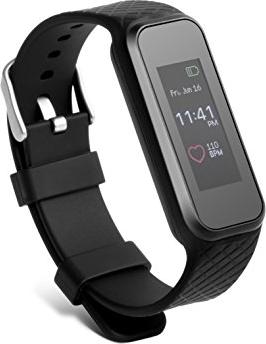
- Lightweight 1.06" color touchscreen with step, distance and calorie tracking
- Heart-rate monitoring with manual and optional auto-tracking (PPG sensor)
- My Fitness Plus app syncs goals, reminders, charts and firmware updates
- Magnetic Micro USB charging base; ~2-hour charge and ~5-day typical standby
- Extras: music control, camera remote, smartphone finder and vibration alerts
Disadvantages

- IP65 splash-proof only — not suitable for showering or swimming
- Notifications may truncate text and prefer Latin alphabets
- Battery life drops significantly with Bluetooth and continuous heart-rate use
- Activity and calorie estimates are approximate, not clinical-grade
- Bluetooth is disabled while charging; pairing may need troubleshooting
Ask a Question
Frequently Asked Questions
The TX-81 supports iOS devices with Bluetooth 4.0 and iOS 7.0 or newer, and Android devices with BLE running Android 4.3 or higher. Verify your device supports Bluetooth Low Energy before pairing.
Is this answer helpful?
Charging takes about two hours via the magnetic Micro USB base. Typical standby is around five days but varies with Bluetooth connectivity, notifications and heart-rate monitoring frequency.
Is this answer helpful?
No. The band is IP65 rated for splash resistance and light rain. It should not be submerged, used for swimming or showering, or exposed to high-pressure water.
Is this answer helpful?
The TX-81 offers reasonable estimates for everyday fitness tracking. Distance and calorie figures are approximate and intended for general guidance rather than precise medical or athletic measurement.
Is this answer helpful?
Enable Bluetooth on your phone, open My Fitness Plus, sign in or register, select TX-81, choose the device code that appears on the band, and confirm pairing on the wristband when prompted.
Is this answer helpful?
Yes. The TX-81 supports automatic sleep detection and manual sleep mode. You can set preset sleep windows in the app for improved detection and view light/deep sleep charts in the My Fitness Plus app.
Is this answer helpful?
Ensure Bluetooth and network are enabled, keep the band within ~10 meters, confirm it isn’t connected to another account, restart the app or phone, unpair and re-pair via the app, and check for firmware updates.
Is this answer helpful?
Product Description

Technaxx TX-81 Activity Tracker black — Smart, simple fitness tracking
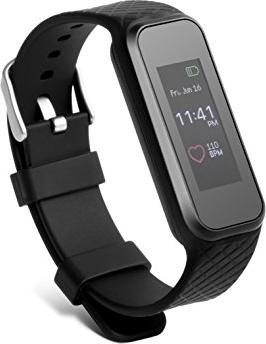
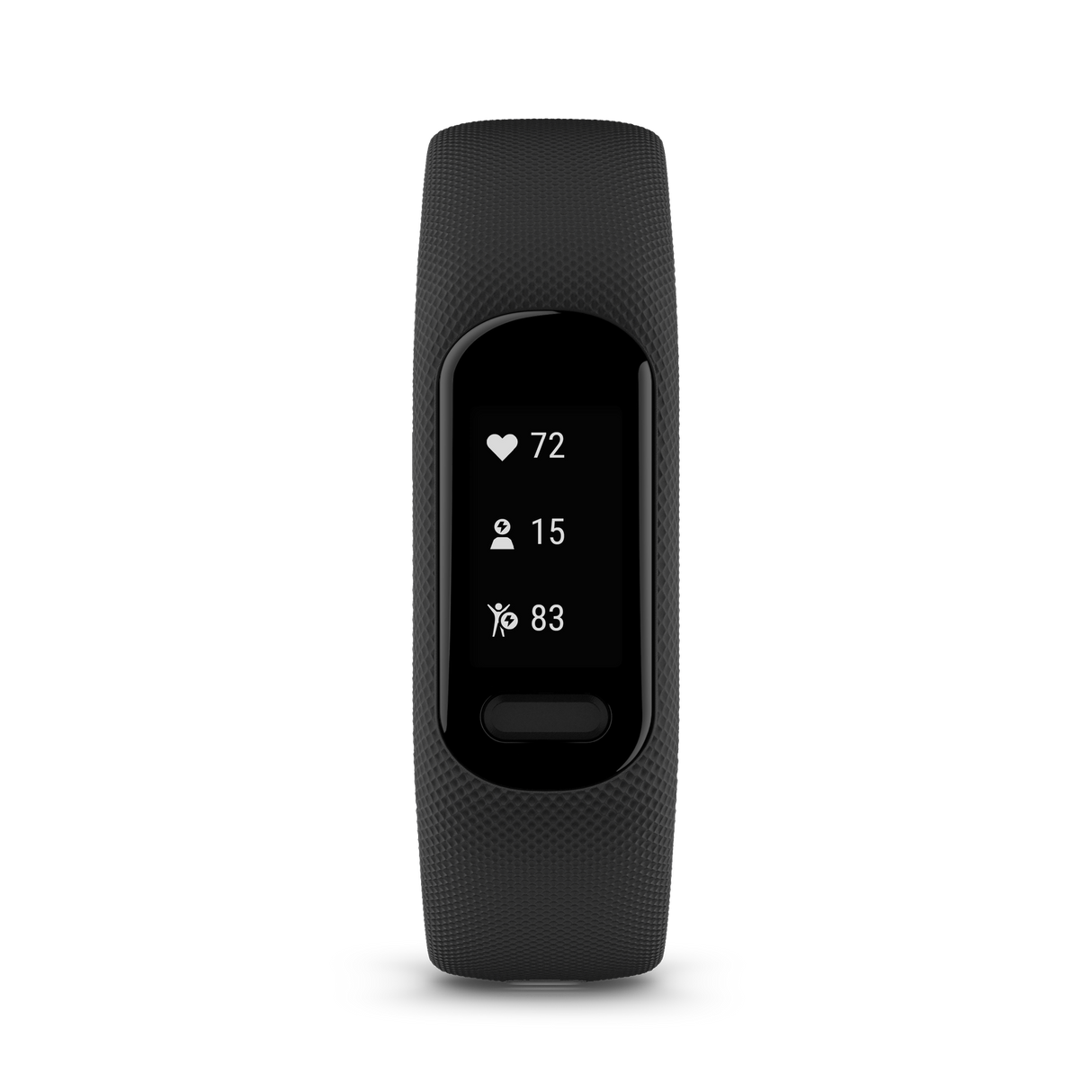
The Technaxx TX-81 Activity Tracker black is an affordable, user-friendly fitness wristband designed for everyday activity monitoring. Sleek and lightweight at 25 g, the TX-81 combines a 1.06" color TFT touch display with Bluetooth 4.0 BLE connectivity and an AMS AS7000 heart-rate sensor to deliver core fitness features: step counting, distance, calorie estimation, heart-rate measurement, sleep tracking and notifications from your smartphone. With IP65 splash protection and a flexible TPU strap, it suits outdoor use and daily wear while offering a magnetic Micro USB charging base for convenient recharging.
The tracker pairs with the free My Fitness Plus app (iOS 7.0+/Android 4.3+) to sync activity history, set goals, create reminders and view daily/weekly/monthly charts. Automatic sleep detection, manual sleep mode and preset sleep windows give flexible sleep reporting. The device supports manual heart-rate reads and optional automated tracking intervals, using photoplethysmography (PPG) to detect pulse. Additional conveniences include music control, a camera snapshot remote, smartphone finder, vibrating alerts for calls/messages/social apps, and anti-lost Bluetooth disconnect warnings.
Battery life and charging
Equipped with a built-in 100 mAh LiPo battery, the TX-81 charges in about two hours and typically provides around five days of standby depending on usage and Bluetooth activity. The band must be fully charged before first use and should be recharged every 2–3 months when unused. Note that Bluetooth is disabled while charging and screen illumination remains on during the charging process.
User experience and app integration
The wristband’s interface is gesture-driven: double-tap to wake, slide to navigate, and tap icons to start timers or heart-rate readings. The My Fitness Plus app handles pairing, account management, goal setting, reminders and firmware upgrades. Auto-sync, quick-view wrist raise and notification preferences are configurable in the app; data stored on the band lasts up to five days before syncing is recommended. Factory reset and restart options are available in settings to resolve persistent issues.
Durability and care
IP65 splash protection allows use in light rain or handwashing but prohibits showering, swimming or submersion. Avoid extreme temperatures, abrasive cleaners and physical abuse. The manufacturer provides a two-year warranty and technical support via email or service phone.
Notes
- The calorie and distance values are approximate and intended for guidance, not clinical accuracy.
- Store and sync data regularly — the band retains activity for up to five days.
- Use the My Fitness Plus app for full configuration, firmware updates and historical charts.
Pros and Cons
Pros:
- Lightweight, colorful touchscreen with essential fitness features.
- Heart-rate monitoring (manual and configurable auto-tracking).
- My Fitness Plus app syncs daily/weekly/monthly activity charts and goals.
- Affordable magnetic charging and decent ~5-day battery life.
- Useful extras: music control, camera remote, smartphone finder and reminders.
Cons:
- IP65 splash protection — not suitable for showering, swimming or diving.
- Notifications limited (text truncation and Latin alphabet preference).
- Battery life varies significantly with Bluetooth and heart-rate use.
- Calorie and distance metrics are approximate, not medical-grade.
- Bluetooth disabled during charging; pairing can require troubleshooting.
Key results (most important)
- Reliable everyday tracking: steps, distance and approximate calories with daily/weekly/monthly summaries in the app.
- Heart-rate capability: manual readings plus optional auto-tracking using PPG; useful for workouts but battery-intensive.
- Seamless app integration: My Fitness Plus handles pairing, goals, reminders, firmware updates and historical charts.
- Practical battery and charging: ~2 hour charge time, ~5 days typical standby; magnetic Micro USB base simplifies charging.
- Practical limitations: splash-proof only (IP65), truncated notifications and approximate metrics—best for casual fitness monitoring.
FAQ
-
Q: What phones are compatible with the TX-81?
A: The tracker supports iOS devices with Bluetooth 4.0 and iOS 7.0+ and Android devices with BLE and Android 4.3+. Confirm your OS and BLE support before pairing. -
Q: How long does the battery last and how long to charge?
A: Charging takes about 2 hours; typical standby is around 5 days but heavily depends on Bluetooth usage, notifications and heart-rate monitoring frequency. -
Q: Can I swim or shower with the TX-81?
A: No. The TX-81 is IP65 splash-proof (rain and handwashing OK) but not suitable for showering, diving or swimming. -
Q: How accurate are steps, distance and calories?
A: The band provides reasonable estimates for casual tracking; calorie and distance calculations are approximate and not intended for clinical or precise measurement. -
Q: How do I pair the band with my phone?
A: Enable phone Bluetooth, open My Fitness Plus, sign in, choose TX-81, select the device code shown on the band, and confirm pairing on the wristband when prompted. -
Q: Does the band track sleep automatically?
A: Yes — automatic sleep detection is available and can be combined with preset sleep windows; detailed light/deep sleep is visible in the app. -
Q: What if syncing or pairing fails?
A: Ensure Bluetooth and network are on, keep the band within 10 m, confirm it isn’t paired to another account, restart the app or device, and use the app’s unpair/reconnect options if needed.
Search for 383 Manuals online


Type-in Brand or Model