

TechN RTX 2080/2080 Ti Manual
PDF manual · 1 Pages
English


Quick check
Incorrect answer, please try again.
Chat with your TechN RTX 2080/2080 Ti manual using AI
Get instant AI answers from your TechN RTX 2080/2080 Ti manual
Ask anything about the TechN RTX 2080/2080 Ti. Answers come from this manual, with the pages they are based on.
Ask a Question
Do you recommend RTX 2080/2080 Ti?
Yes NoFrequently Asked Questions
No, the TechN backplate is designed exclusively for use with matching TechN watercooling blocks. Using it with other brands may result in fitment issues or lack of functionality.
Is this answer helpful?
You will need the included Allen key and a Phillips screwdriver. Note that the screwdriver is not included in the box, so you must provide one yourself.
Is this answer helpful?
The kit comes with six M3x6 cylinder head screws specifically sized for securing the backplate to the graphics card frame.
Is this answer helpful?
Yes, you can reuse the six highlighted screws from your graphics card if you are not installing a cooler, or use the new ones provided depending on your setup.
Is this answer helpful?
Overtightening can strip threads or crack the PCB, leading to permanent damage to the graphics card. Always use gentle pressure and the long side of the Allen key.
Is this answer helpful?
No, the thermal pads are pre-applied and positioned correctly. You only need to remove the protective film before mounting the plate.
Is this answer helpful?
Advantages and Disadvantages
Advantages

- Premium German engineering ensures high durability and precise fitment
- Pre-installed thermal pads improve heat management without extra effort
- Sleek black finish enhances the visual aesthetics of the build
- Includes all necessary mounting hardware except the screwdriver
- Designed specifically for compatibility with TechN watercooling blocks
Disadvantages

- Only compatible with specific TechN waterblocks limiting versatility
- Phillips screwdriver is not included in the package
- Risk of hardware damage if screws are overtightened during install
- Installation requires removing existing screws which may be tight
- Manual provides limited troubleshooting steps for common errors
Product Specification
Type
Backplate
Material
Aluminum
Compatibility
NVIDIA GeForce RTX 2080 Founders Edition, NVIDIA GeForce RTX 2080 Ti Founders Edition
Connectors
N/A
Weight
5.64 oz
Product Description
Elevate Your RTX Build with the TechN Backplate
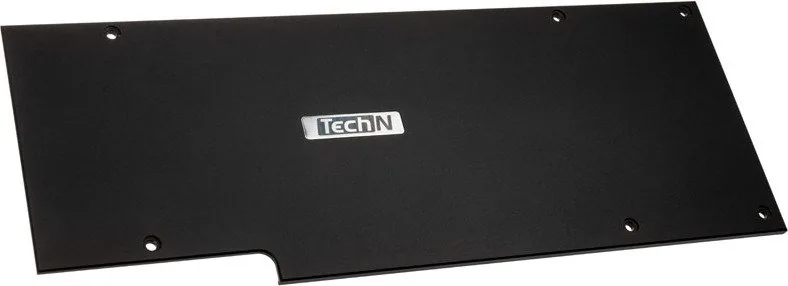
The TechN RTX 2080/2080 Ti Backplate in black is a premium accessory designed for enthusiasts who demand both aesthetic appeal and functional performance. Manufactured in Berlin, Germany, this component transforms the rear of your graphics card into a sleek, finished look while providing essential structural support. The backplate features pre-applied thermal pads that are strategically positioned to ensure optimal heat dissipation from critical components on the GPU board.
Installation requires precision and care. Before mounting, users must carefully remove the protective film from all thermal pads and verify their alignment against the diagram provided on the packaging. The process involves removing six specific screws from the original card or utilizing them if installing a compatible water block cooler simultaneously. Once prepared, the backplate is secured using the included M3x6 cylinder head screws. It is crucial to use only the long side of the Allen key and apply minimal force to avoid overtightening, which could damage the delicate circuitry.
This product is specifically engineered to work seamlessly with matching TechN watercooling solutions. Compatibility is not universal; therefore, checking the official website for supported models is highly recommended before purchase. The package includes the backplate itself, the necessary screws, and an Allen key. However, a Phillips screwdriver is also required but not included in the box. Users should always read the full instructions prior to beginning any installation to prevent voiding warranties or causing hardware failure.
Important Notes
- Ensure the PC is powered off and grounded before starting.
- Do not reuse old screws if they appear damaged.
- Verify compatibility with your specific waterblock model online.
- Avoid using excessive torque during screw installation.
- Keep the manual accessible for future reference regarding maintenance.
Search for 67,706 Manuals online


Type-in Brand or Model