
Techly ICA-LCD-2901 Manual
PDF manual · 4 Pages
English



Quick check
Incorrect answer, please try again.
Chat with your Techly ICA-LCD-2901 manual using AI
Get instant AI answers from your Techly ICA-LCD-2901 manual
Ask anything about the Techly ICA-LCD-2901. Answers come from this manual, with the pages they are based on.
Ask a Question
Do you recommend ICA-LCD-2901?
Yes NoFrequently Asked Questions
You can re-level the mount after it is installed on the wall by holding the television and rotating the plate positioned on the rear of the TV to achieve the correct alignment.
Is this answer helpful?
The supplied hardware is designed for brick and wood mounting. It is not indicated for use on walls with steel framing or cement blocks without separate specialized hardware from a local store.
Is this answer helpful?
You will need a 3.8 mm drill bit, a Phillips screwdriver, an 8 mm masonry bit, and a carpenter level to proceed with the mounting steps safely.
Is this answer helpful?
Yes, you must respect the maximum weight limitation printed on the product box to ensure the support does not fail under the load of your device.
Is this answer helpful?
Use proper safety equipment during the installation process to protect yourself while drilling into the wall and handling the heavy television unit.
Is this answer helpful?
The package contains a wall plate, VESA 200 plate, various bolts and washers, spacers, lag bolts, concrete anchors, and an Allen key for assembly.
Is this answer helpful?
No, the provided mounting components are not designed for installations on walls with steel studs or cement blocks. Consult a local store for proper hardware.
Is this answer helpful?
Advantages and Disadvantages
Advantages

- Adjustable leveling system allows for precise alignment after the initial wall attachment is complete.
- Comprehensive parts list provided to simplify verification during the unpacking and assembly phase.
- VESA 200 plate design accommodates various television rear configurations including curved models.
- Included Allen key and fasteners simplify the task when used according to the provided protocol.
- Clear instructions cover both flat and curved television mounting requirements for user comfort.
Disadvantages

- Provided hardware is not suitable for cinder block or steel stud wall types without extra items.
- Requires specific drill bits and screwdrivers that must be sourced separately by the user.
- Installation demands precise wall integrity assessment before drilling holes begins.
- Incorrect mounting may void safety guarantees and cause potential injury or property damage.
- Users must strictly follow weight limits to prevent structural failure of the mounting system.
Product Specification
Type
Wall Mount
Number of Monitors
1
Screen Size
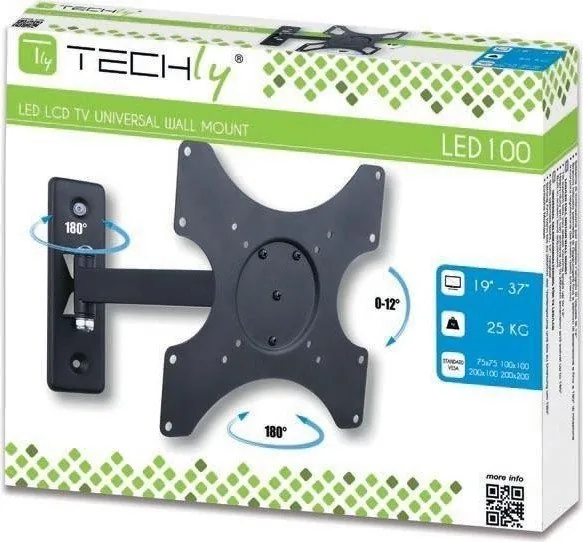
19-37 inches
Mobility
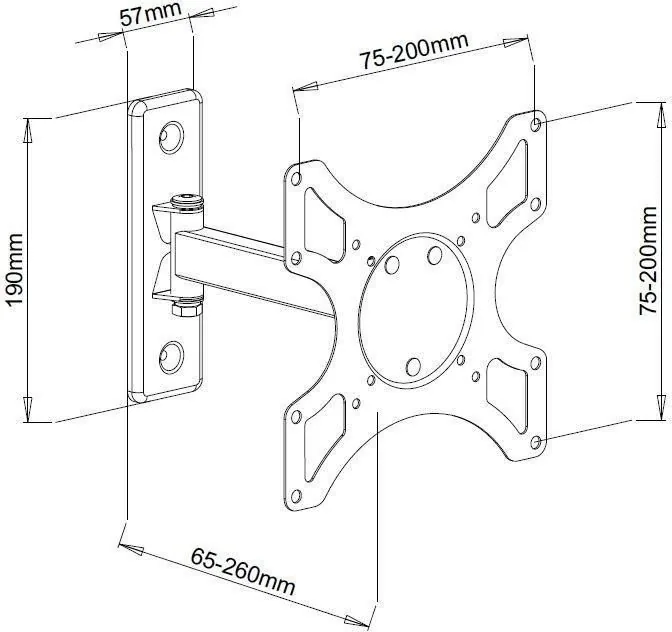
tilting (-12 deg, 0 deg), swiveling (180 deg), extending
Wall Distance
2.56-10.24 inches
Max Load
55.12 lbs
VESA
75x75, 100x100, 200x100, 200x200
Color
black
Weight
4.17 lbs
Product Description
Secure Your Display with the Techly Universal Mount
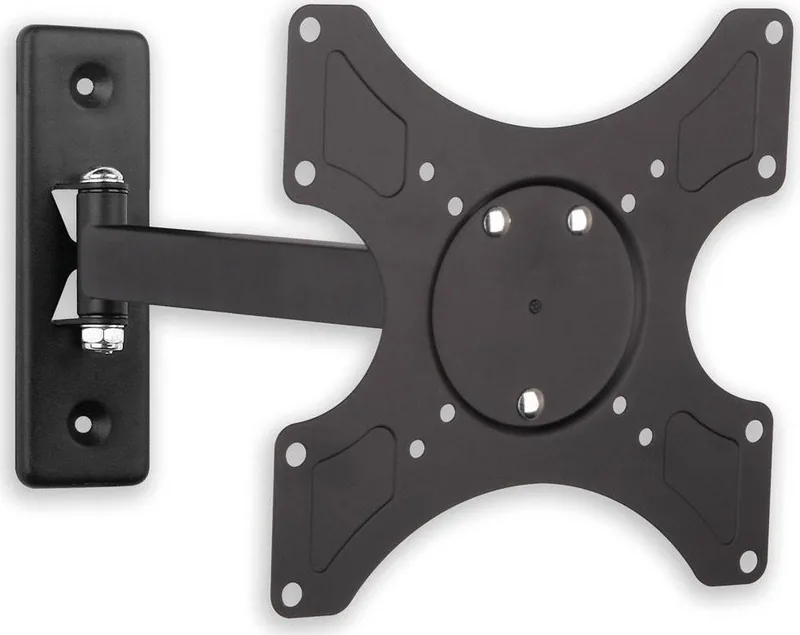
Enhancing your home entertainment setup requires reliable hardware to keep your screen safe and visible. The Techly ICA-LCD-2901 is a versatile solution for securing LED and LCD televisions to vertical walls in residential or commercial spaces. This bracket ensures a stable and secure environment for your viewing experience. Adhering to the detailed guidelines in the Techly ICA-LCD-2901 Manual is essential for proper assembly and long-term durability of the entire system.
Comprehensive Installation Process
Setting up the mount involves critical steps to guarantee safety. Initial unpacking requires care to avoid damaging components. Users must verify all parts match the supplied parts list. Using damaged parts could compromise structural integrity. Always check each component for defects prior to beginning the process. It is crucial to read all safety information before starting work on the wall or connecting the device. Follow each instruction carefully to ensure a safe setup.
Essential Tools and Compatibility
Preparation involves gathering the right equipment for smooth installation without unnecessary delays. You will need a drill with a 3.8 mm bit, a Phillips screwdriver, an 8 mm masonry bit, and a reliable level. These tools help manage the specific requirements for mounting on standard brick or wood surfaces safely. Note that the provided hardware is not for steel studs or cinder block constructions. Always respect maximum weight limitations indicated on the box packaging to prevent accidents. Regular inspections ensure the mount remains secure over time.
Safety and Adjustment Features
The device features a leveling adjustment system for fine-tuning after the initial wall plate is secured. Achieve level by rotating the back plate of the television while holding the screen. Secure attachment to the vertical wall prevents falls that cause injury. The system includes bolts, washers, spacers, and anchors for different TV rear designs. Whether flat or curved, the VESA 200 plate adapts effectively. Ensure the mounting plate is aligned correctly for stability.
Important Safety Guidelines
Safety must remain the priority during every phase of the project. Do not use the product for configurations not specified in the provided instructions. Contact a qualified contractor if you doubt installation safety or assess wall nature. Ensure wall integrity is sound before drilling holes. Enjoy a worry-free setup when all steps are followed precisely according to the protocol.
Search for 67,732 Manuals online


Type-in Brand or Model