

Techly ICA-LCD-2500 Manual
PDF manual · 12 Pages
English



Quick check
Incorrect answer, please try again.
Chat with your Techly ICA-LCD-2500 manual using AI
Get instant AI answers from your Techly ICA-LCD-2500 manual
Ask anything about the Techly ICA-LCD-2500. Answers come from this manual, with the pages they are based on.
Ask a Question
Do you recommend ICA-LCD-2500?
Yes NoFrequently Asked Questions
The arm is designed for 13 to 27 inch monitors and supports VESA mounting sizes of 75x75 and 100x100. It also has a maximum weight capacity of 10 kg, so ensure your display falls within these limits before installing.
Is this answer helpful?
It depends on your desk. The guidance describes a weighted-base method that can avoid drilling, and a grommet-hole method that may require a 10 mm diameter hole when a suitable opening is not already available.
Is this answer helpful?
Yes. The setup includes an installation path for using an existing grommet hole, with instructions to remove any protective plastic protector so the surface is flat before mounting the base.
Is this answer helpful?
After the monitor is mounted, you can adjust the tilt angle. The process includes tightening the provided adjustment hardware so you can set the desired viewing angle, then finish by securing it for stable daily use.
Is this answer helpful?
The instructions emphasize installing the required M4x6 bolt before rotating the monitor. This helps keep the assembly secure and ensures the monitor sits properly during movement.
Is this answer helpful?
Use the included wire clip(s) and route the cables according to the recommended layout. The goal is to keep cords organized and away from the moving parts so the arm can move smoothly without snagging.
Is this answer helpful?
If you do not understand the instructions or have doubts about installation safety, the guidance recommends contacting a qualified contractor. The arm must be correctly and securely attached, so choosing professional help can reduce risk.
Is this answer helpful?
Advantages and Disadvantages
Advantages

- Supports 13 to 27 inch monitors with VESA 75x75 and 100x100
- Rated for up to 10 kg load, suitable for many standard office displays
- Multiple desk-mount options: weighted base and grommet-hole installations
- Adjustable tilt angle plus cable clips for a cleaner desk and better ergonomics
Disadvantages

- Must be securely attached to a strong horizontal desk; incorrect mounting can be hazardous
- May require drilling a 10 mm hole depending on your desk setup
- Installation involves many steps and hardware checks
- 10 kg max load may exclude heavier or larger monitors
Product Specification
Type
Table
Number of Monitors
1
Screen size
13-27"
Adjustability
tiltable (-15°, +15°), rotatable (360°), swivelable (180°), height adjustable
Max. load capacity
22.05 lbs
VESA
75x75, 100x100
Shelves
1
Color
black
Dimensions (WxHxD)
12.60x18.31x10.24in
Weight
8.33 lbs
Product Description
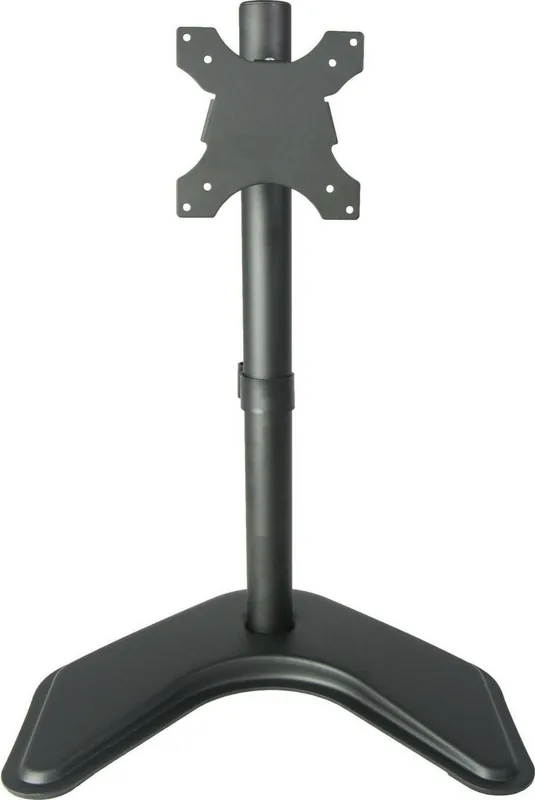
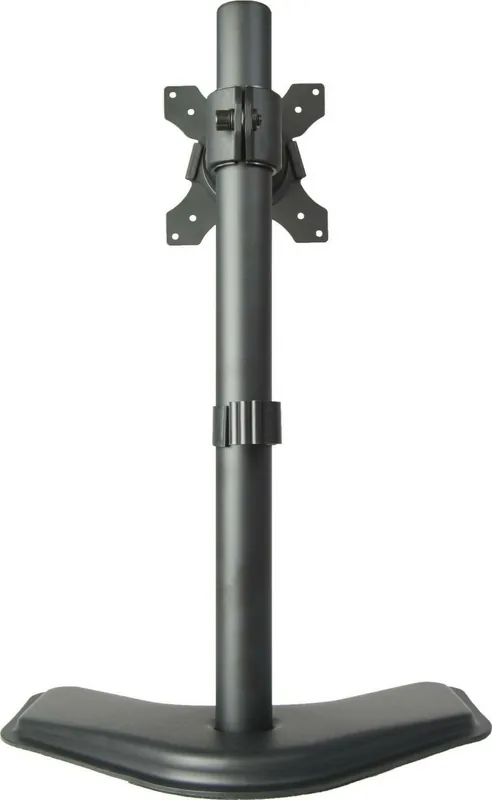
Techly ICA-LCD-2500 Desktop Monitor Arm with Base
If you want a more ergonomic workspace, the Techly ICA-LCD-2500 is built to lift your monitor into a better viewing position while keeping your desk surface tidy. Designed for a wide range of common office displays, this desktop arm combines a sturdy base with a practical mounting approach, so setup can match your desk layout.
This model supports monitors from 13 to 27 inches, with VESA patterns of 75x75 and 100x100, and a maximum load of 10 kg. That compatibility makes it a versatile choice for typical workstations, from daily document work to multi-screen productivity. It also focuses on stability during installation, emphasizing secure attachment to the horizontal desk before you use the arm for viewing adjustments.
Installation centers on a dependable base plus clear assembly steps. Depending on your desk, you can mount using a weighted-base method or take advantage of a grommet-hole approach. The instructions cover both cases, including options for existing grommet holes and a self-drilled 10 mm hole when needed. Once the pole and arm are assembled, you attach the VESA plate to the monitor, slide the screen onto the arm head, and secure the needed hardware before rotating.
After mounting, the arm lets you fine-tune comfort. You can adjust the tilt angle and then manage cables using the included clips along the pole, helping route wires away from the movement zone. The overall goal is simple: a stable, adjustable monitor position with less clutter and fewer distractions.
Key results (most important)
- Fits 13 to 27 inch monitors with VESA 75x75 or 100x100 and up to 10 kg, helping you build a cleaner desk setup.
- Supports weighted-base installation and grommet-hole options, including existing holes or drilling a 10 mm access point.
- Cable clips along the pole help route cords neatly, reducing clutter around the moving arm.
- Tilt angle can be tuned using the provided adjustment screw for a more comfortable viewing posture.
Key results to watch (most important)
- Correct mounting to a strong horizontal desk is essential; improper setup can lead to instability.
- If you are unsure about the steps or safety, the guidance advises using a qualified installation contractor.
- Make sure the required M4x6 bolt is installed before rotating the monitor.
- The 10 kg maximum load limits compatibility for heavier displays.
Notes
- Use proper safety equipment during installation.
- Verify all components match the included parts list before starting.
- Keep the Techly ICA-LCD-2500 Manual handy and re-check that each step was completed correctly.
Search for 67,732 Manuals online


Type-in Brand or Model